Glynn Johnson 400 Series Function Conversions Installation Instructions 109045
Open the original PDF document
View PDF

400
829408-00
Function Conversions Installation Instructions
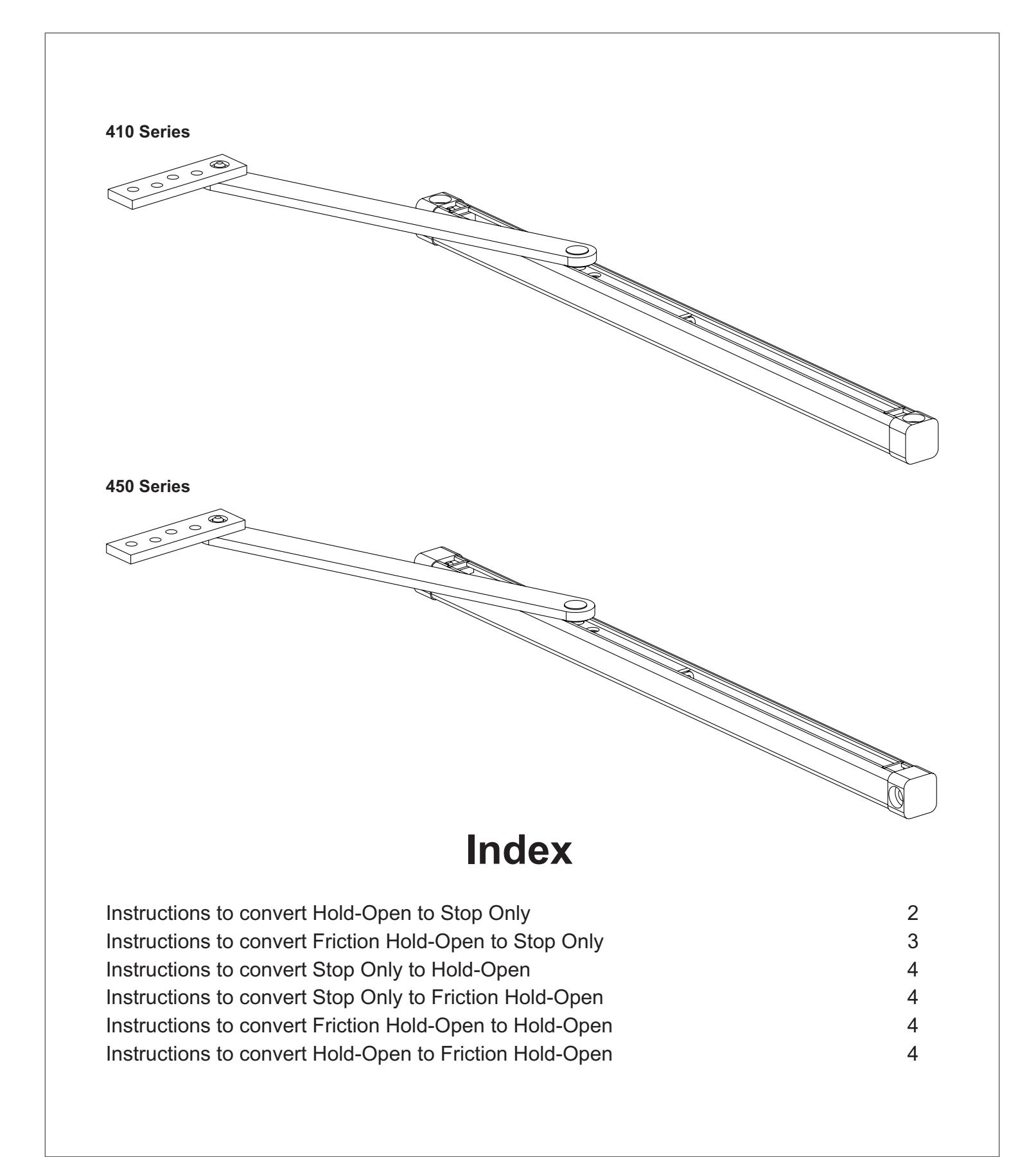
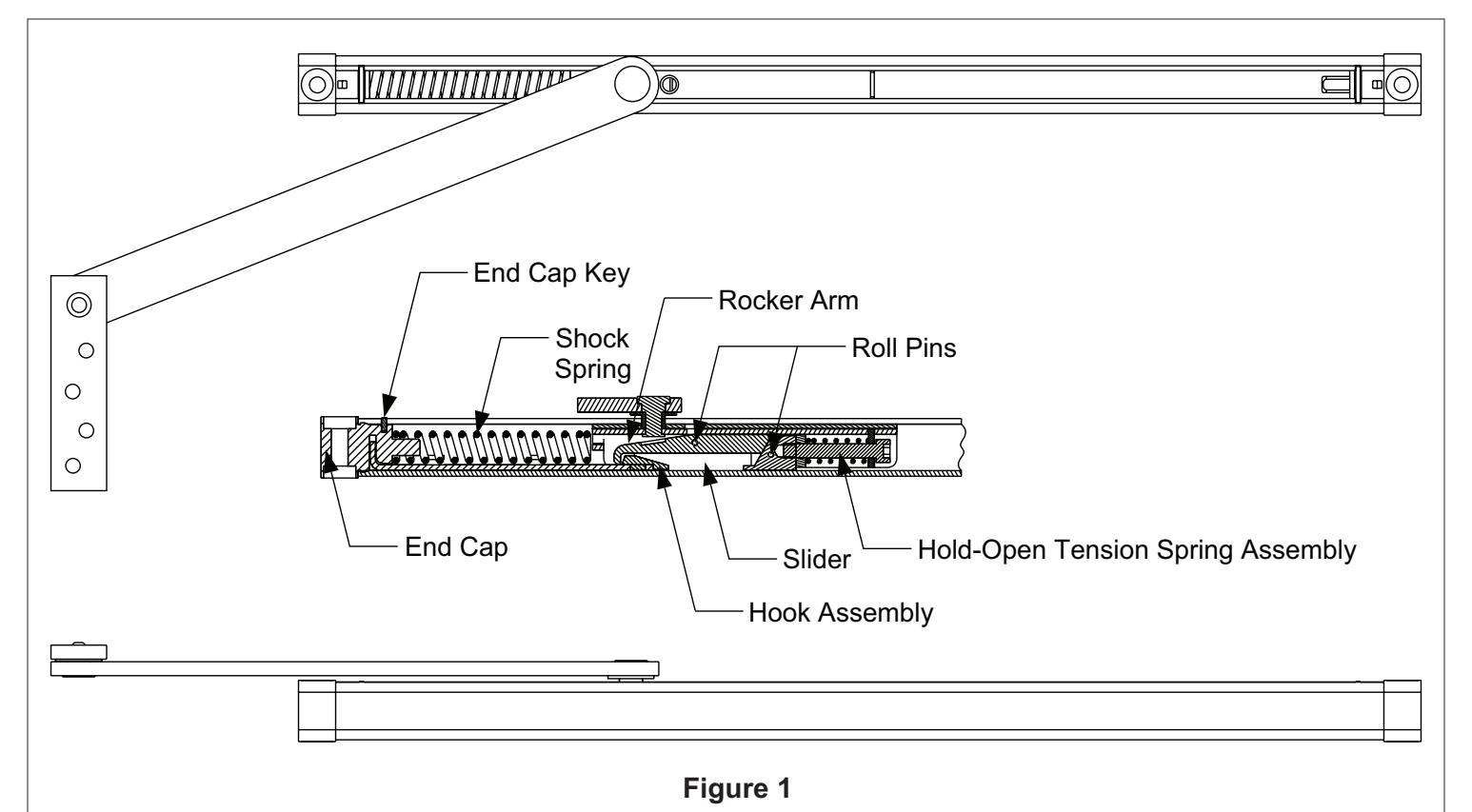
Hold-Open to Stop Only (Refer to Figure 1)
- 1. Remove the overhead unit from door and frame.
- 2. Remove the end cap key from the end of the channel with the shock spring.
- 3. Remove the end cap, hook, and shock spring assembly.
- 4. Remove the hook assembly from the end cap.
- 5. Replace the end cap and shock spring assembly.
- 6. Replace the end cap key.
- 7. Reinstall the overhead unit.
- L Note: When the hook assembly is removed, the overhead will function as a stop only. Removing the hold-open components from the slider is not necessary for conversion.
Optional (Start after step 4)
- 8. Slide the arm assembly out of the channel.
- 9. Remove the 2 roll pins from the slider. The rocker arm and the Hold-Open tension spring assembly will come out of the slider.
- 10.Slide the arm assembly back into the channel with the long end of the slider away from the shock spring end of the channel.
- 11. Return to step 5 above.
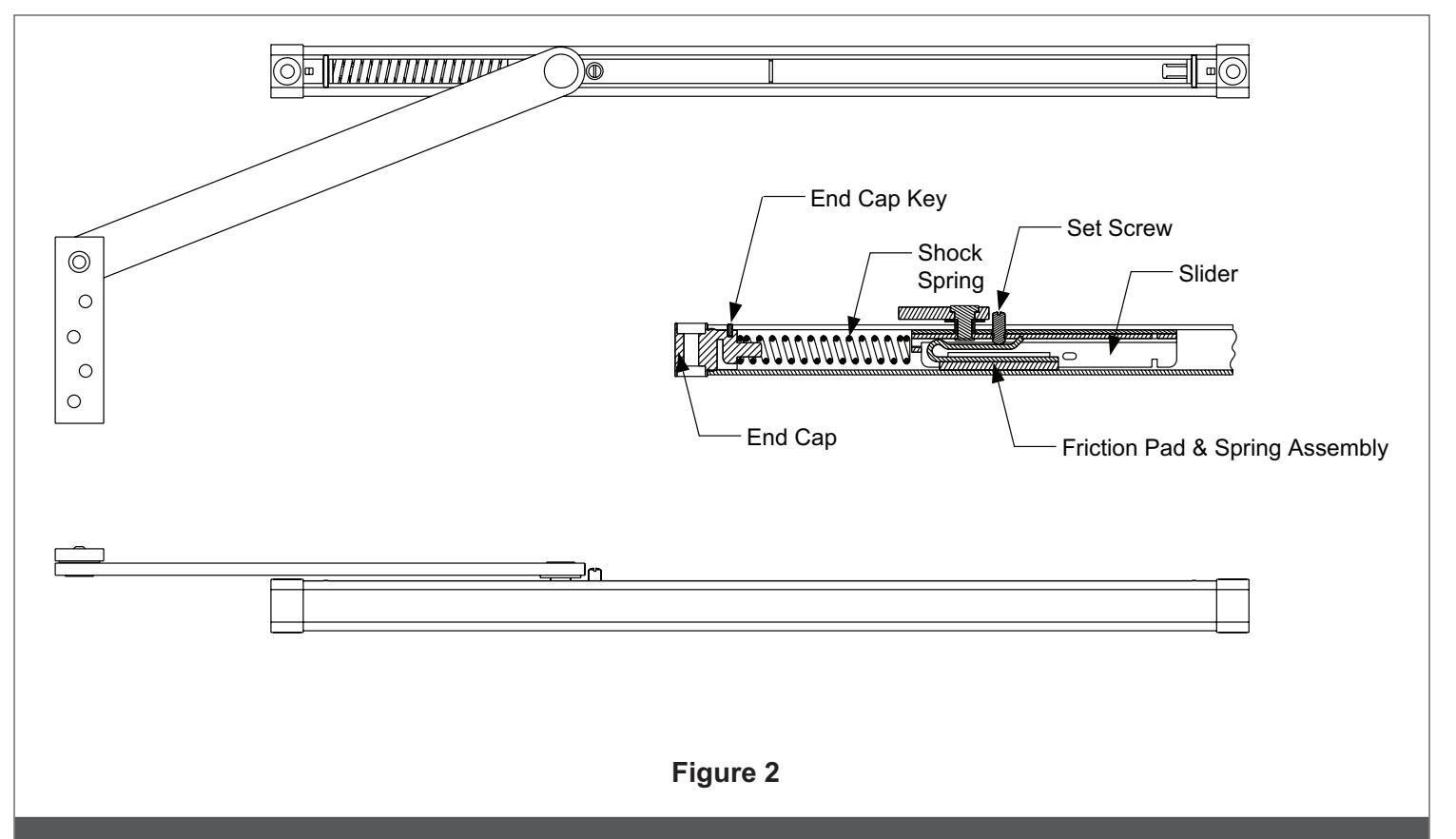
Friction Hold-Open to Stop Only
(Refer to Figure 2)
- 1. Remove the set screw from the top of the slider.
- L Note: When the set screw is removed from the slider, the overhead will function as a stop only. Removing the friction components from the slider is not necessary for conversion.
Optional
- 2. Remove the overhead unit from door and frame.
- 3. Remove the end cap key from the end of the channel without the shock spring.
- 4. Remove the end cap by knocking the slider against the end cap until the end cap comes out of the channel.
- 5. Slide the arm assembly out of the channel, the friction pad and spring assembly will drop out of the slider.
- 6. Slide the arm assembly back into the channel, with the short end of the slider towards the shock spring in the channel.
- 7. Replace the end cap.
- 8. Replace the end cap key.
- 9. Reinstall the overhead unit.
Stop Only to Hold-Open
(Refer to Figure 1)
- 1. Remove the overhead unit from door and frame.
- 2. Remove the end cap key from the end of the channel with the shock spring.
- 3. Remove the end cap.
- 4. Slide the arm assembly out of the channel.
- 5. Place rocker arm inside slider as shown.
- 6. Install roll pin through slider and rocker arm.
- 7. Place hold-open tension spring assembly into slider as shown with the tab on the hold-open tension spring assembly in slot on slider.
- 8. Install roll pin through slider and hold-open tension spring assembly.
- 9. Place hook assembly into slot in the end cap.
- 10.Grease the rocker arm and ramp on the hook assembly with a graphite or white lithium based grease, not supplied in the conversion kit.
- 11. Slide the arm assembly back into the channel with the short end of the slider towards the shock spring end of the channel.
- 12.Replace the end cap, hook, and spring assembly into channel.
- 13.Replace the end cap key.
- 14.Reinstall the overhead unit.
- 15.Adjust the hold-open tension as described on the installation instructions.
Friction Hold-Open to Hold-Open
(Refer to Figures 1& 2)
- 1. Remove the overhead unit from door and frame.
- 2. Remove the end cap key from the end of the channel with the shock spring.
- 3. Remove the end cap.
- 4. Slide the arm assembly out of the channel; the friction pad and spring assembly will drop out of the slider.
- 5. Remove the set screw from the middle of the slider.
- 6. Place rocker arm inside slider as shown.
- 7. Install roll pin through slider and rocker arm.
- 8. Place hold-open tension spring assembly into slider as shown with the tab on the hold-open tension spring assembly in slot on slider.
- 9. Install roll pin through slider and hold-open tension spring assembly.
- 10.Place hook assembly into slot in the end cap.
- 11. Grease the rocker arm and ramp on the hook assembly with a graphite or white lithium based grease, not supplied in the conversion kit.
- 12.Slide the arm assembly back into the channel with the short end of the slider towards the shock spring end of the channel.
- 13.Replace the end cap, hook, and spring assembly into channel.
- 14.Replace the end cap key.
- 15.Reinstall the overhead unit.
- 16.Adjust the hold-open tension as described on the installation instructions.
Stop Only to Friction Hold-Open
(Refer to Figure 2)
- 1. Remove the overhead unit from door and frame.
- 2. Remove the end cap key from the end of the channel without the shock spring.
- 3. Remove the end cap by knocking the slider against the end cap until the end cap comes out of the channel.
- 4. Slide the arm assembly out of the channel.
- 5. Remove any grease from the inside bottom of the channel.
- 6. Place friction pad and spring assembly into slider as shown.
- 7. Slide the arm assembly back into the channel with the short end of the slider towards the shock spring end of the channel.
- 8. Put set screw into top of slider.
- 9. Replace the end cap.
- 10.Replace the end cap key.
- 11. Reinstall the overhead unit.
- 12.Adjust the friction hold-open tension as described in the installation instructions.
Hold Open to Friction Hold-Open
(Refer to Figures 1 & 2)
- 1. Remove the overhead unit from door and frame.
- 2. Remove the end cap key from the end of the channel with the shock spring.
- 3. Remove the end cap.
- 4. Slide the arm assembly out of the channel.
- 5. Remove any grease from the inside bottom of the channel.
- 6. Remove the hook assembly from the end cap.
- 7. Remove the 2 roll pins from the side of the slider. The rocker arm and hold-open tension spring assembly will drop out of the slider.
- 8. Place friction pad and spring assembly into slider as shown.
- 9. Slide the arm assembly back into the channel with the short end of the slider towards the shock spring end of the channel.
- 10.Put set screw into top of slider.
- 11. Replace the end cap and shock spring assembly.
- 12.Replace the end cap key.
- 13.Reinstall the overhead unit.
- 14.Adjust the friction hold-open tension as described in the installation instructions.