First Choice Building Products Series SW300 Signal Switch Installation Guide
Open the original PDF document
View PDF

Series SW300 Signal Switch Installation Guide
Phone: (800) 793-4544
www.firstchoicebuildingproducts.com
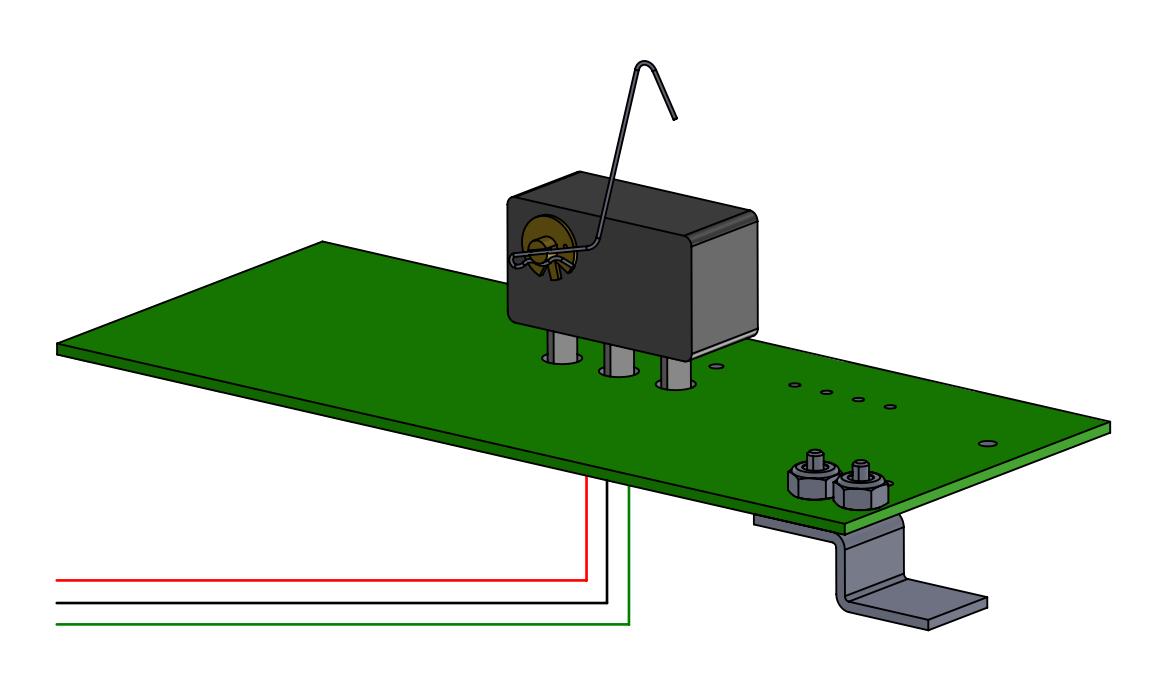
SW300 Signal Switch Contents:
- 1. Series SW300 Signal Switch Board
- 2. 3-Wire Lead, Attached to Board
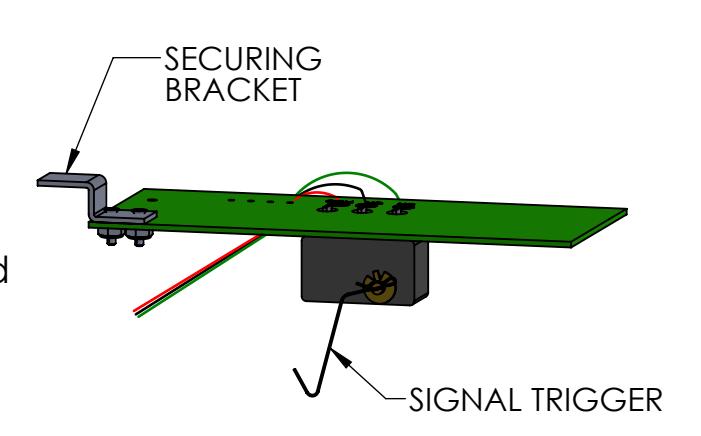
(NOTE: If shipping the exit device loose (Not installed on a door), be sure to <u>secure the Signal Switch Board</u> so that it will not fall out during handling.)
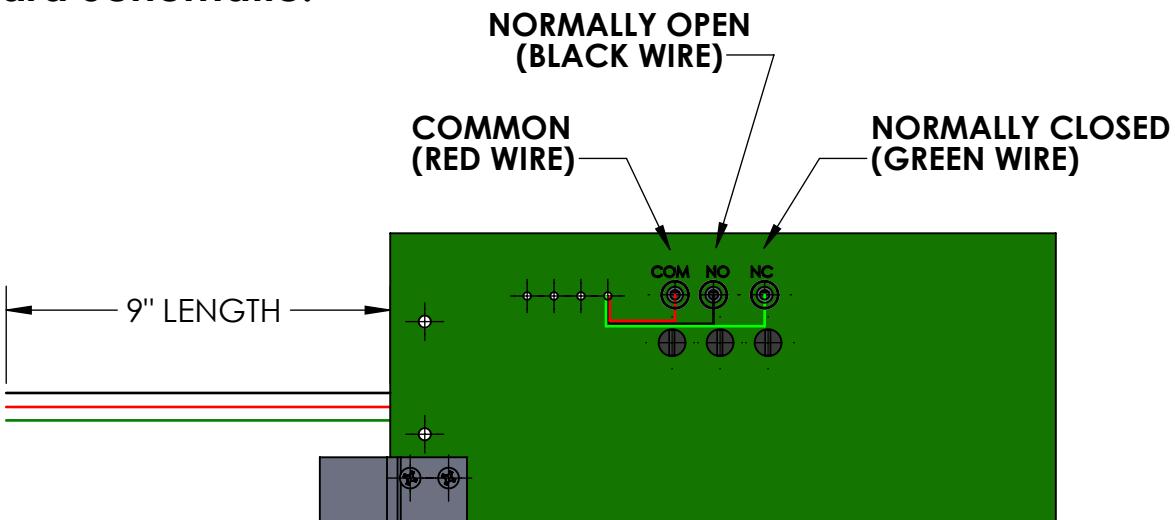
Board Schematic:
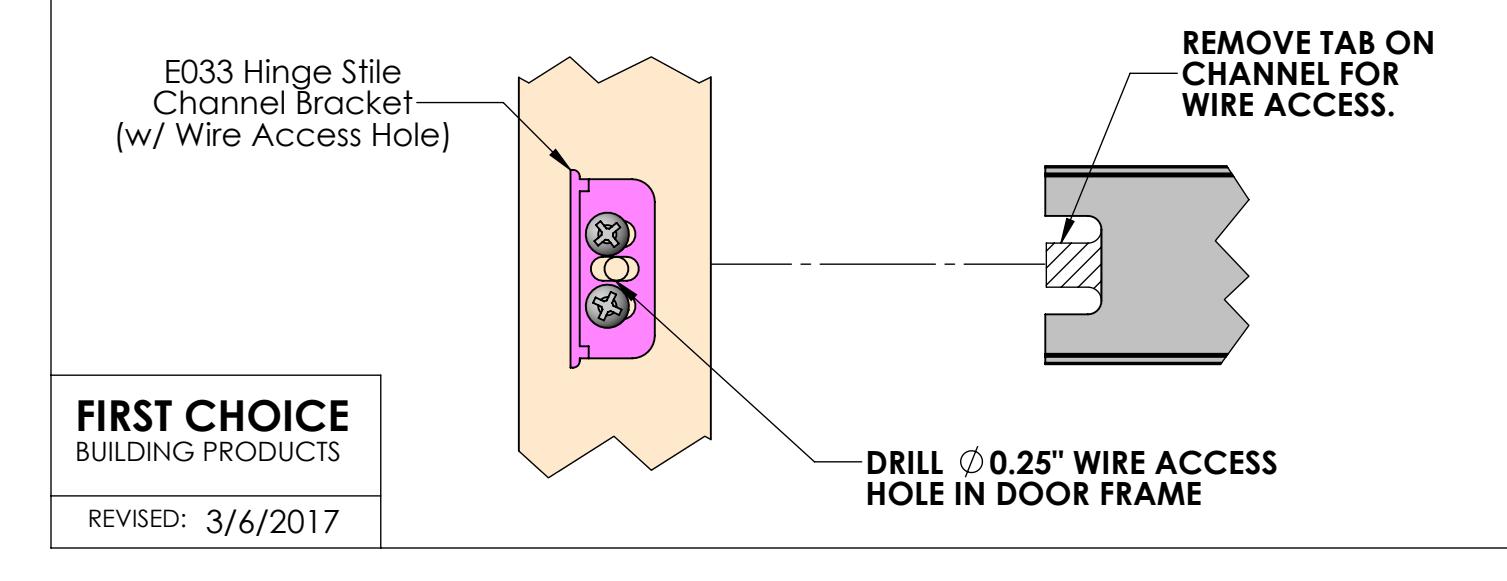
Door Frame/Exit Device Prep:
Installing Signal Switch Board Into Exit Device:
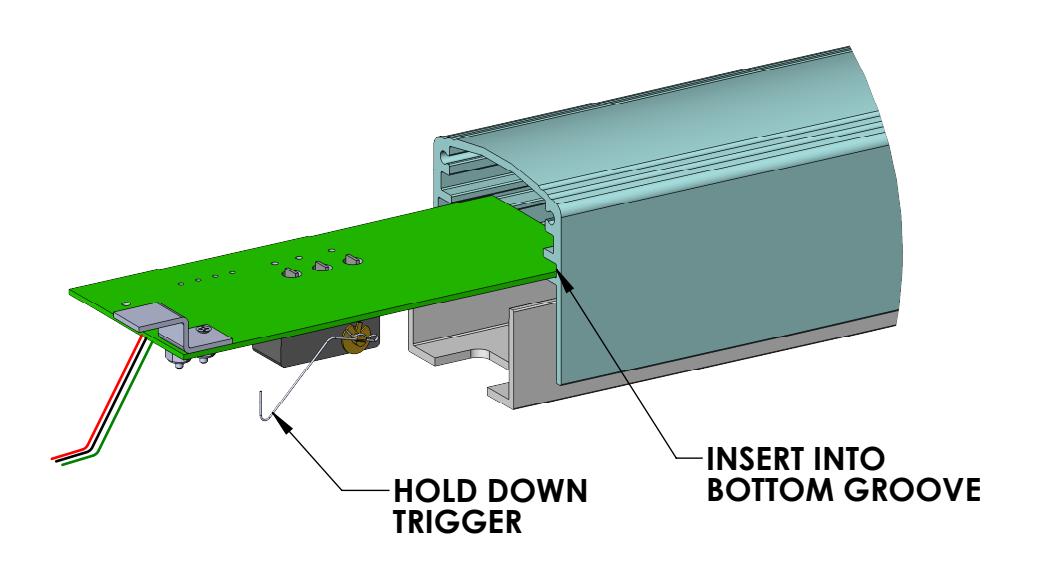
1. While holding down the Signal Trigger, insert the Signal Switch Board into the rear end of the Exit Device (as shown below), locating it into the bottom groove in the push bar extrusion.
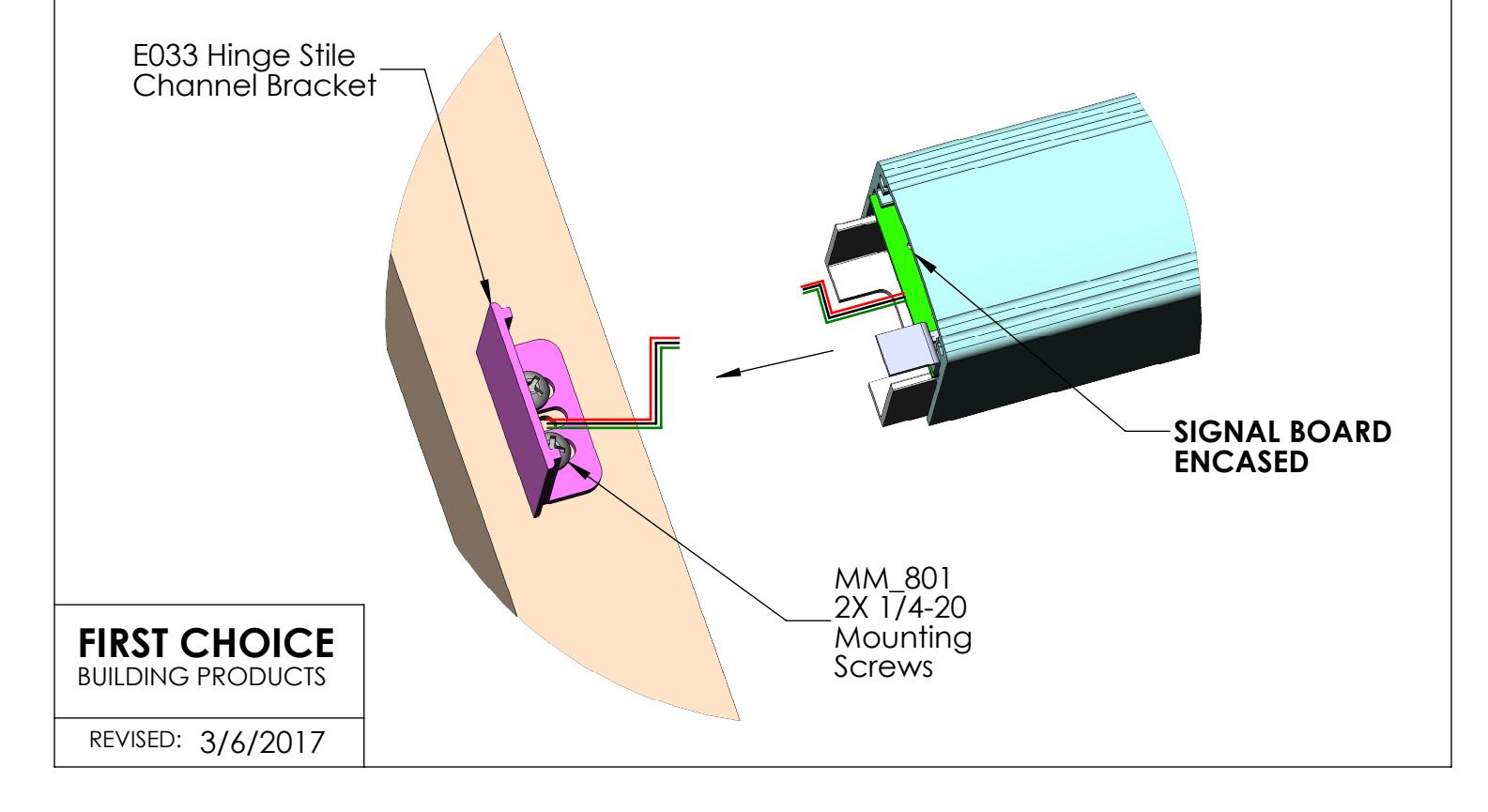
2. Mount the Exit Device, with the Signal Switch Board encased in the push bar, to the door frame. Tighten the 2X 1/4-20 Mounting Screws.
Finishing Signal Switch Board Installation:
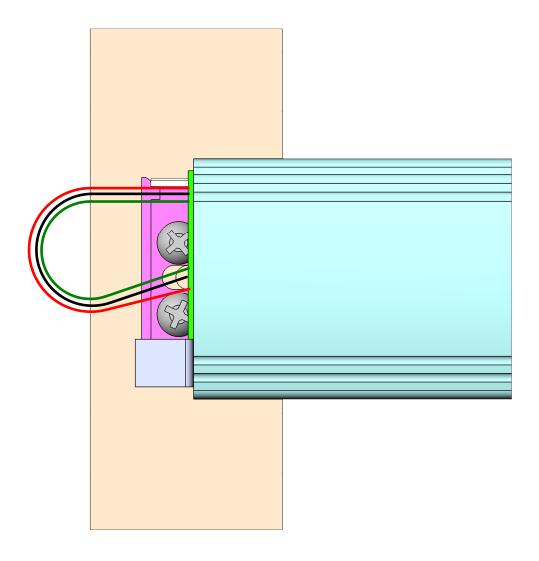
3. Connect the wires from the Door Frame to the wires from the Signal Switch. Push the remaining length of wire through the drilled hole into the Door Frame.
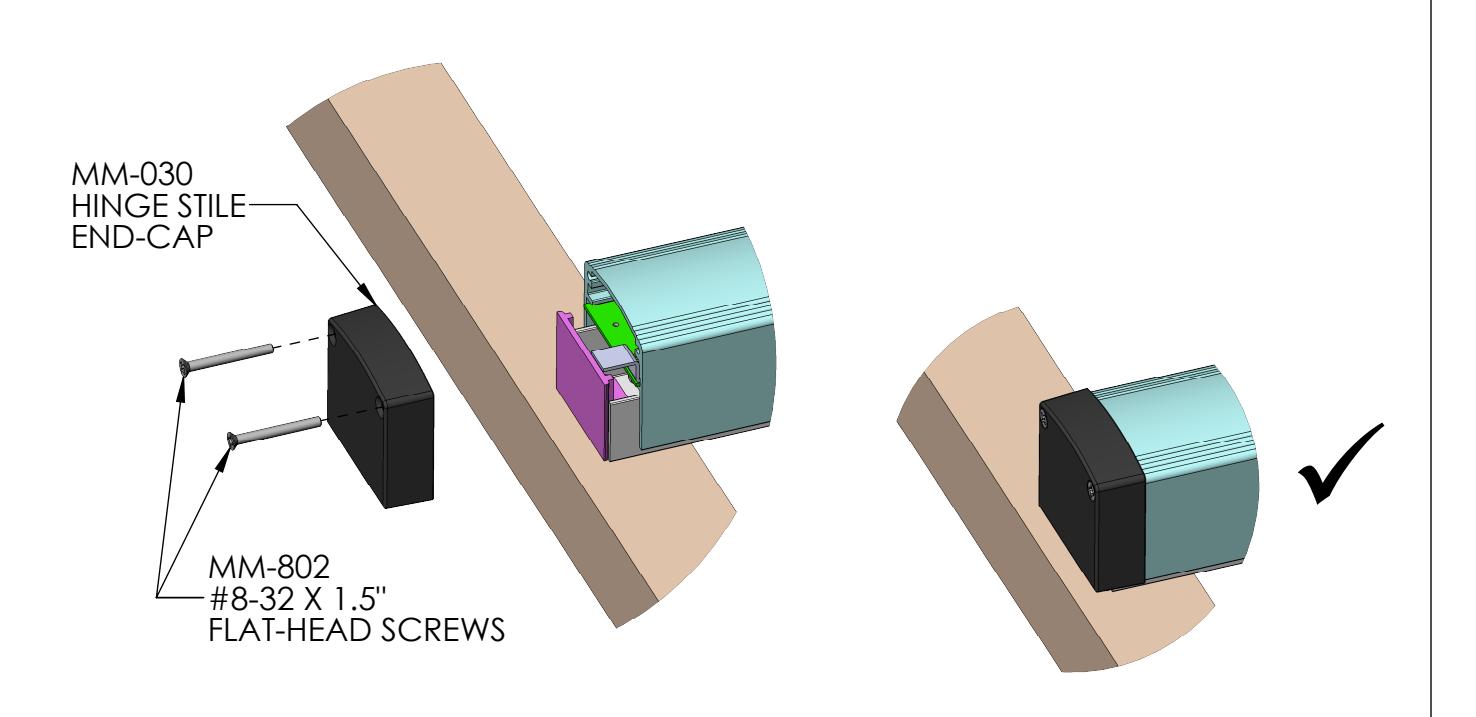
4. Fasten Hinge-Stile End Cap to the push bar using #8-32 Flat Head Screws, securing Signal Switch Board in place.
FIRST CHOICE BUILDING PRODUCTS
REVISED: 3/6/2017