Falcon_RM150_&_RM150A_Removable_Mullion_Installation_Instructions_109710
Open the original PDF document
View PDF
4270107582
RM150 & RM150A Removable Mullions
FALCON
Installation Instructions
1. Prepare frame header for filler or adapter plate. Install filler or adapter plate and top bracket.
For RM150 see Figures 1 and 2. (Filler, filler mounting screws, and bracket mounting screws by others.)
For RM150A see Figures 3 and 4.
- 2. Prepare floor and threshold for bottom bracket. Install bottom bracket (Figures 5 and 6, other side).
- 3. Cut mullion to length from top (Figures 7 and 8, other side).
- 4. Slide mullion over top fitting and swing into position on bottom fitting (Figure 9, other side).
- 5. Slide mullion clamp over top fitting and secure with three screws (Figure 10, other side).
- 6. Install security clips on door (Figure 11, other side).
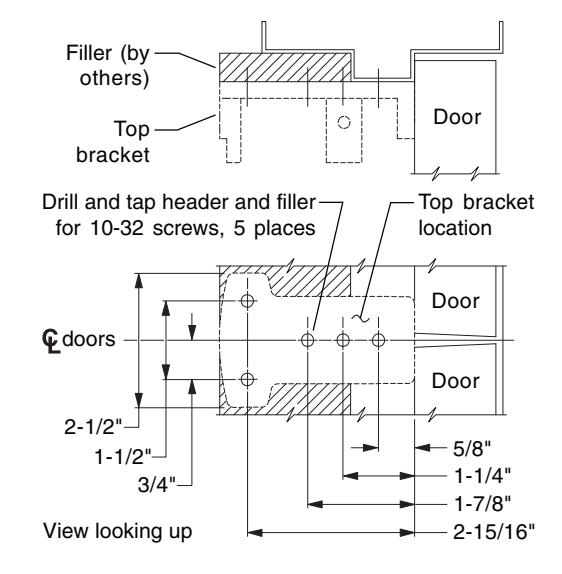
Figure 1. Header and filler preparation for top bracket (RM150).
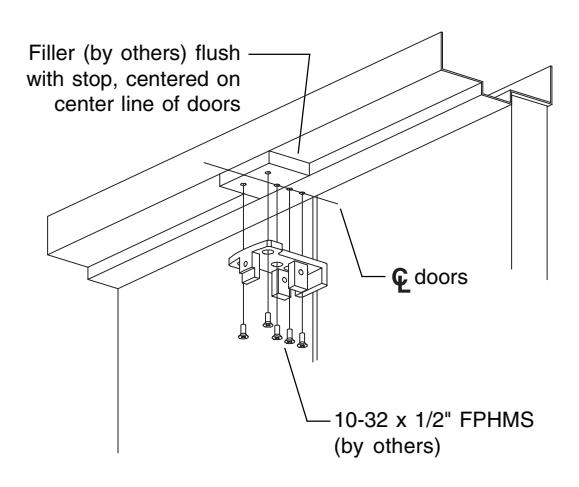
Figure 2. Filler and top bracket installation (RM150).
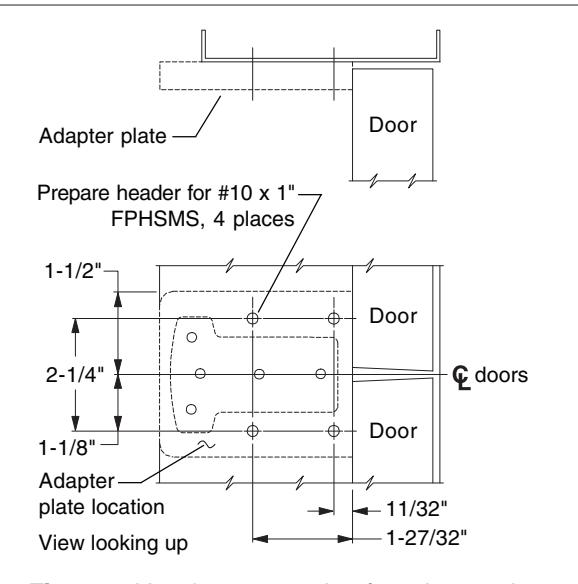
Figure 3. Header preparation for adapter plate (RM150A).
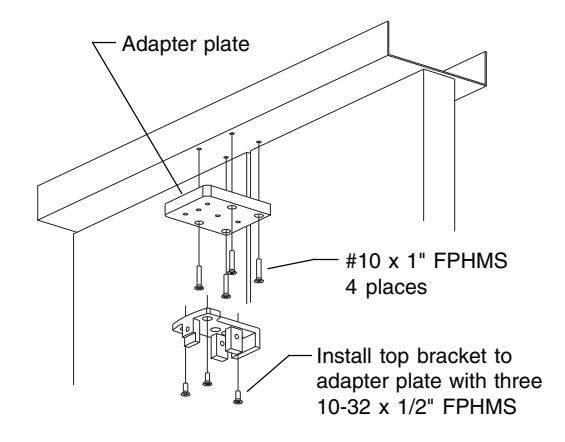
Figure 4. Adapter plate and top bracket installation (RM150A).

Customer Service
1-877-671-7011
www.allegion.com/us

Figure 5. Floor and threshold preparation for bottom bracket.
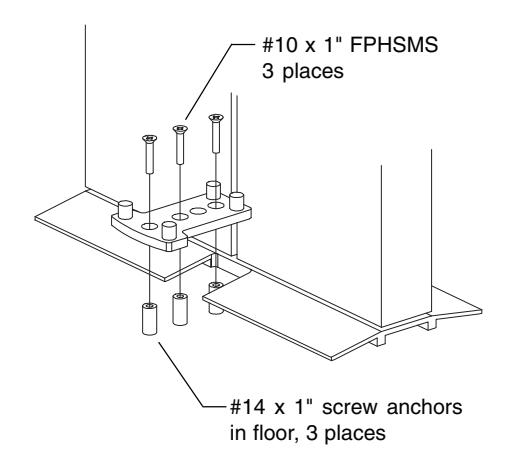
Figure 6. Bottom bracket installation.

Figure 7. Required mullion length.

Figure 8. Cut mullion to length.
Figure 9. Install mullion.
over top bracket
into position on bottom bracket

Figure 10. Slide mullion clamp up over top bracket and secure with screws.

Figure 11. Position door stabilizer clips as shown, drill and tap door 10-32, 4 places, and install door stabilizer clips.