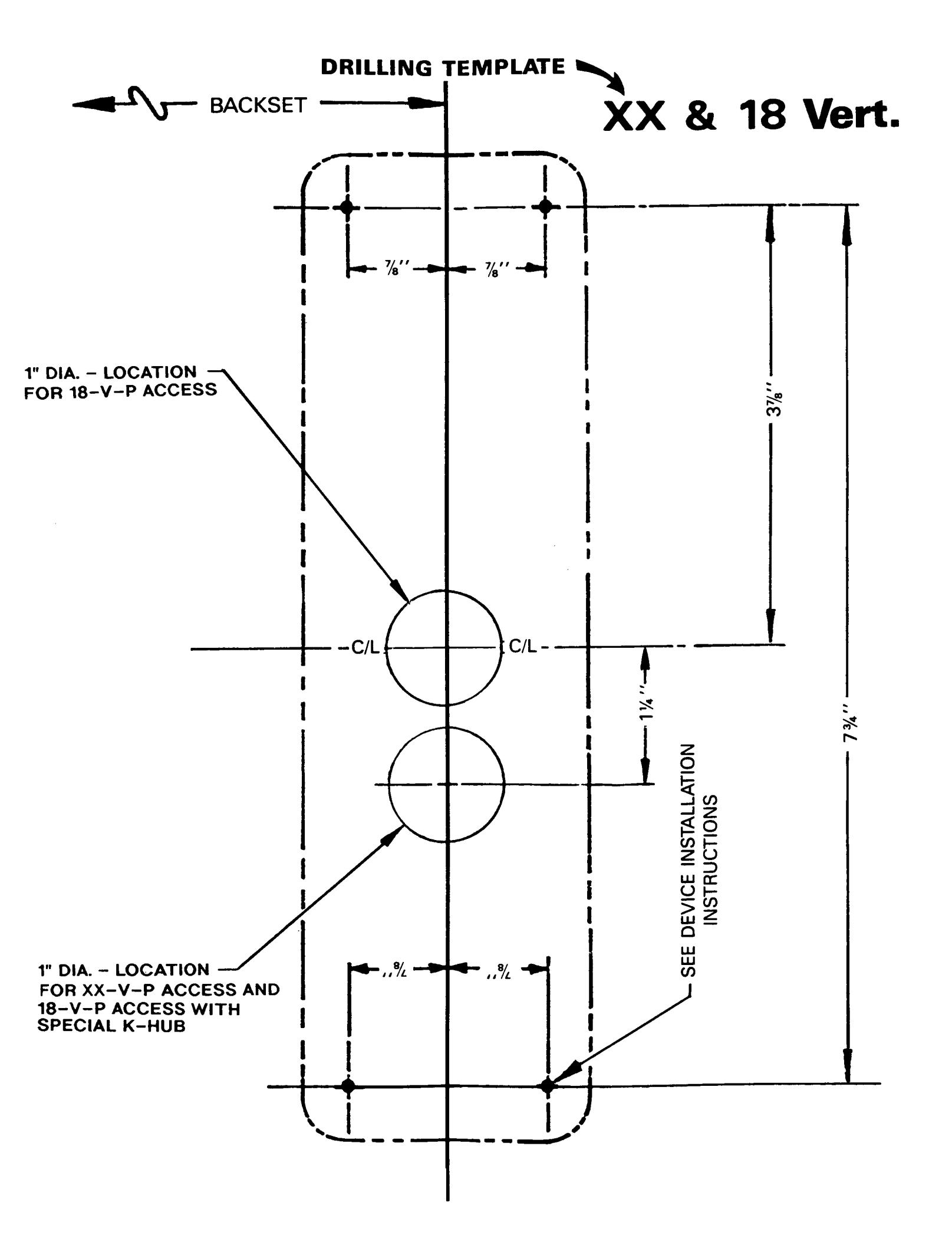
Falcon XX & 18 Series Vertical Exit Device with Simplex 2000-15 2015 Access Control Installation Instructions 108241
Open the original PDF document
View PDFMONARCH ®
D-4066-1
DATE: 3-15-95
XX And 18 Series Vert. Exit Device With Simplex 2000-15/2015 Access Control INSTALLATION Instructions
1. BEFORE STARTING:
- 1. Door should be fitted and hung.
- 2. Mullion, if used, should be installed.
Check that correct device is being used and that all necessary parts are on hand.
- 4. Locate reference C/L and backset per applicable device and strike templates on inside face of door.
- 5. Mark C/L and backset lines on door.
- 6. Tape drilling template to inside face of door, locating on marked lines. Be sure correct handing of template is observed.
- 7. Mark centers of four (4) chassis mounting screws and one (1) connecting bar through-bore. REF. DEVICE INSTALLATION INSTRUCTIONS.
- 8. Remove drilling template and pilot drill inside face of door for four (4) mounting screws, as required. Drill 1" through the door for the connecting bar to pass through.
- 9. Install Simplex 2000-15/2015 on outside face of door per instructions. NOTE: Paragraph III.C.2 describes various cam settings. The cam must be set per Figure 1 with the connecting bar vertical.
- 10. Cut the connecting bar so it projects 1/2" to 5/8" beyond the inside face of the door.
- 11. Install the panic device active chassis.
- 12. Complete panic device installation per instructions.
- 13. Install separate outside grip at a convenient location.