Falcon 2090 Series Rim Panic Exit Hardware Installation Instructions-English 107310
Open the original PDF document
View PDF
4270107565
2090 Panic Exit Hardware Installation Instructions
"Panic Doors" with 2090 Falcon Rim Panic Exit Hardware
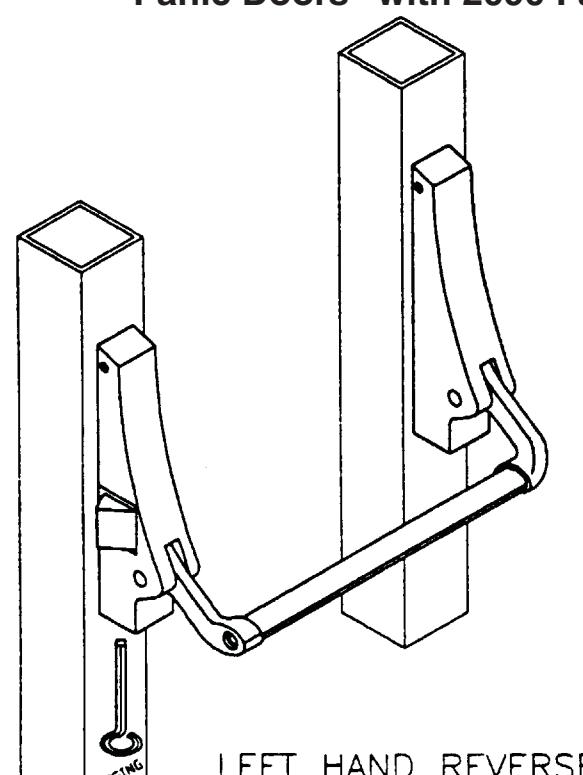
- Glaze door as necessary.
- Install P-003 pull as required.
DOGGING INSTRUCTIONS

Customer Service
1-877-671-7011 www.allegion.com/us
Printed in U.S.A.
TO CHANGE OUTSIDE KEY FUNCTIONS
First remove latch housing.
- 1. Loosen (3) set screws on latch housing.
- 2. Remove cross bar mounting screw.
- 3. Remove latch housing from mounting studs.
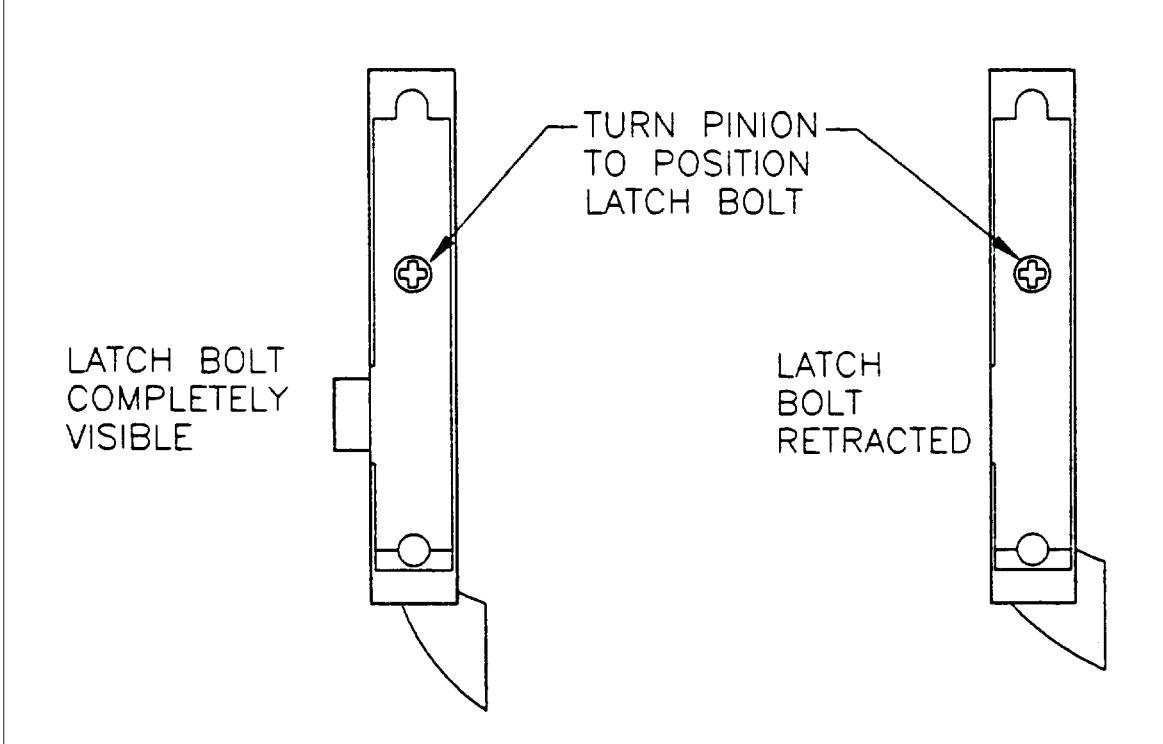
- 4. Then set pinion for desired key function.
To set pinion for key entry only.
- 1. Turn pinion until latch bolt is completely visible, then turn pinion back one—half turn.
- 2. Replace latch housing to mounting studs and attach crossbar.
To set pinion to key entry with dogging option (as factory assembled).
- 1. Turn pinion until latch bolt completely retracts.
- 2. Replace latch housing to mounting studs and attach crossbar.
FOR KEY ENTRY ONLY FOR KEY ENTRY WITH DOGGING OPTION