Falcon 1490 Changing Handing Device Installation Instructions-English 107323
Open the original PDF document
View PDFDor-O-Matic 1490 Instructions for Changing Handing of Device

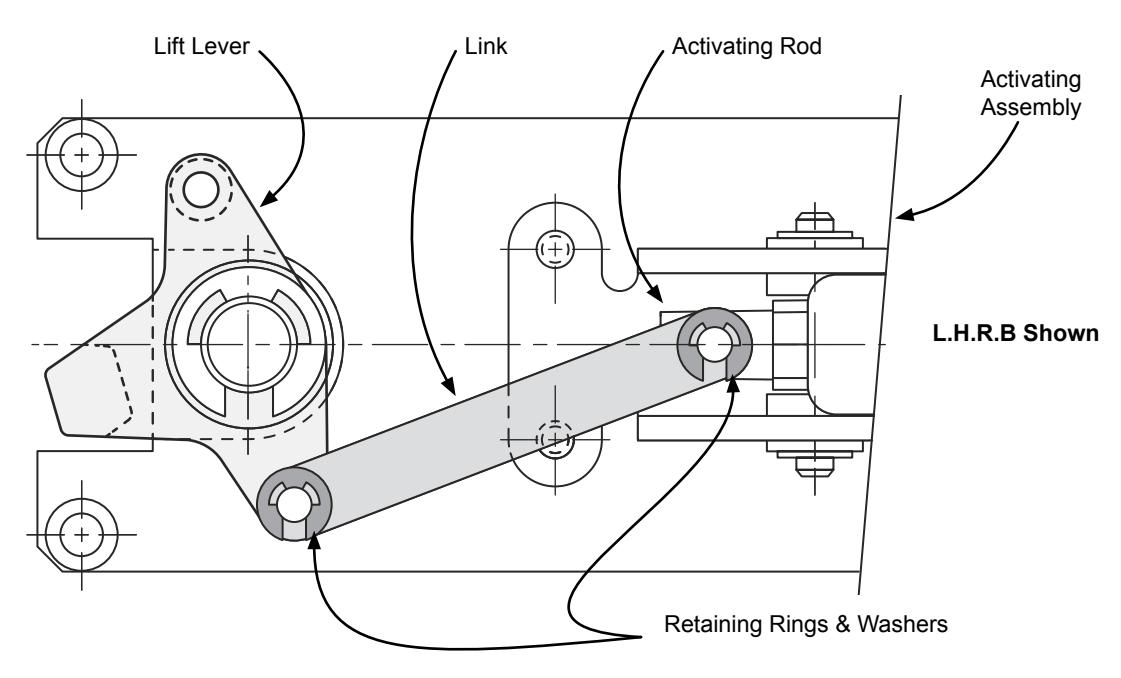
- 1. Remove pushbar and channel from activating assembly.
- 2. Remove washers, retaining rings and link from activating assembly.
- 3. Reposition link on activating rod and lift lever to hand activating assembly as required.
- 4. Reinstall washers and retaining rings.
- 5. Reinstall pushbar and channel.
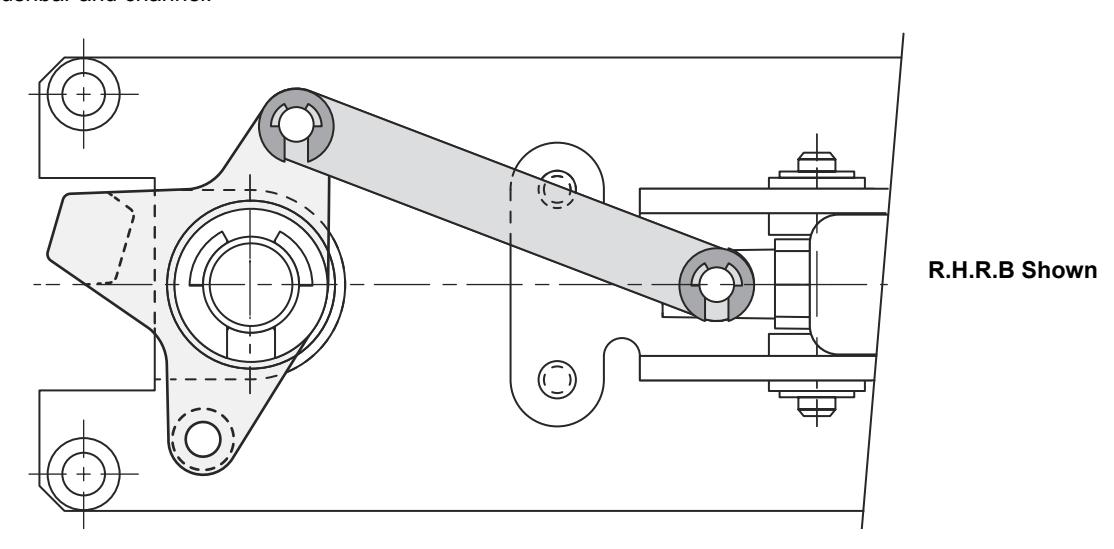
NOTE: 1490 pushbar labels (only handed part of device)
4270107320 Gold with black letters R.H.R.B. = Right Hand Reverse Bevel
4270107321 Black with silver leters R.H.R.B.
4270107322 Gold with black letters L.H.R.B. = Left Hand Reverse Bevel
4270107323 Black with silver letters L.H.R.B.