Exit Device Rex Kits 2 Insert Instructions
Open the original PDF document
View PDF


edlp1rexkit-ed
I N S E R T I n s t r u c t i o n s
The Command Access EDLP1REXKIT-ED is a field-installable Request to Exit switch for the:
- Tell 9500 series exit devices
- Phoenix Titan 66 series exit devices
- Philadelphia Hardware 9000 series exit devices
- TownSteel ED97 series exit devices
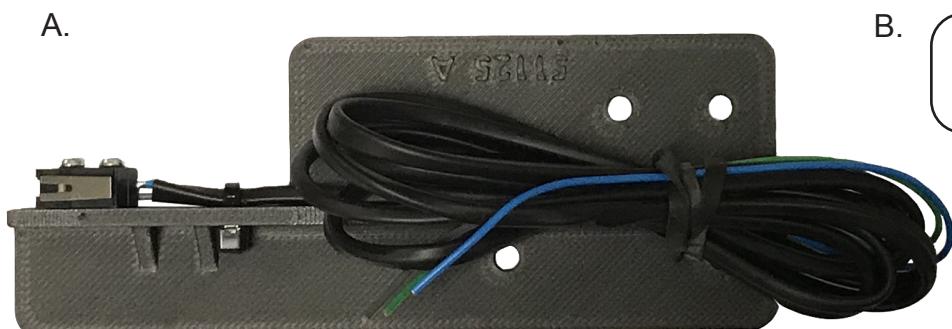
a. 60439 - EDLP1REXKIT-ED #2 phillips screwdriver b. 20015 - rex label
Kit Includes Tools Required
SPECIFICATIONS:
- • Single Pole Double Throw (SPDT)
- • Rating: .5A @24VAC
- • Configuration: Green Common (C)
Blue - Normally Open (NO) Gray - Normally Closed (NC)
installation instructions
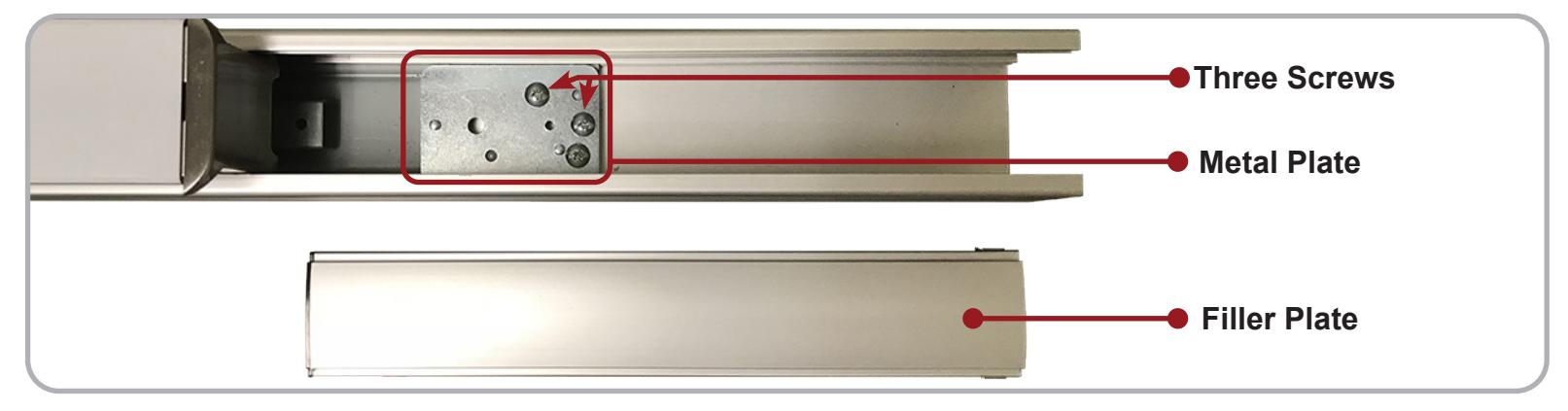
1 Remove the Filler Plate from the device.

2 Locate the Three Screws inside, remove them and the Metal Plate they are holding down.
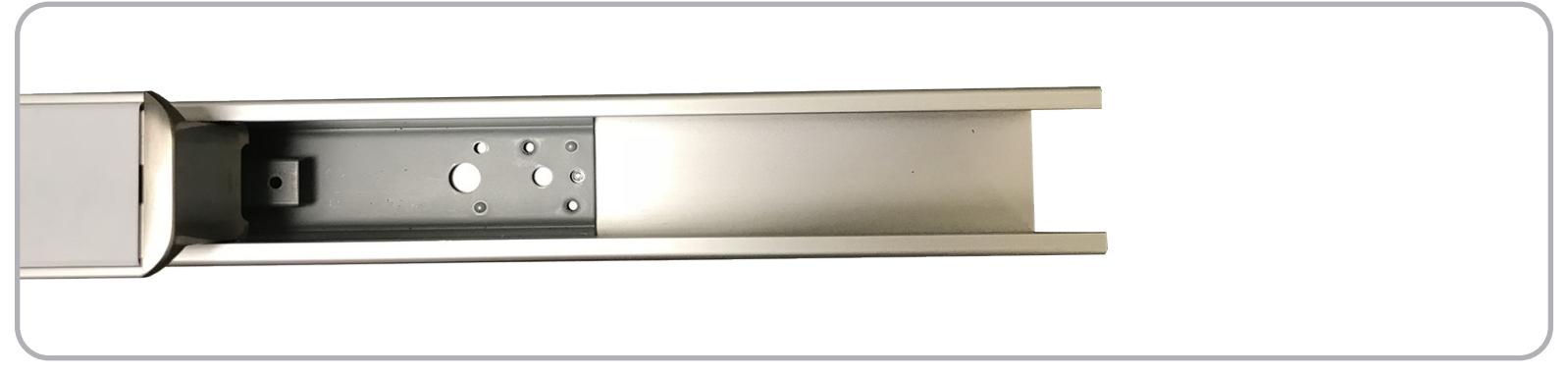
3 Bar shown with the Three Screws and Metal Plate removed. Keep the Three Screws to install REX.
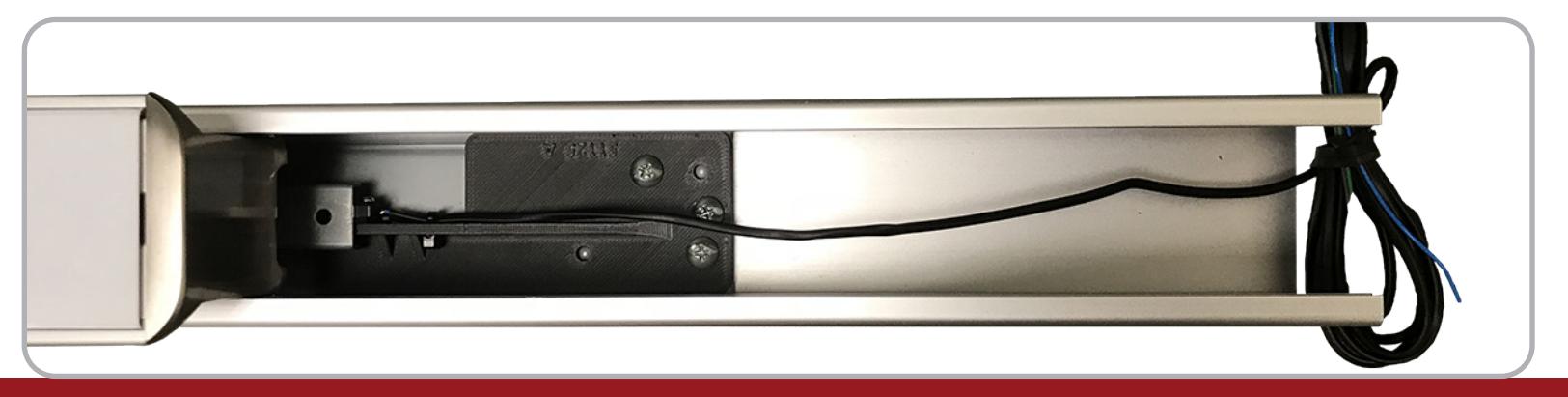
4 To install the EDLP1REXKIT-ED , slide its bracket in place and install the Three Screws in the facotry location. Test before re-installing the Filler Plate .
#20630_A 2