Edwards Signaling Sounder Base Programming Bulletin
Open the original PDF document
View PDF


AEBN: 083110
Date: August 31, 2010
Subject: E-FSA Panel Sounder Base Programming
Version 2.0 of the E-FSA panel firmware and version 3.2 of the FSA-CU configuration utility program includes several new features. One of them is the ability to program sounder bases to activate in groups with out the need for E-RLY relay modules. The sounder bases can now be programmed to activate from any input, just like a NAC (signal circuit).
The most common application for this would be in hotels. Often times hotel rooms will have smoke detectors with sounder bases. When the smoke detector alarms, however, usually you do not want to evacuate the building (sound all the signals throughout). Instead, the detector will just activate signals within the room. This is because of the potential for "false alarms" from cigarette smoke or someone burning toast, for example. If it were a real fire, the person in the room would be alerted, then pull a pull station in the hallway for general alarm as they exited the building.
If a hotel room has multiple smokes with sounder bases, you would want all the bases within that room to activate if any one of the smokes went into alarm. If there is a general alarm within the building (someone pulls a pull station), then you may want all the sounders bases in all the rooms to activate. With the latest version of the panel firmware and FSA-CU software, you can do this easily through programming correlation groups.
The following will show an example of how you can program smoke detectors with sounder bases. Always be sure to check with the AHJ for the correct sequence of operation for your particular system.


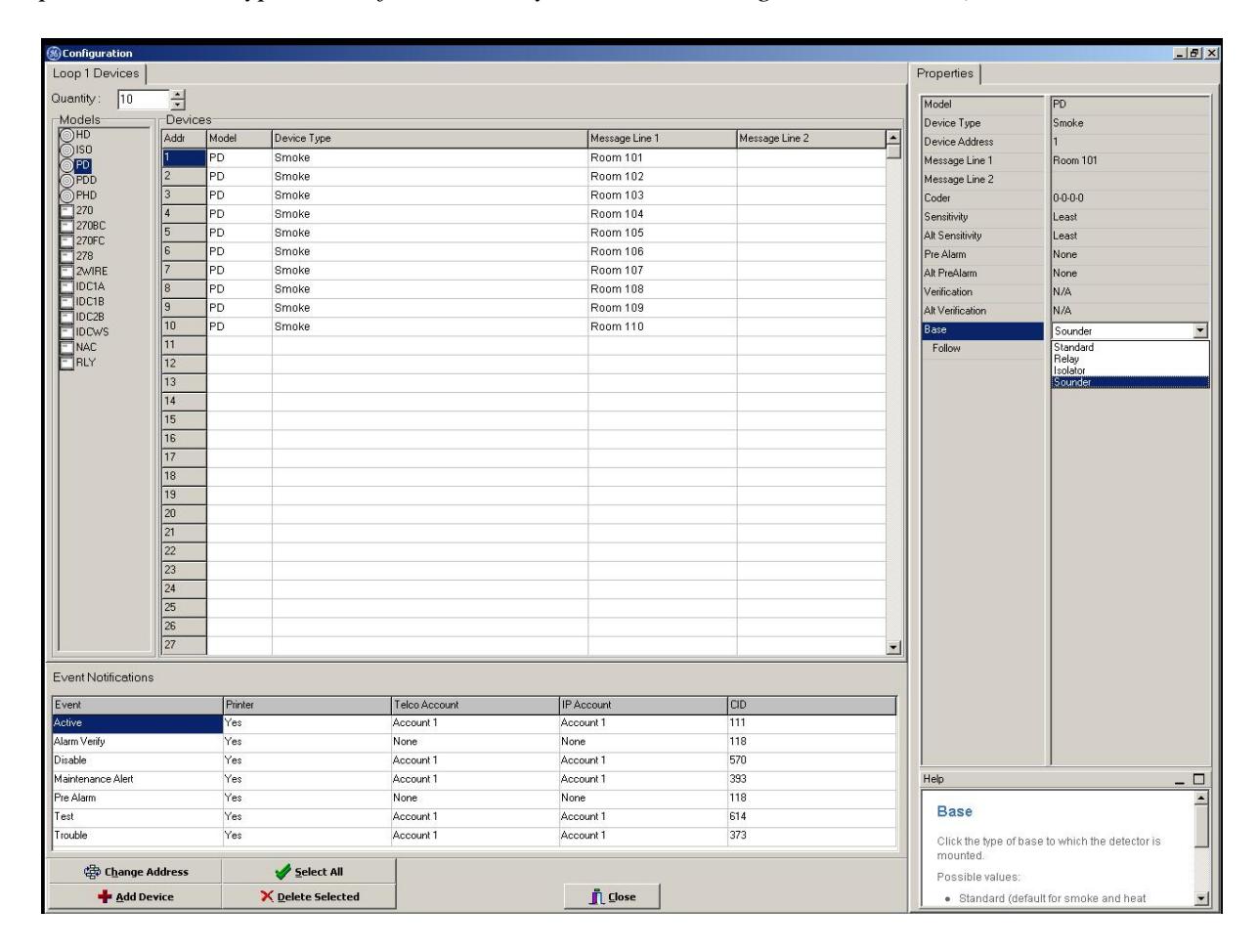
In the Device Configuration section of the FSA-CU, be sure the base type for all smoke detectors that have sounder bases is set for Sounder. ( Note: If you had autoprogrammed the panel, the base type will default to Relay. You must change it to Sounder .) .


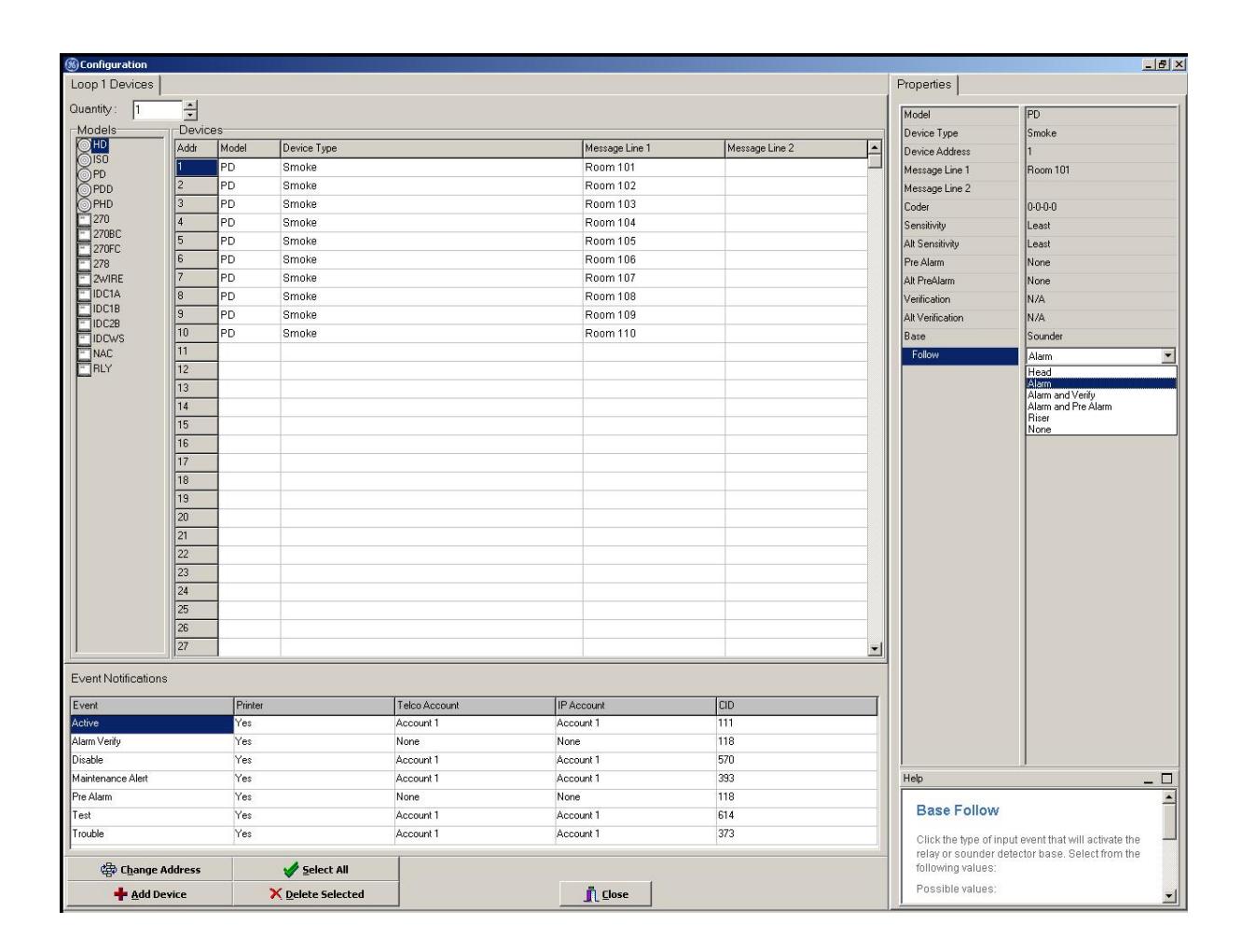
Next, you can select how the sounder base will activate. Under the Follow settings, if you select Head, the sounder will only activate when its detector activates. If you select Alarm, the sounder will activate when the detector activates, and can be programmed to activate from other inputs. If you select None, the sounder will only activate using correlation groups. For this example we want the sounder base to work as a local alarm for the smokes in the rooms, and have the ability to activate the sounders in groups, so Alarm will be selected.

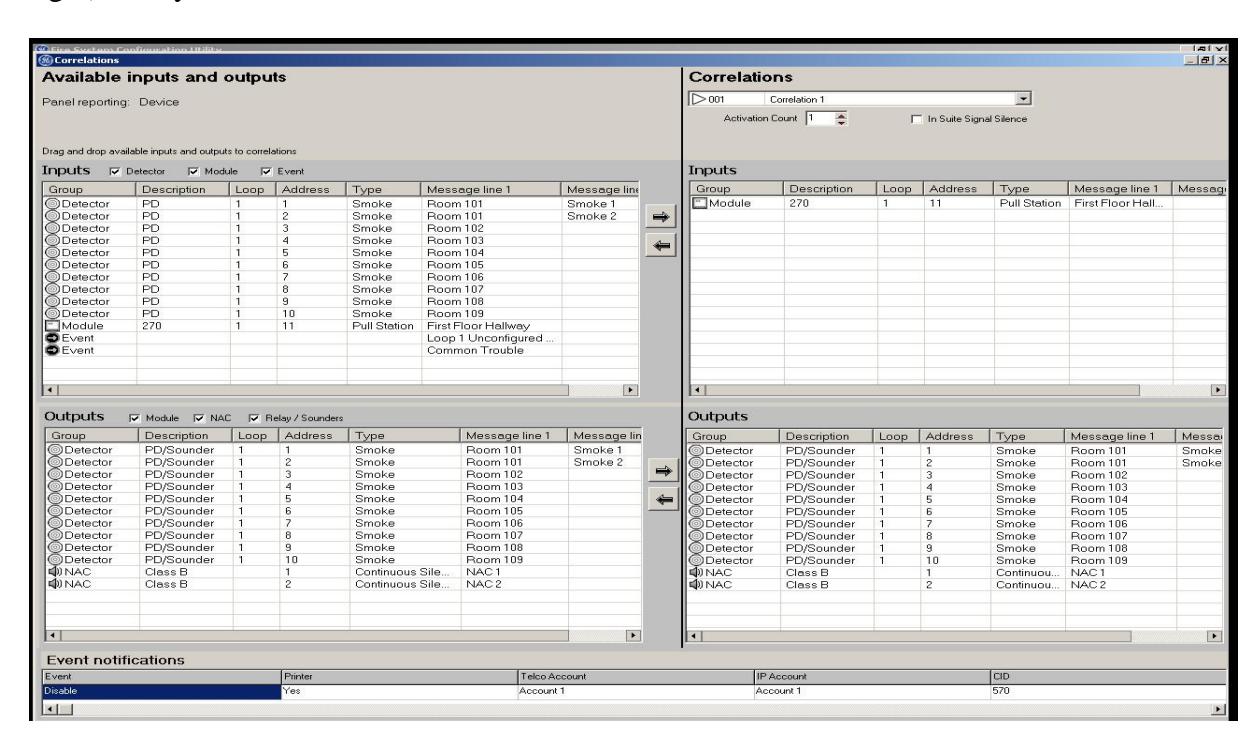
If there is a general alarm situation, like if someone pulls a pull station or a smoke detector in a common area alarms, we want all the signals to sound, including all the sounder bases in all the rooms. In the Correlation section of the CU, the screen is broken into 4 areas (the very top right lists the current correlation group number being programmed). In the upper left is a list of all the input devices connected to the system. In the lower left is a list of all the output devices connected to the system. Notice that the output devices include detectors with sounder bases. This may not look right, since a smoke is an input device, but the program is really looking at the sounder base, which is considered an output in this case. ( Note: If you had selected Head in the Base Follow section on the Device Configuration screen, detectors with sounder bases would not be listed as an output.)
To correlate an input to an output, select the input(s) in the upper left and drag (or click on right pointing arrow) to the upper right. To add output devices to the group, select it (them) from the lower left and move it (them) to the lower right. Any input device in the upper right will now activate all output devices in the lower right. In the example below, we want the first floor pull station to activate general alarm, including all the sounder bases, which are part of Correlation Group 1.
Some things to note: When you Autoprogram a system, Correlation Group 1 will automatically contain all the alarm input devices and all the alarm output devices. If you do not want the smoke detectors in the individual hotel rooms to activate general alarm, you must remove them from the input side (upper right) of Correlation Group 1. Also, detectors with sounder bases are not automatically included in the outputs of Correlation Group 1 (lower right). They must be added as needed as described above.


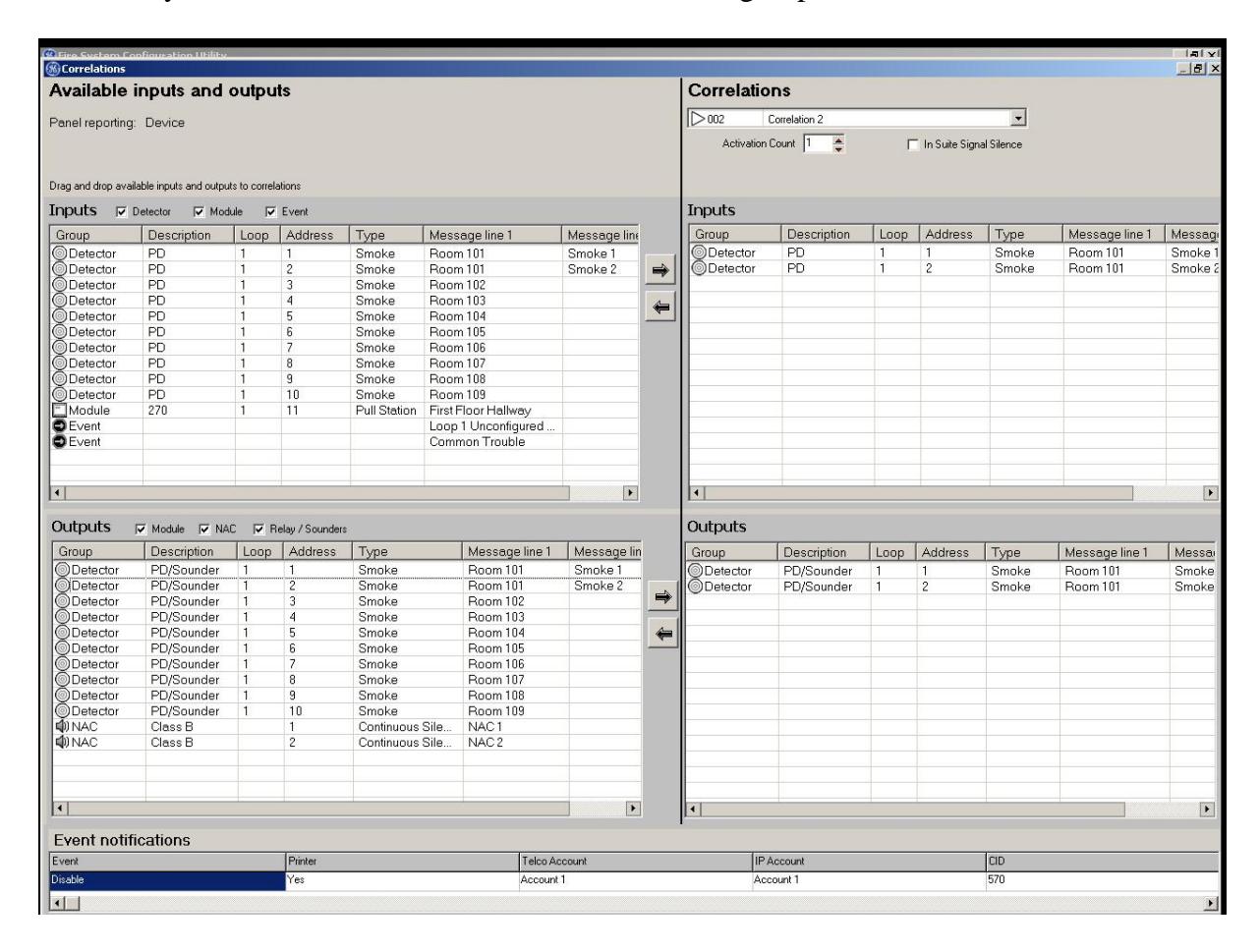
To activate multiple sounder bases in the same room, you'll have to create a separate correlation group for each of those rooms. In the screen shot below, room 101 has two smoke detectors, each with sounder bases. The two smoke detectors were added to a new Correlation Group (2) to both the input and output sections (on the right side). Remember, the sounder base can be treated like a signal circuit, which is why it's available as an output (shown in lower left). Since we do not want these smoke detectors to activate a general alarm, they would have been removed from correlation group 1.