Edwards Signaling Field Notes Bulletin 13029E E-FSA Possible Nuisance Conditions With E-PD and E-PHD Detectors
Open the original PDF document
View PDF

Field Notes Bulletin
TECHNICAL SUPPORT P/N 13029E
E-FSA: Possible Nuisance Conditions With E-PD and E-PHD Detectors
Introduction
This technical bulletin details a nuisance condition that may exist with E-PD or E-PHD detectors.
Issue
E-PD and E-PHD detectors manufactured between December 2009 and July 2013 may cause nuisance alarm conditions as a result of a combination of overly sensitive long-term smoldering alarm limits and high background readings taken during normal sensing operations.
The high readings cause a reduction in the detectors' maintenance range, which can be consumed quickly during operation. On devices where the smoldering alarm limit is too sensitive and the background reading is high, the device may cause a nuisance alarm condition.
This condition does not impact the detectors' ability to sense normal alarm conditions.
While only a small number of customers have reported this condition, we recommend updating these devices on site using the SIGA-MFT tool and a utility we created.
Note: If you do not have a SIGA-MFT tool, contact Technical Support to obtain one.
Solution
Affected detectors should be updated using the TF13029 utility as soon as possible to prevent further nuisance alarm conditions resulting from a combination of overly sensitive long-term smoldering alarm limits and high background readings taken during normal sensing operations. This utility is not intended to address other known causes of nuisance alarms such as insect infiltration or transient smoke.
To facilitate updating affected detectors, we created a software utility that uses the SIGA-MFT to communicate with the devices and modify the long term smoldering alarm limit to the value currently being used in factory production. The utility generates a report (Figure 3) for each loop that provides the total number of devices that were updated. If the utility identifies a device that it is not able to modify, the report indicates that the device can be returned for replacement under warranty using the RMA process.
To download the utility:
- 1. Go to www.edwards -signals.com and copy the file TF_13029.zip to your desktop.
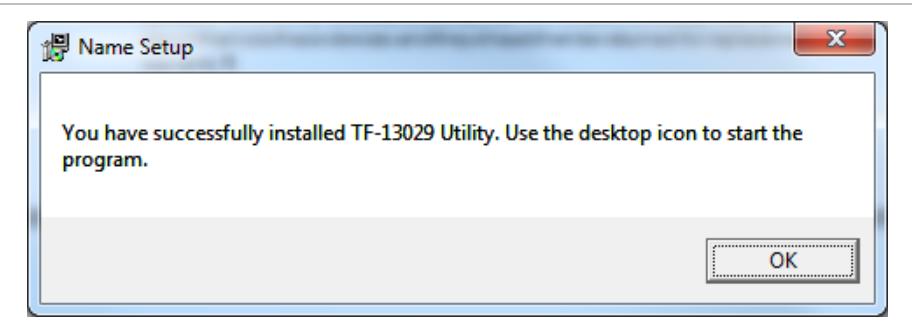
- 2. Unzip the file and run the installer. After successful installation of the TF-13029 utility, the Name Setup dialog displays (Figure 1).
Note: You may need to run the installer as Administrator. Ask your IT department for assistance in running the installer if you experience any issues.
Figure 1: Name Setup dialog
Note: The following procedure requires the SIGA-MFT tool. Refer to the documentation provided with the SIGA-MFT tool for details on installation and use.
To update detectors:
- 1. Connect the SIGA-MFT to the computer using the USB cable.
- 2. Double-click on the desktop icon to start the TF-13029 Utility. The TF-13029 window opens (Figure 2).
- 3. Disconnect the loop wiring from the panel.
- 4. Connect the SIGA-MFT to the loop wiring.
- 5. Enter the Project Name and Loop Number in the TF-13029 window to help identify the report file.
-
6. Click File > Start to begin the update process.
- Note: The utility generates a new report file with the timestamp in the filename each time the process is started.
- 7. When the process completes (Figure 2), a new report file is placed on the desktop. See Figure 3 and Table 1.
- 8. If there are more loops to update, repeat steps 3 through 7.
- 9. If required, contact Customer Service to return detectors for a warranty replacement using the RMA process or return the device to the original place of purchase. Use the report file generated from the utility when ordering advance RMA replacements.
Note: To view the device serial number using the Configuration Utility (CU), go to Tools > Status/Diagnostic > Device History tab. You can download a copy of the FSA-CU from www.edwards -signals.com if you do not have one.
Figure 2: TF-13029 window
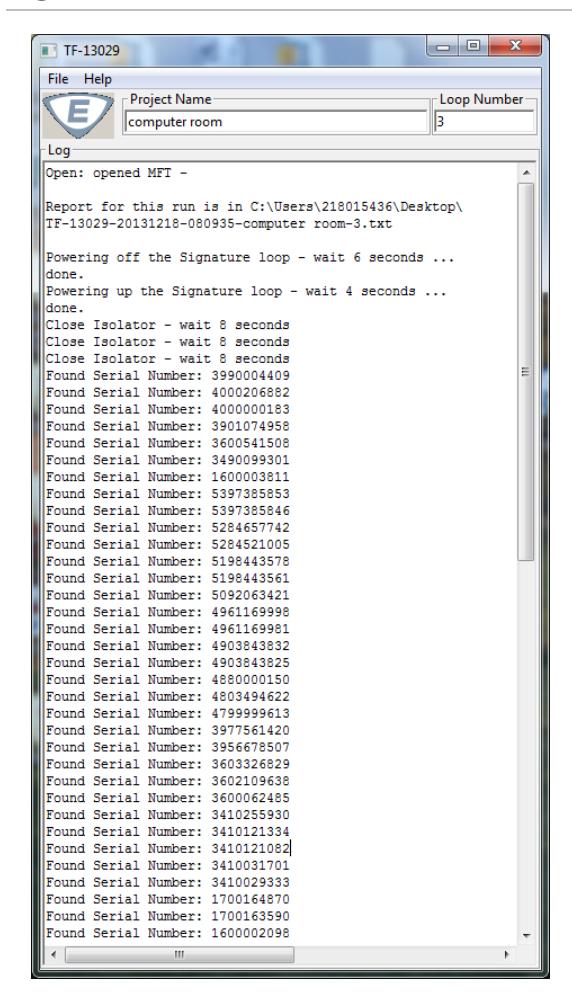
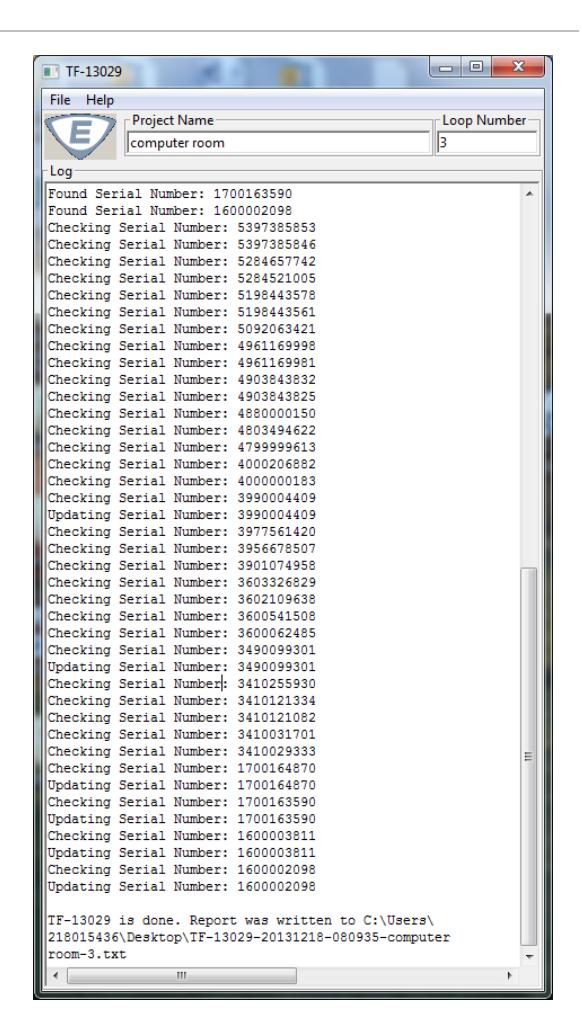
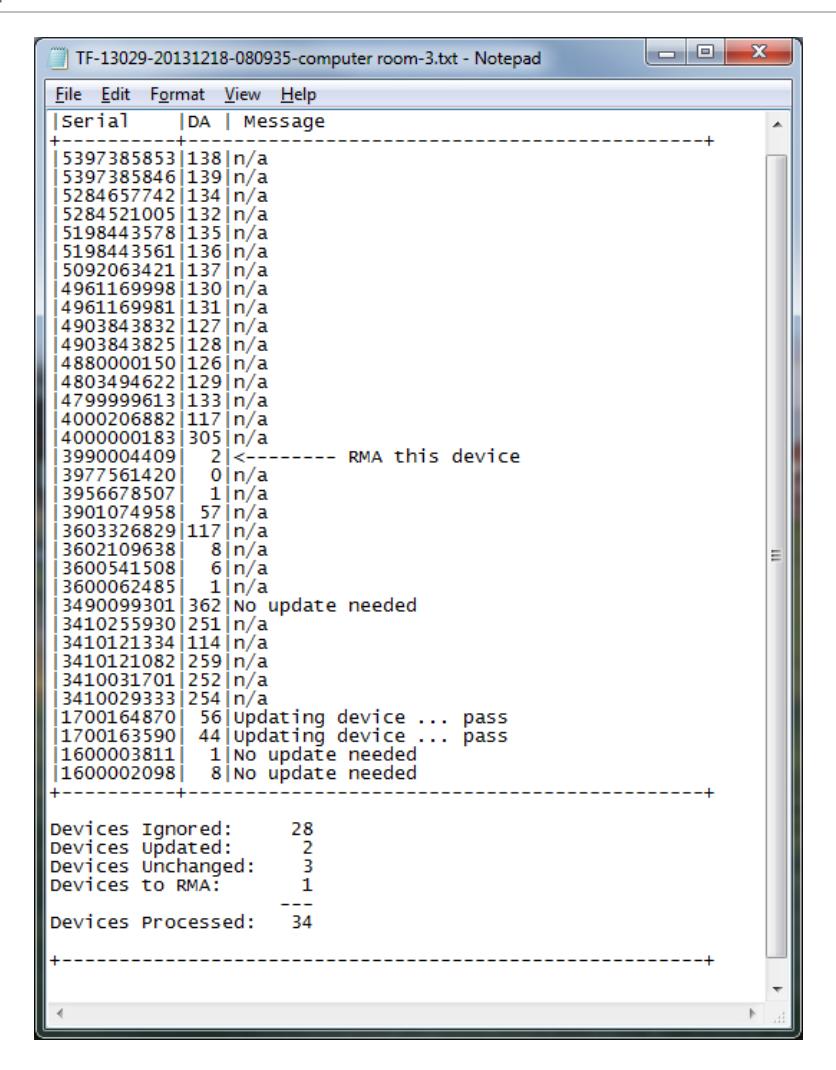
Table 1: Report description
| Item | Description |
| Serial column | Each device on the loop is listed by serial number. |
| Message column | Provides the results of the update. |
| n/a (not applicable) |
The update is not applicable to this device because it does not have
the same smoke chamber as a PD or PHD device and requires no update. |
| RMA this device | The utility attempted to update the device, but was not successful. |
| updating devicepass | The device long term smoldering threshold was successfully updated. |
| No update needed |
The device long term smoldering threshold is configured correctly and
no updated is required. |
| DA column | Provides the device address. |
| Devices Ignored |
The total number of devices that were ignored by the utility because
they require no update. |
| Item | Description |
|---|---|
| Devices Updated |
The total number of devices that had the long term smoldering
threshold value updated. |
| Devices Unchanged | The total number of device that did not require updating. |
| Devices to RMA |
This is the total number of devices that need to be replaced under
warranty using the RMA process. |
| Devices Processed |
The total number of devices on the loop that were identified and
processed by the utility. |
Contacting support
Tel +1 800 336 4206 Fax +1 860 284 3083 signaling.techsupport@fs.utc.com www.edwards -signals.com
© 2014 UTC Fire & Security Americas Corporation, Inc. All rights reserved.