Edwards Signaling AE Bulletin E-FSA Panel & Latched Outputs
Open the original PDF document
View PDF


AEBN: 010210
Date: November 2, 2010
Subject: E-FSA Panel & Latched Outputs
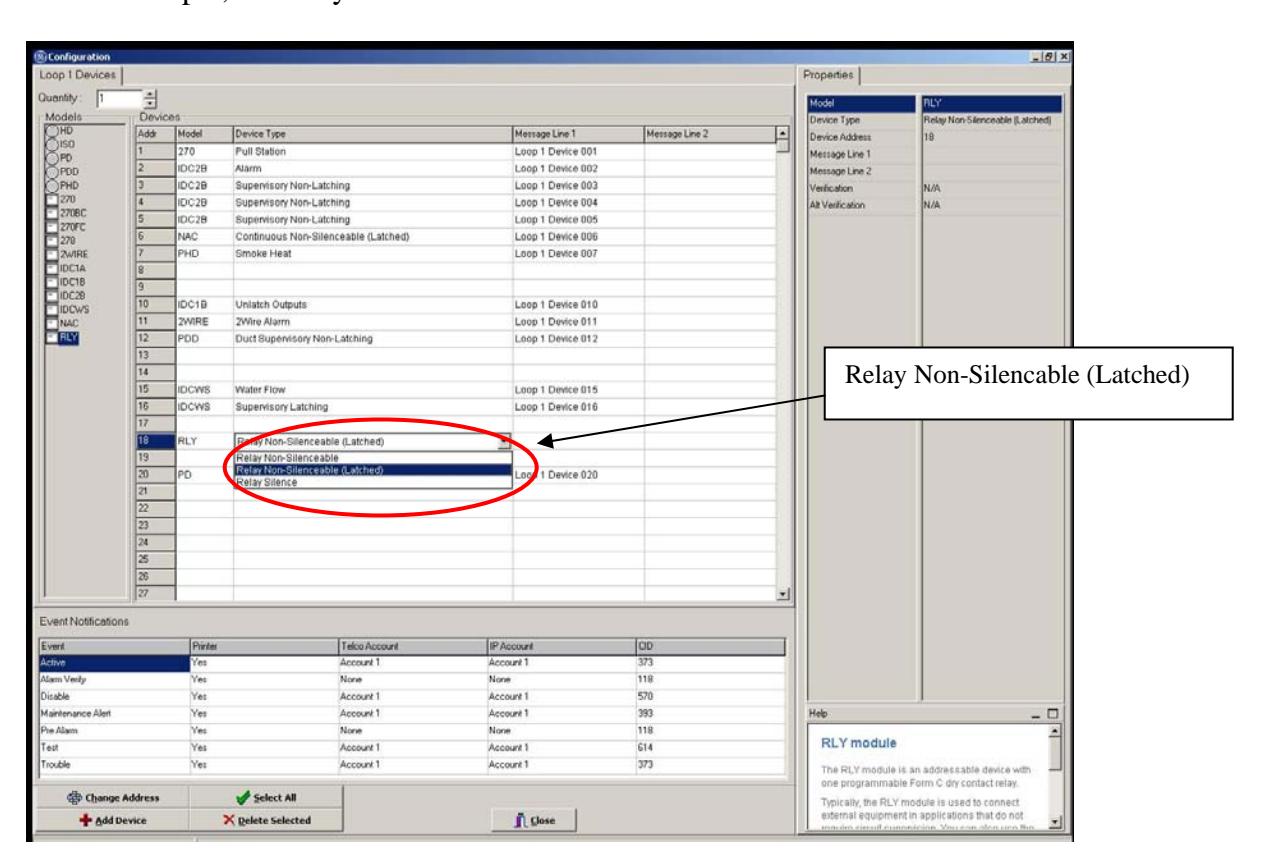
With the E-FSA addressable panels you can program outputs to stay active (latch) after a system reset. This is primarily used when you have relays controlling HVAC fans and/or dampers. When the panel is reset you may not want to immediately restart a fan, for example.
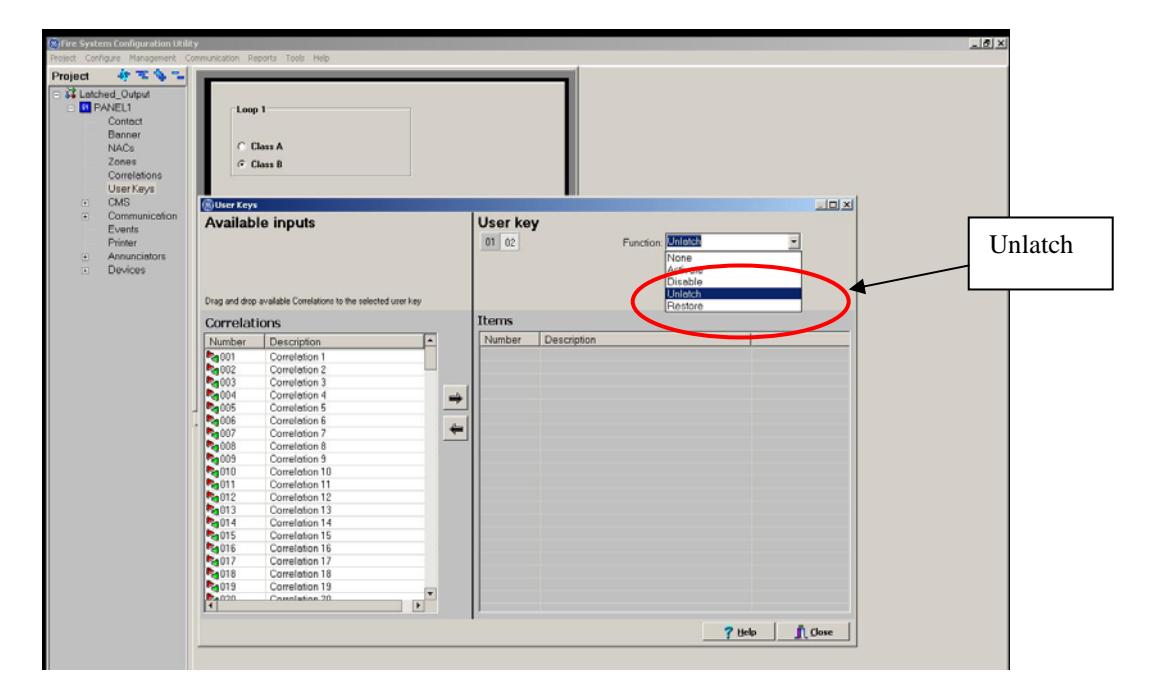
To do this, you would configure a E-RLY relay module as a Latched device type. To restore the relay, you would have to program an input to unlatch it (the most common way would be to use the User Defined switch on the front of the panel). The following will show how you can configure the panel using the FSA-CU.
In the Device Configuration section of the FSA-CU, configure the output as a Latched device type. In this example, the relay at address 18 was used.


In the User Key section, select an unused switch and set the Function to Unlatch.
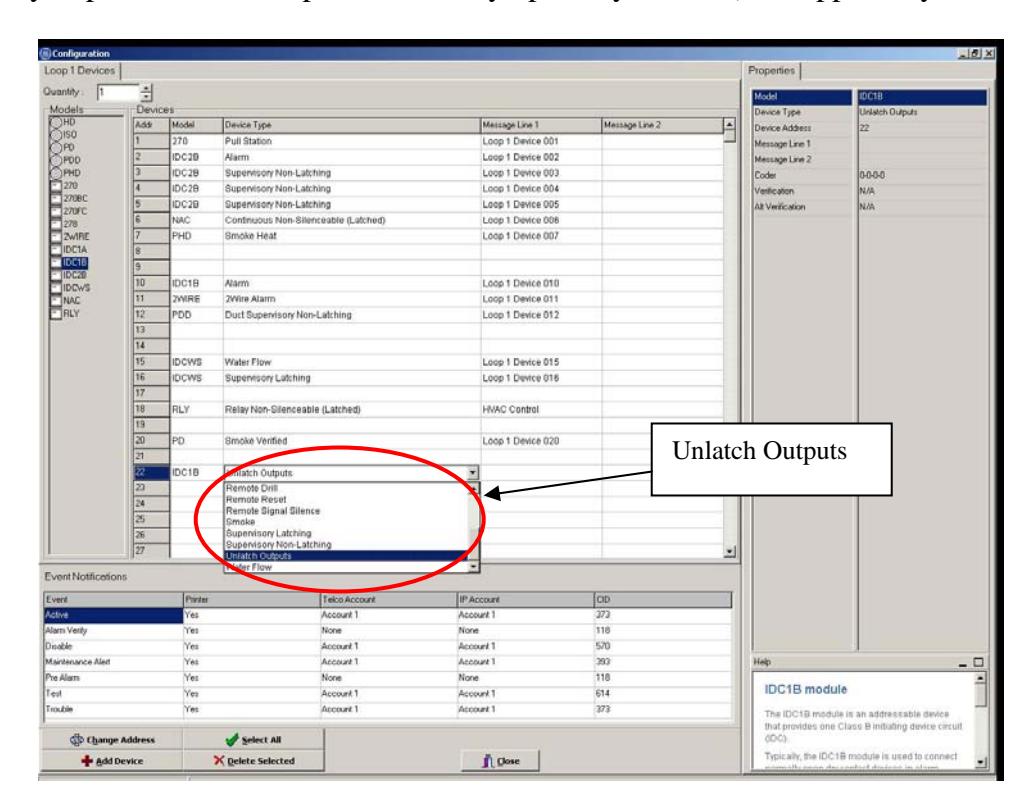
You can also configure an input module's device type to Unlatch Outputs. This could be useful if you prefer to use a separate normally open key switch (not supplied by Edwards).

When the system goes into alarm, the outputs will activate as programmed. When the panel Reset button is pressed, the system will reset, but all latched outputs will remain active. The panel will then display a message saying there are latched outputs.
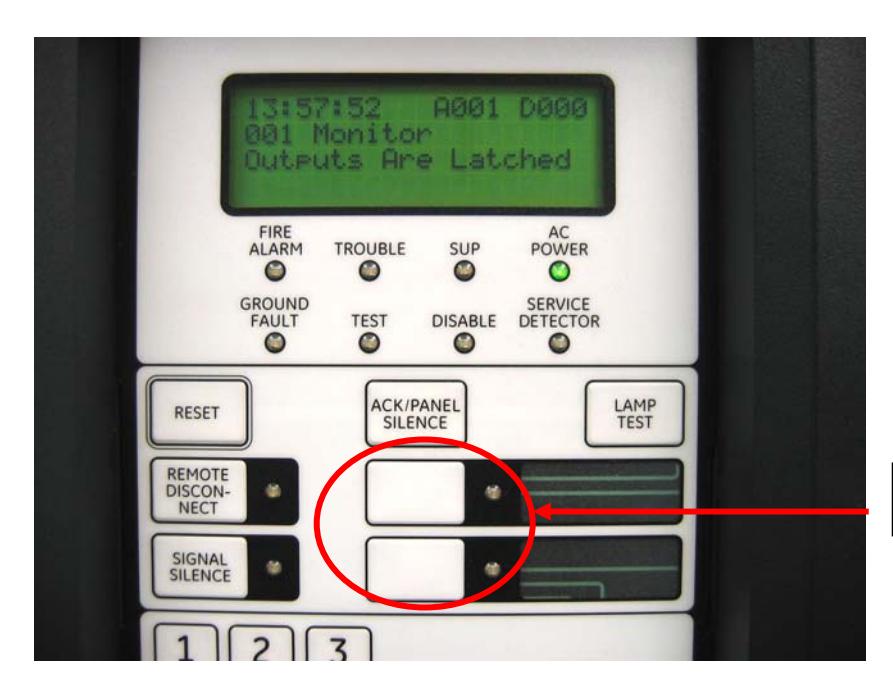
User Defined Switches
To restore the outputs you must either press one of the User Defined switches and enter a level 2 password, or close a switch wired to an addressable input module with an Unlatch Output device type.
Note: The latching output feature requires version 3.2 or higher of the FSA-CU and version 2.0 or higher of the E-FSA panel firmware.