Edwards Signaling 5542WPK Installation Instructions
Open the original PDF document
View PDF

Installation Instructions for Adaptatone Millennium Cat. No. 5542WPK Weatherproof Mounting Kit
Description and Operation
Edwards Adaptatone Millennium Weatherproof Mounting Kit is for use with the 5542 Series Remote Page Unit. The mounting kit is UL Listed, CSA Certified and has a Type 3R rating when mounted to the weatherproof box (included).
Installation
WARNING Ensure that power is disconnected prior to installation.
Refer to Figure 1 for installation.
- 1. Mount the weatherproof outlet box.
- Remove and discard the device cover plates. Remove the adhesive backing from the cover gasket (included)
- and align and adhere the gasket to the back of the cover assembly.
- 3. Secure the cover assembly to the outlet box with four (4) #6-32 x 3/8" mounting screws provided with the cover assembly.
NOTE: Discard the four (4) extra #6-32 x 3/8" mounting screws supplied with the cover assembly.
NOTE: Cover assembly MUST be mounted with the hinges at the top.
- 4. Wire the 5542RPU Remote Page Unit as directed in the instructions provided with the page unit.
- 5. Mount the 5542RPU inside the Cover Assembly using the four (4) #6-32 x 5/8" mounting screws provided with the 5542RPU.
Optional: Lockable applications can be achieved at tab hole by drilling a 7/32" hole in the cover. A starting point has been provided.
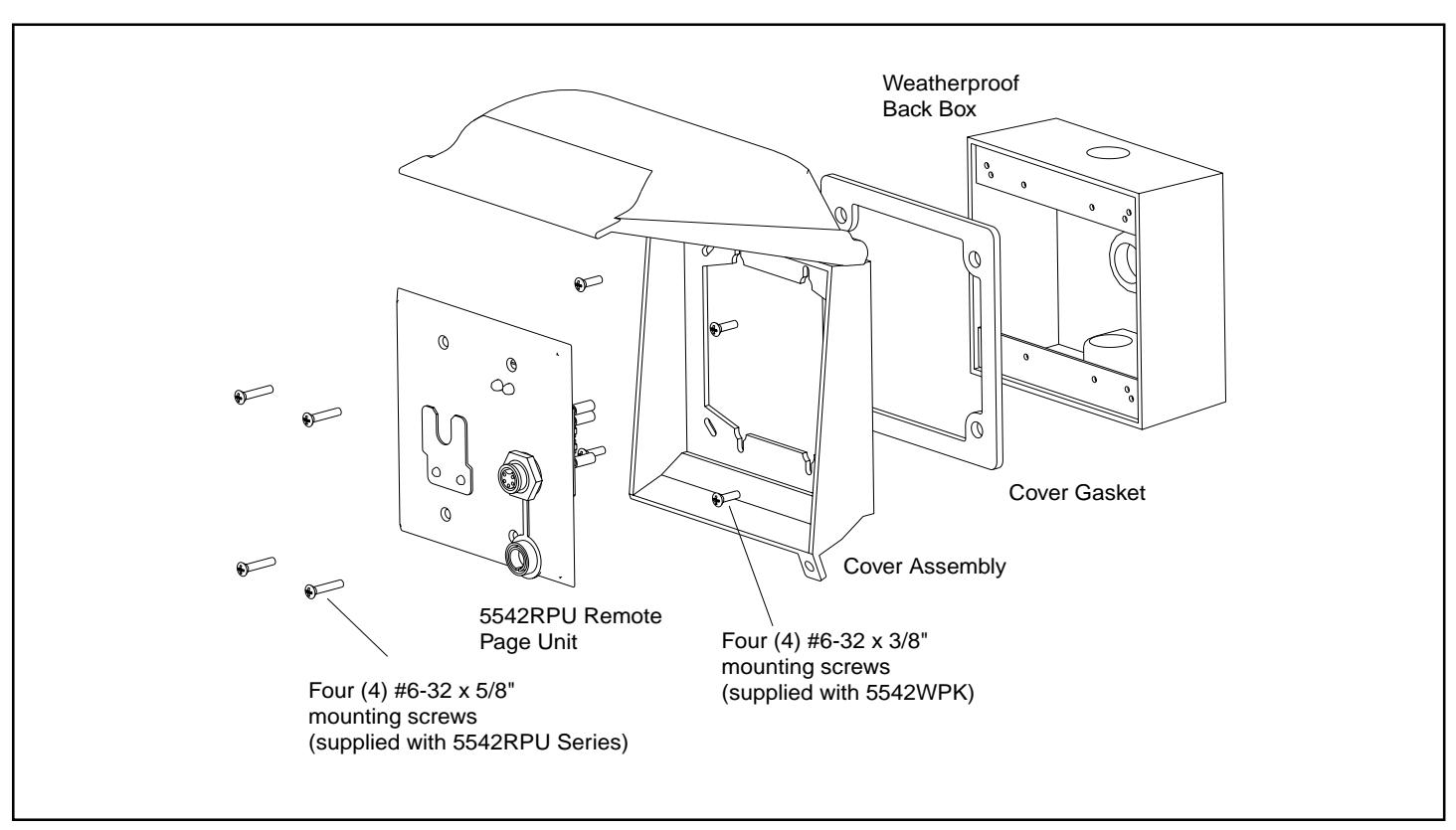
Figure 1. Installing the Weatherproof Kit