EPlex Hardwired Remote Unlock Installation Instructions
Open the original PDF document
View PDFE-Plex® Hardwired Remote Unlock Installation
PKG3113 09_17
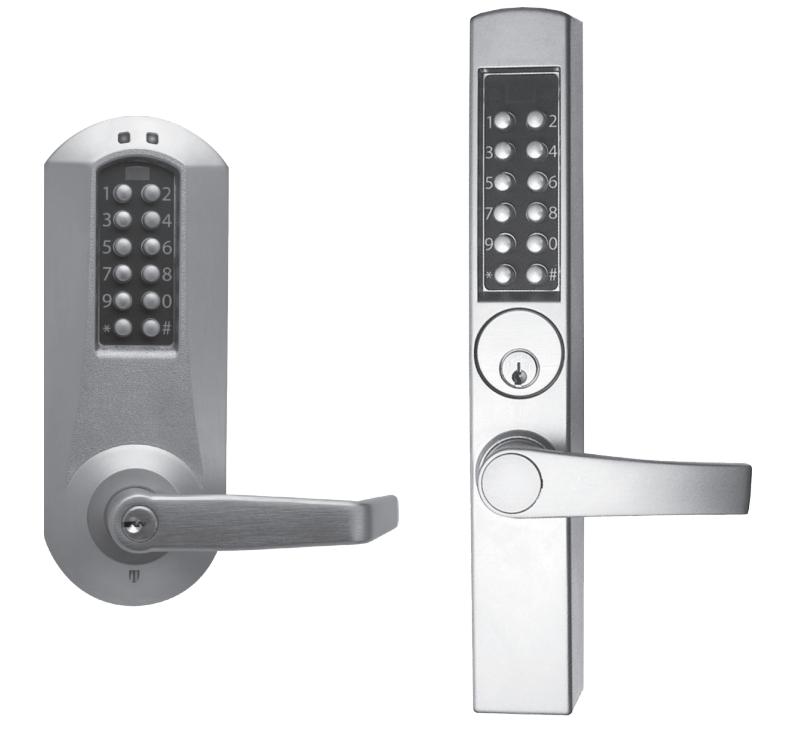
E-Plex®
Hardwired Remote Unlock Installation
The optional remote unlock feature is used to unlock an E-Plex lock from a remote location up to 100 feet (approximately 30 meters) from the lock. This is accomplished by installing a heavy-duty normally open pushbutton switch on the secure side of the door—for example, at a receptionist's desk. (Fig. 1) The pushbutton switch must be wired to the two leads, extending out of the lock by means of a twisted pair wire (26 AWG recommended) as described under "Installation" below.
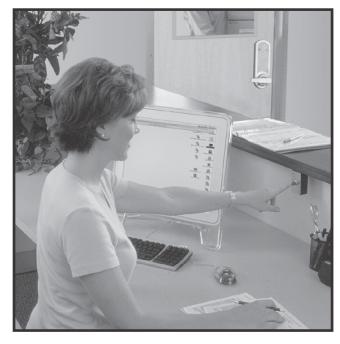
Fig. 1
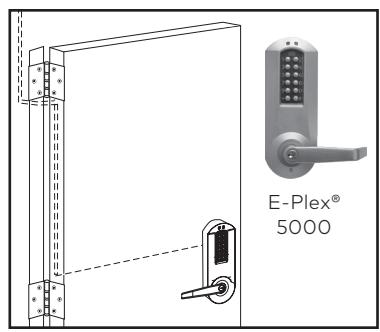
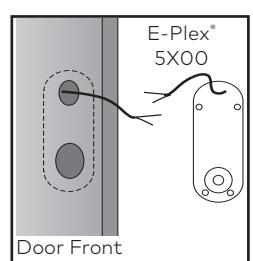
Fig. 2
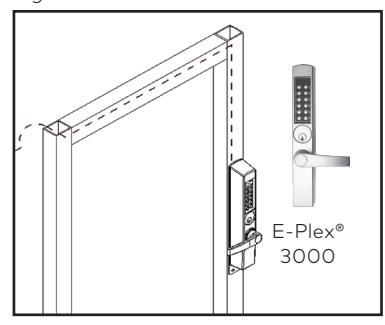
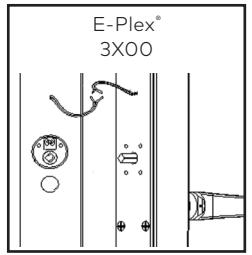
Fig. 3
Installation:
-
1. Prepare the door following the appropriate E-Plex 3xxx or 5xxx Installation Instructions manual. The unsecure side of the door must also be prepared with a 1" (diameter) recessed area to accommodate the hardwired remote leads from the lock. The center of this 1" (diameter) recessed area should be located 5 1⁄2" directly above the center of the door's 2 1⁄8" through bore.
- For wooden doors, the 1" (diameter) recessed area should be deep enough to meet the remote wiring drill path do not drill completely through the door.
- For metal doors, only drill through the unsecure side of the door—do not drill through the shell on the secure side.
- 2. Here are two options for routing the pair of wires from the lock to the switch.
Option 1: Route the wires extending from the lock's outside housing along the secure side of the door, through the hinges and above the ceiling to the push-button switch. (See Figures 2 and 3 above).
Option 2: Route the wires through the door. On a wood door drill a long hole through the side of the door up to the 1" recessed area for lead wires. Caution: Make sure that the drill path does not interfere with either of the two top 1/4" lock mounting holes. The drill path through the door to the 1" (2.54 cm) diameter recessed area can be positioned above or below the lock mounting holes as shown. (Fig. 4)
On a narrow stile metal door, the wires can be routed inside the metal channels to the hinge side of the door by drilling clearance holes.
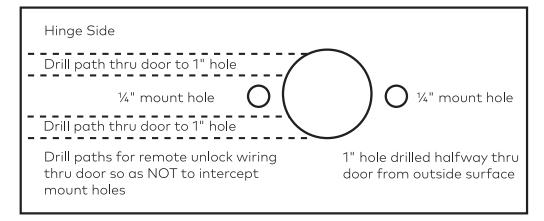
Fig. 4
3. It is important to ensure that each lead of the twisted pair wire is properly attached and soldered to the two remote unlock lead wires that extend approximately 12" (33cm) from the back of the inside lock housing. (See below)
There is one black and one red lead. The polarity does not matter. Ensure that no part of the wires are pinched or shorted during installation. Place any excess wire into the recessed area in the door and finish installing the lock according to the instructions in the manual.
Operations:
- 1. Refer to the E-Plex® Operations Manual for instructions on various lock commands at the keypad. Only the Master user and the Manager user(s) can enable or disable the Remote Unlock feature at the lock by inputting that command at the lock keypad.
-
The code to enable or disable the Remote Unlock Feature of the lock is "012".
To enable and disable this feature:
- a. Put the lock inProgramming Mode bypressing # Master Code#
- b. Enter the command sequence "012," followed by #
- c. Enter "1" to enable the remote unlock feature, followed by # Enter "0" to disable the remote unlock feature, followed by #
- d. Press # to end Programming Mode
Example: If you want to enable the lock and your master code is "87654321", the complete keypad entry would be: #87654321#.012#1##
2941 Indiana Ave. Winston Salem NC 27105 USA