Dynamic Codes Guide
Open the original PDF document
View PDFDynamic Codes (One Time Codes) - DYAMA
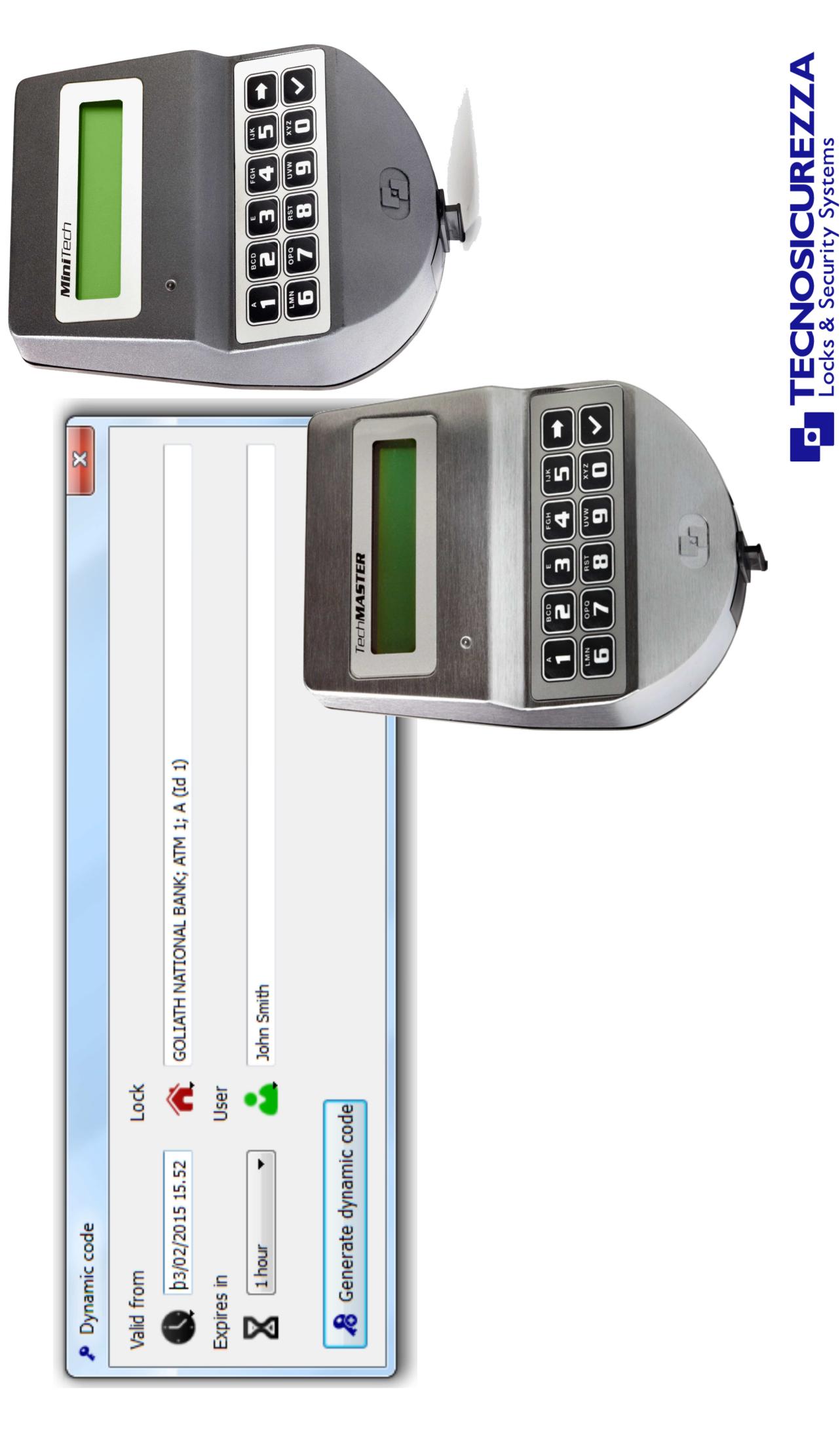
Table of contents
| How it works | 3 |
|---|---|
| Application | 4 |
| Diagram with the lock opening sequence | 5 |
| Systems supporting the Dynamic Codes function | 6 |
| Software Dyama | 7 |
| Software Dyama – Database creation | 8 |
| Software Dyama – Lock programming | 9 |
| Software Dyama – Layout | 11 |
| Software Dyama – Add/Delete locks | 12 |
| Software Dyama – Safes window | 13 |
| Software Dyama – Add/Delete users | 14 |
| Software Dyama – Users window | 15 |
| Software Dyama – Dynamic code (One Time Code) options | 16 |
| Software Dyama – Generation of the dynamic code (One Time Code) | 17 |
| Software Dyama – Closing code | 18 |
| Software Dyama – Operators window | 19 |
| Software Dyama – Events window | 20 |

How it works
The function "dynamic codes" allows to control the opening of the electronics lock using a 9 digit code valid for a single use only (One Time Code).
The dynamic code (One Time Code) is generated by the software DYAMA, to which the operator can access using his own username and password. The generated code is valid only for the user and lock for which it was generated. This code also has a start date and start time, and a duration, all set by software.
After being used, the code is deleted and can no longer be used.
The validity of the code ceases when the lock is opened or at the preset expiry date.
With a single software you can control an unlimited number of locks without the need for a connection between computer and electronics lock.

Application
Using the TECNOSICUREZZA electronic locks with the "dyanamic codes" (One Time Code) function is the best way to raise the security level in all applications where more people have the need to access the same safe (Cash In Transit personnel, technical maintenance personnel, etc.).
For this reason, locks with dynamic codes find their ideal use in Cash In Transit applications, such as:
- ATM
- Cash recyclers
- Transfer safes
- Night depository
- Deposit safes

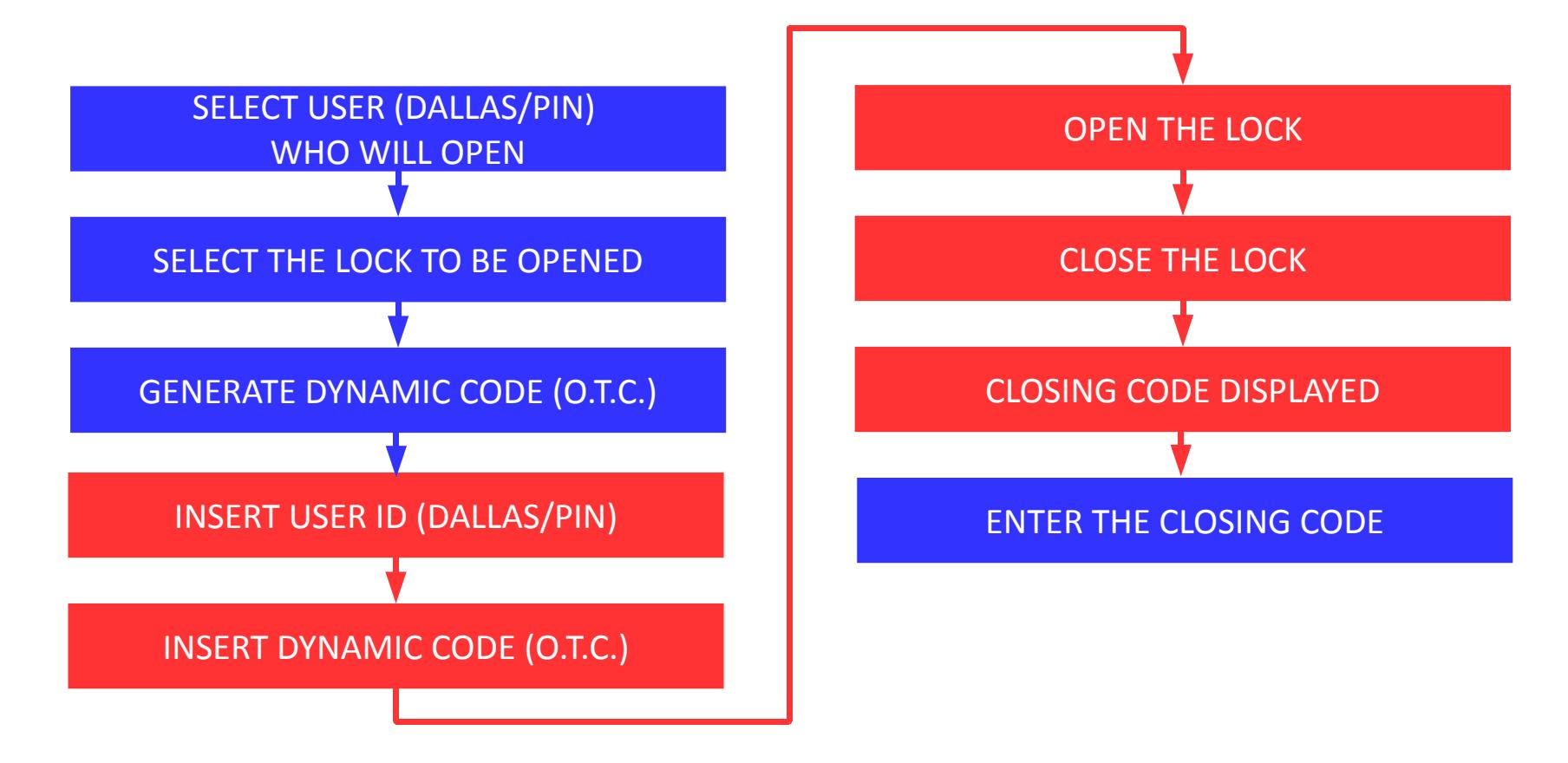
Lock opening sequence with the "Dynamic code" (One time code) function.
- IN THE SOFTWARE
- AT THE LOCK

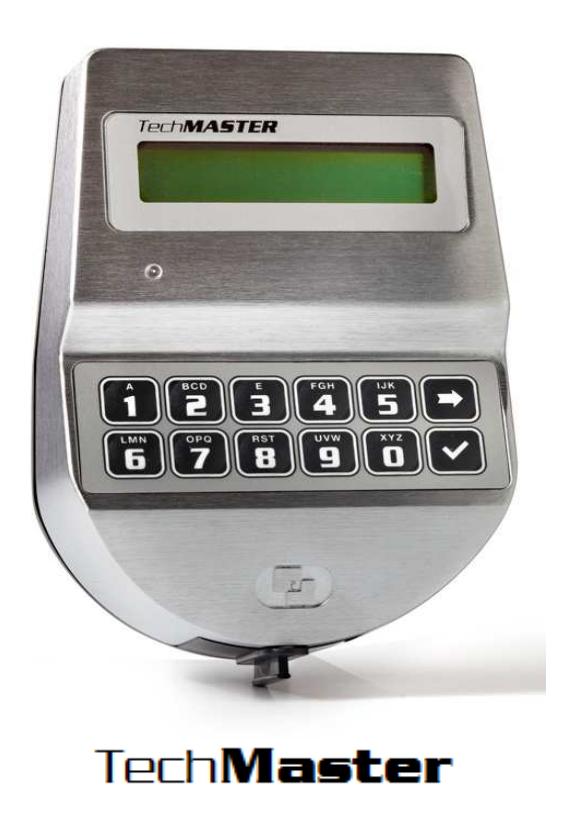
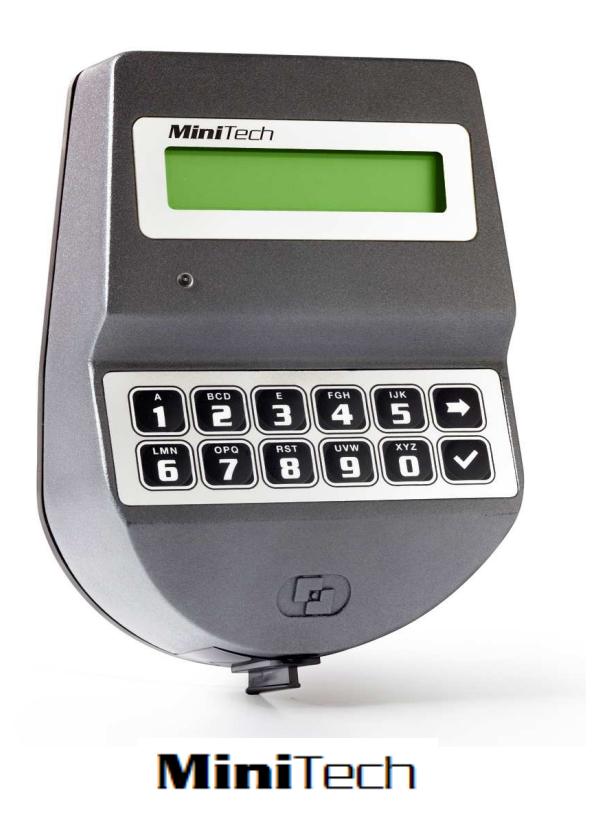
Dynamic codes can be used in the following systems:

Software Dyama
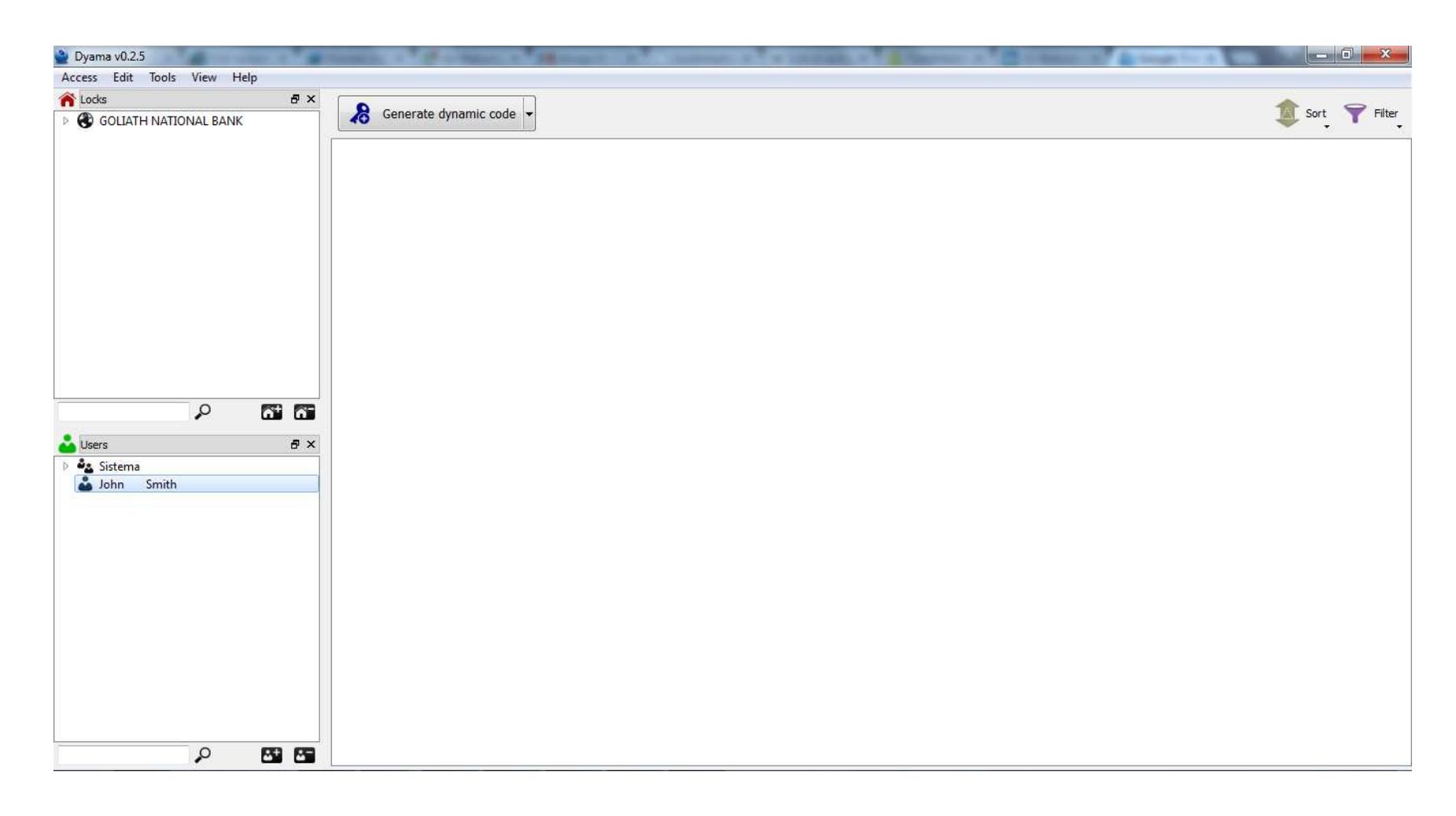
Dynamic codes are generated by means of the software Dyama.

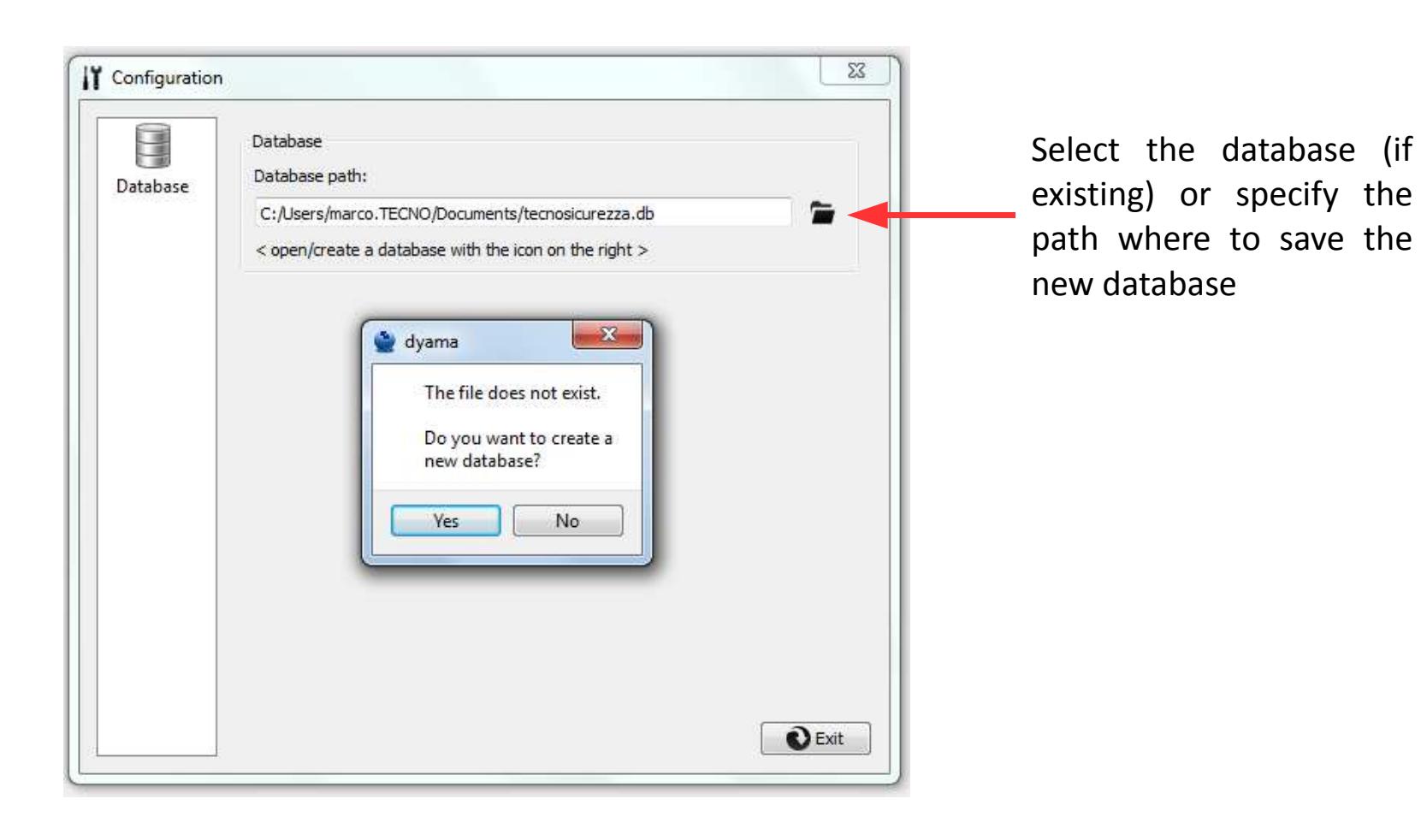
Creating and selecting a database
At first start of Dyama you must select or create the database where the data will be stored.

Programming the lock
Dynamic codes do not require a direct connection between software and lock.The only requirement is initialising the lock by means of a setup dallas key and a installation code.
The first step is to arrange the setup Dallas KeyIn order to arrange it, connect a Dynamic codes setup Dallas Key to the Dallas key reader and press the "Program iButton" button

Programming the lock
The second step is generating the installation code by clicking on the "Generate
installation code" button.
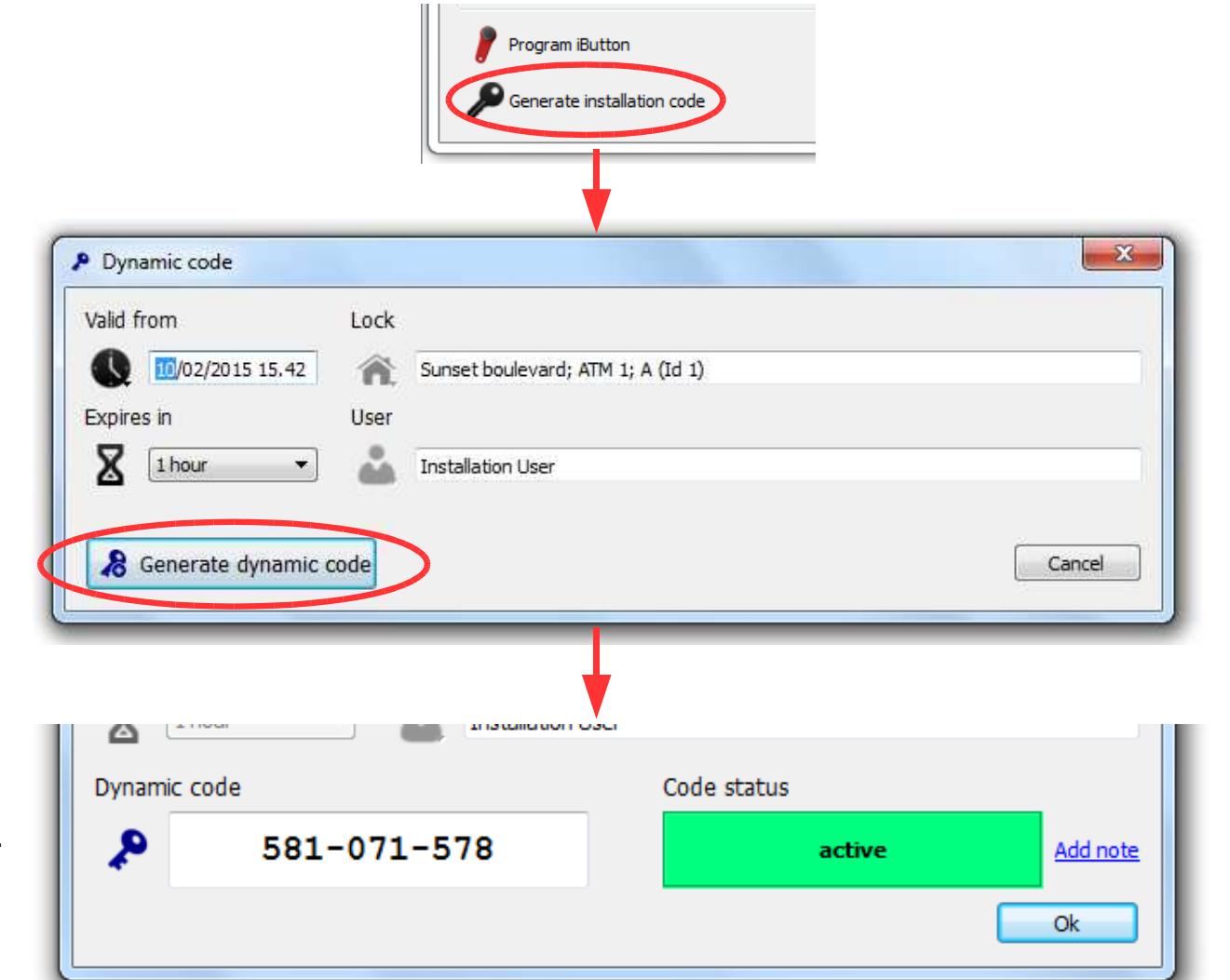
The installation code has to be entered in the lock's keypad when requested after reading the setup Dallas key.
The layout of the software Dyama is very simple yet effective and allows you to control all the main parameters.
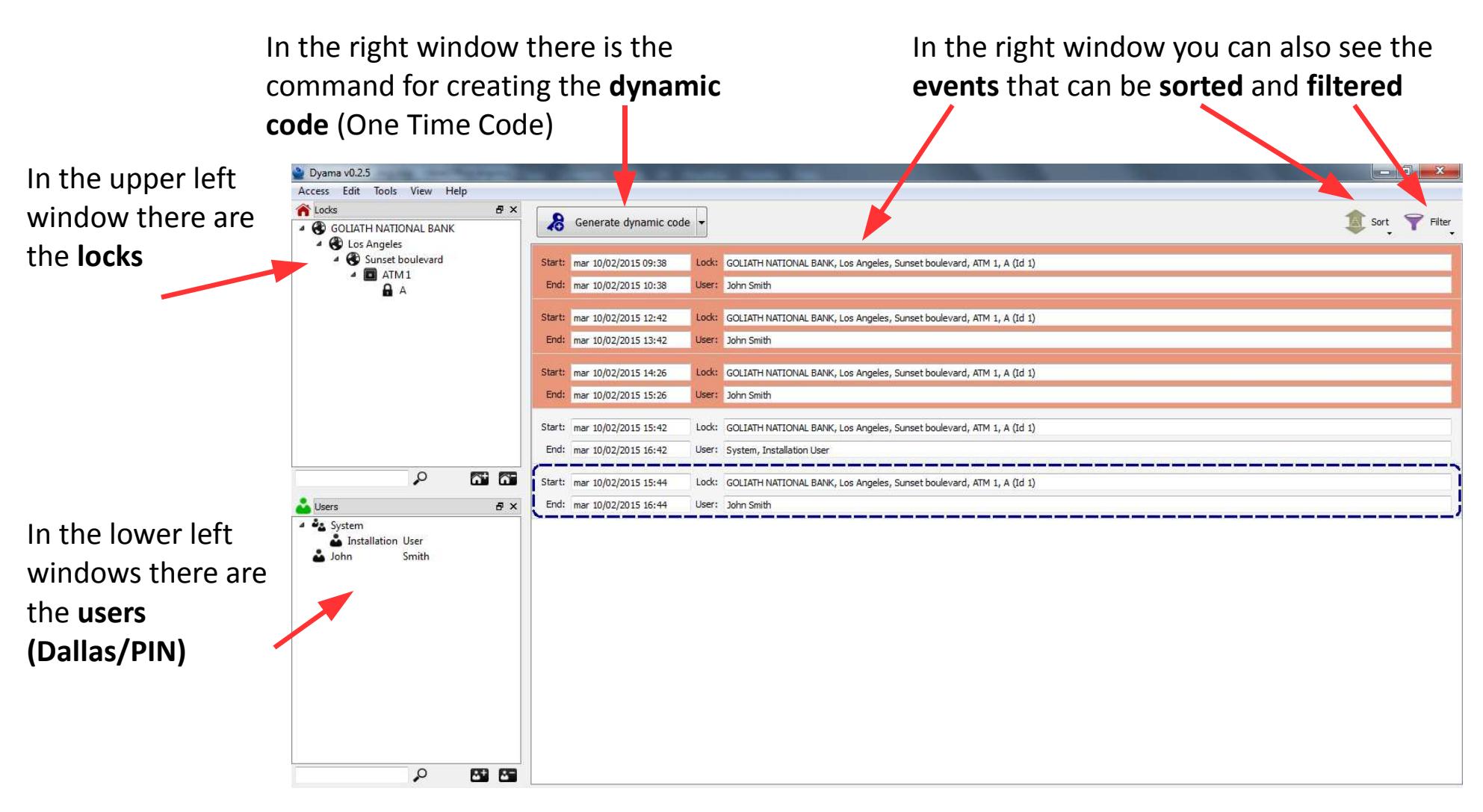

Adding/Deleting Safes
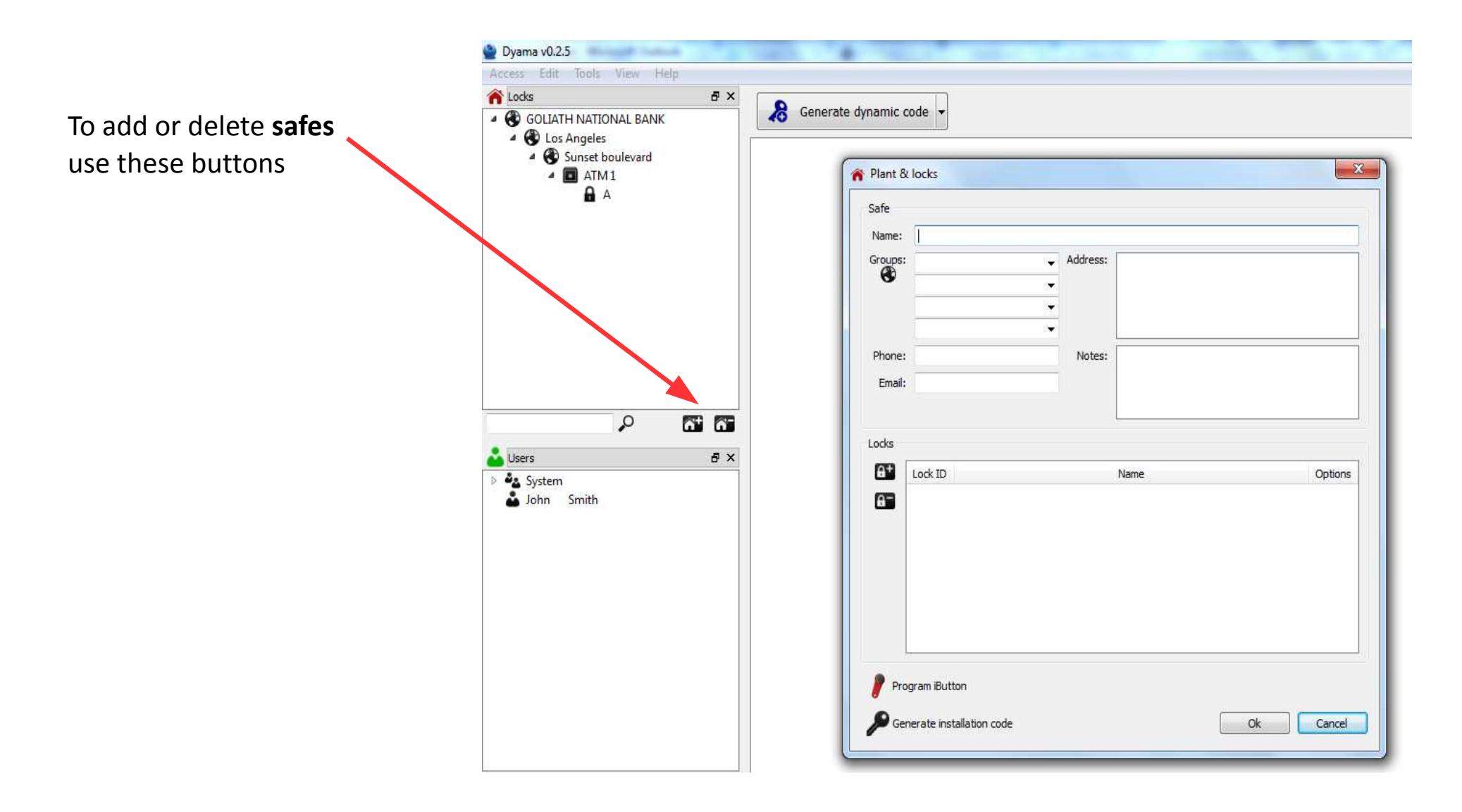

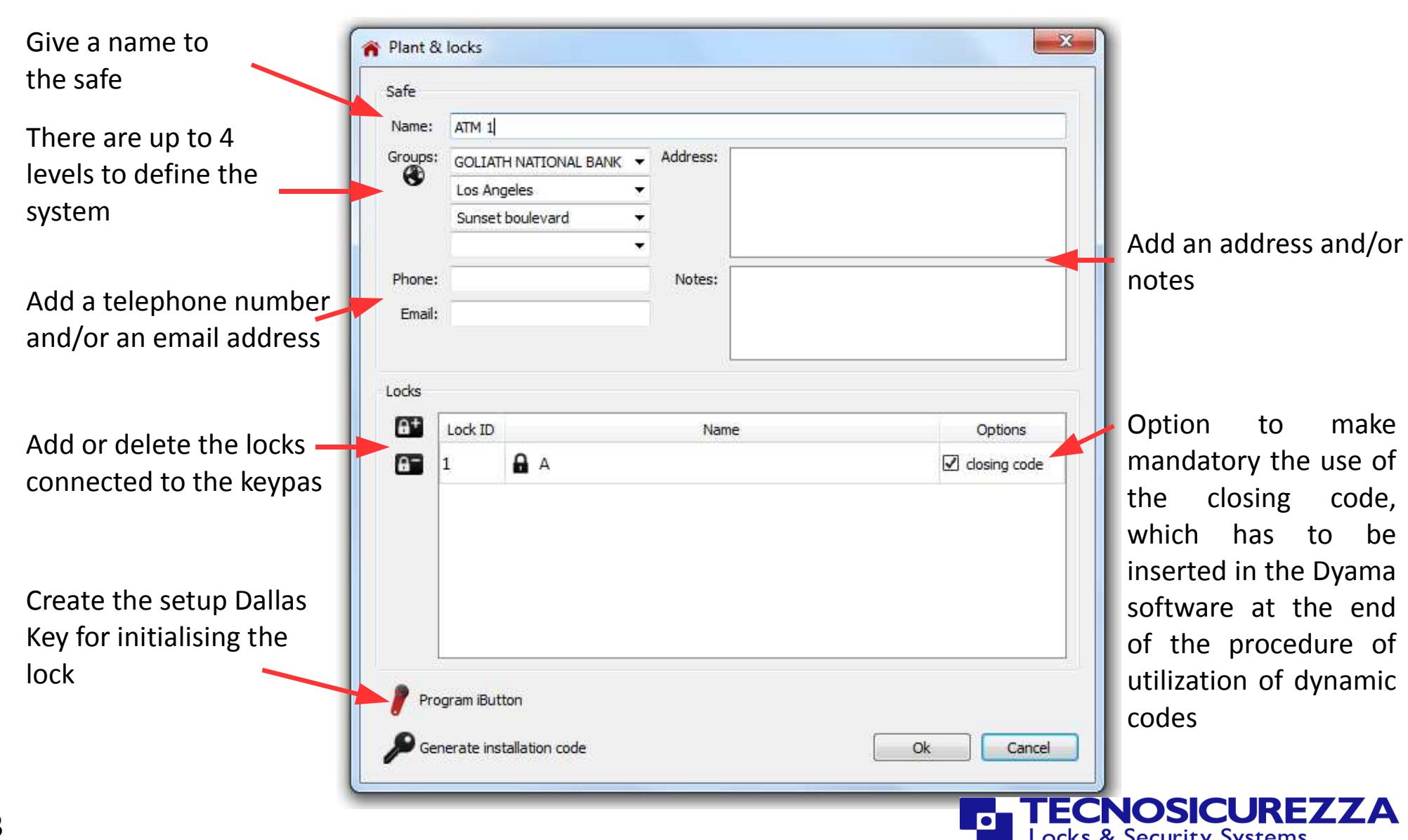
In the window Safes you can add the locks that will form the system
Add/Delete Users
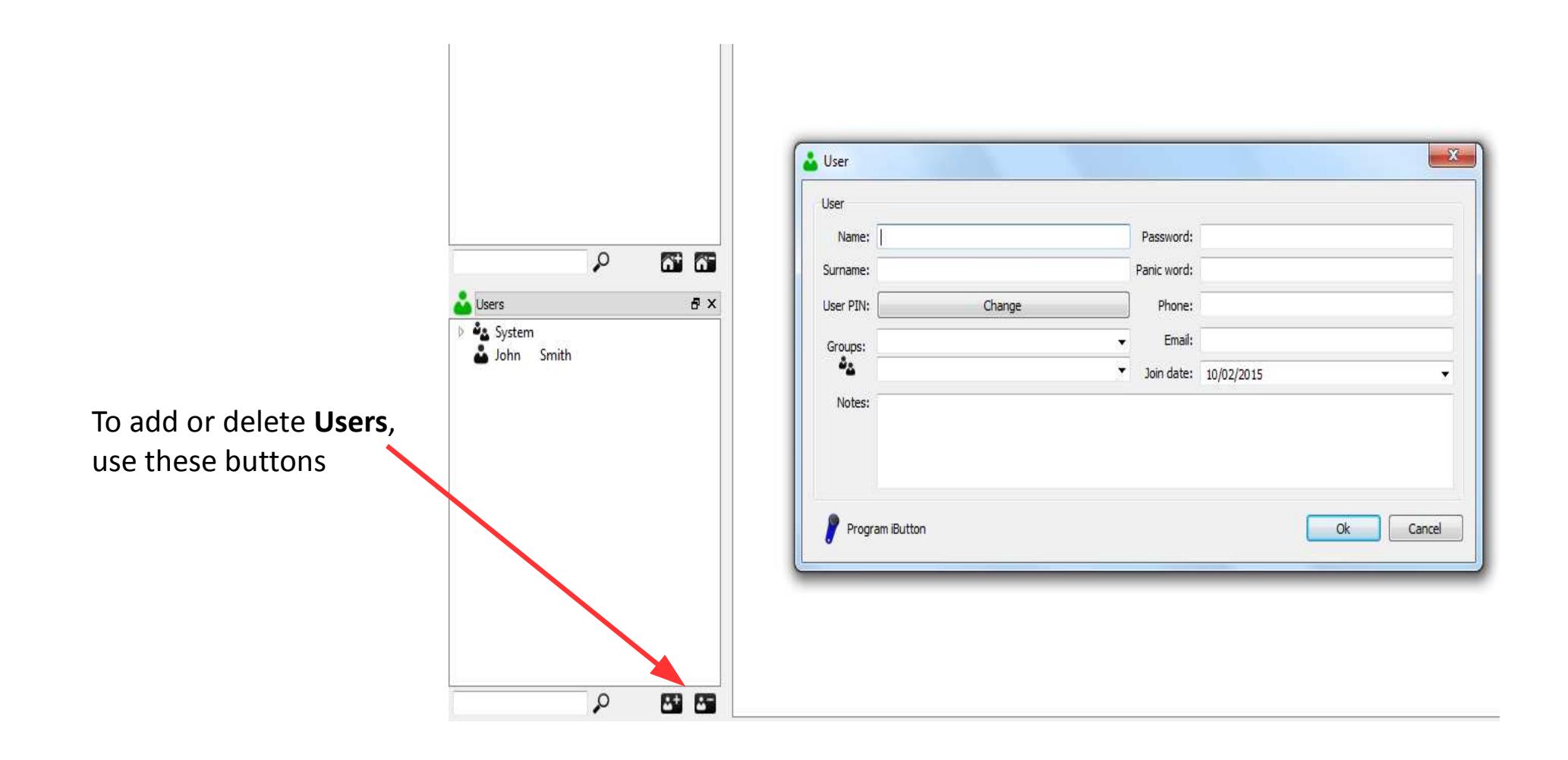

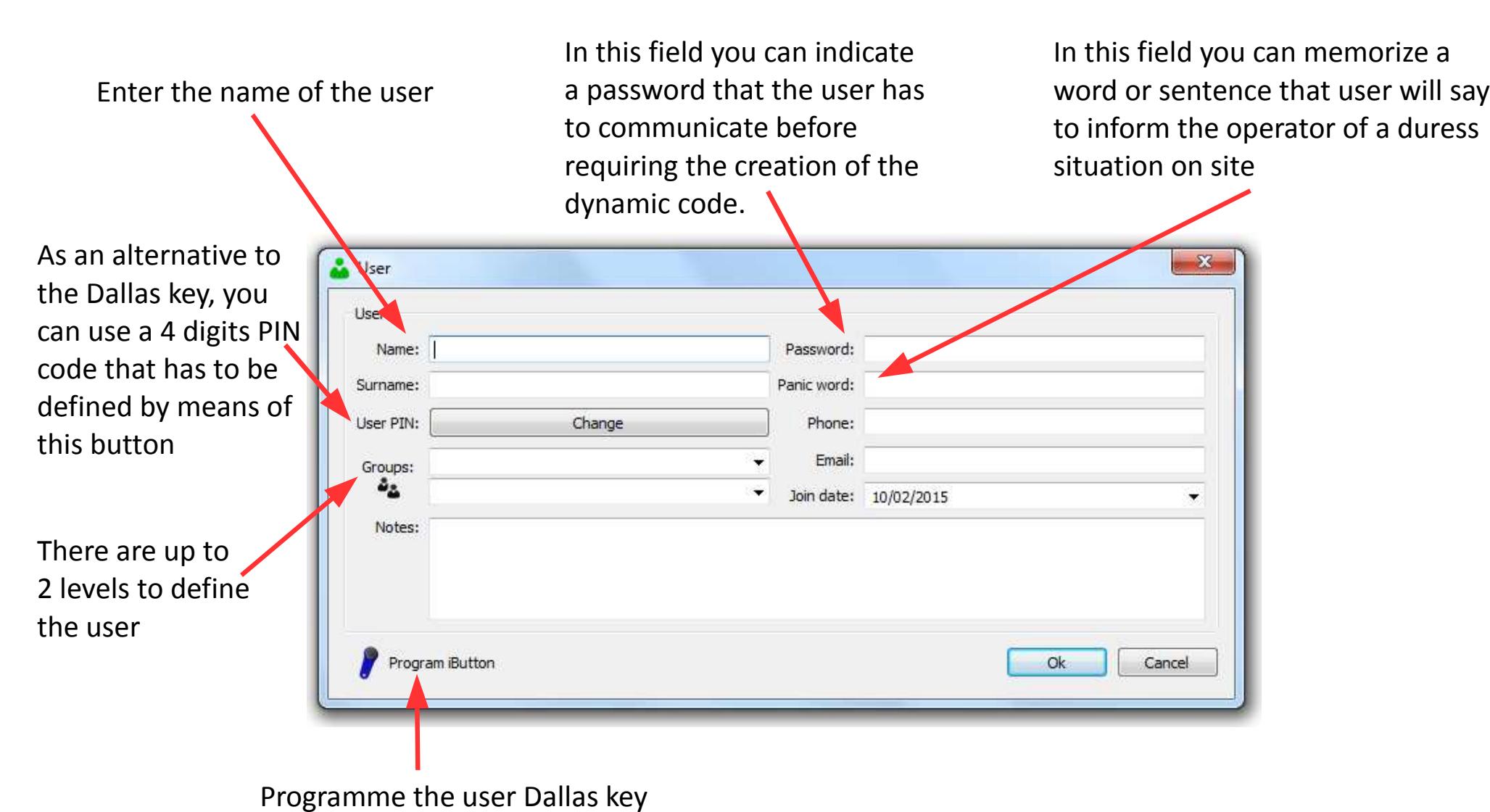
In the window Users you can add users to the system.

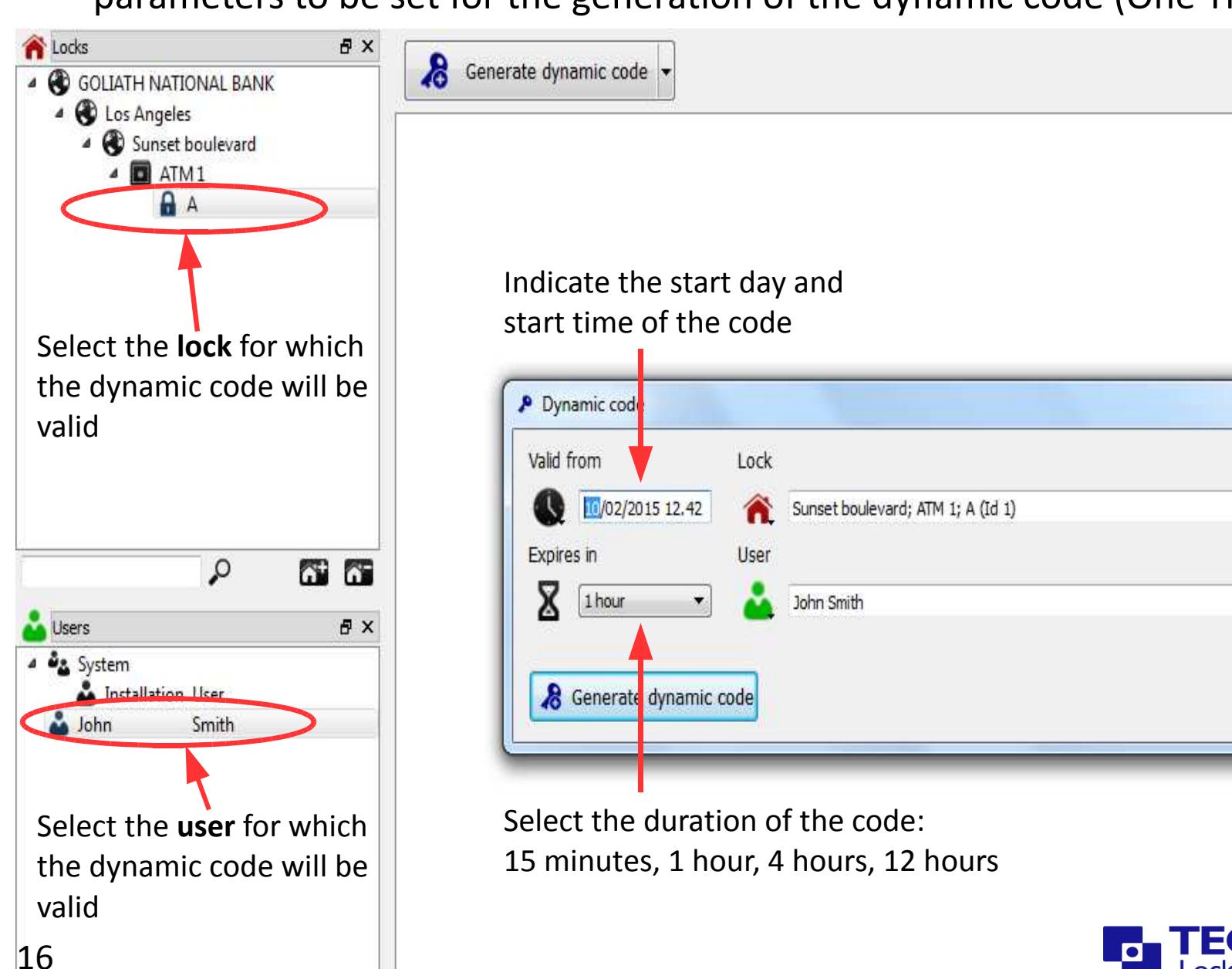
Clicking on the button you open the window with the main parameters to be set for the generation of the dynamic code (One Time Code)

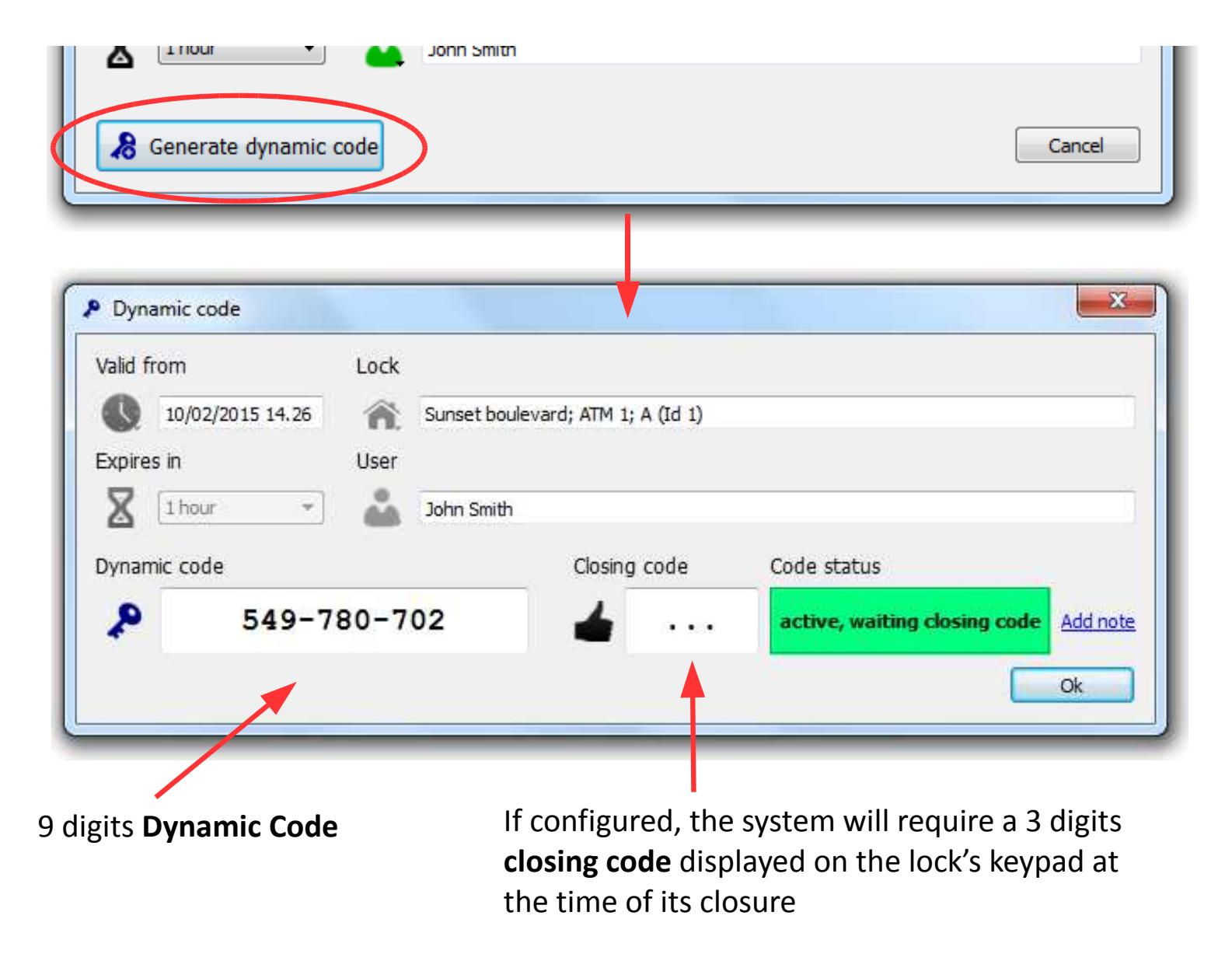
By clicking on the specific button, the dynamic code is generated

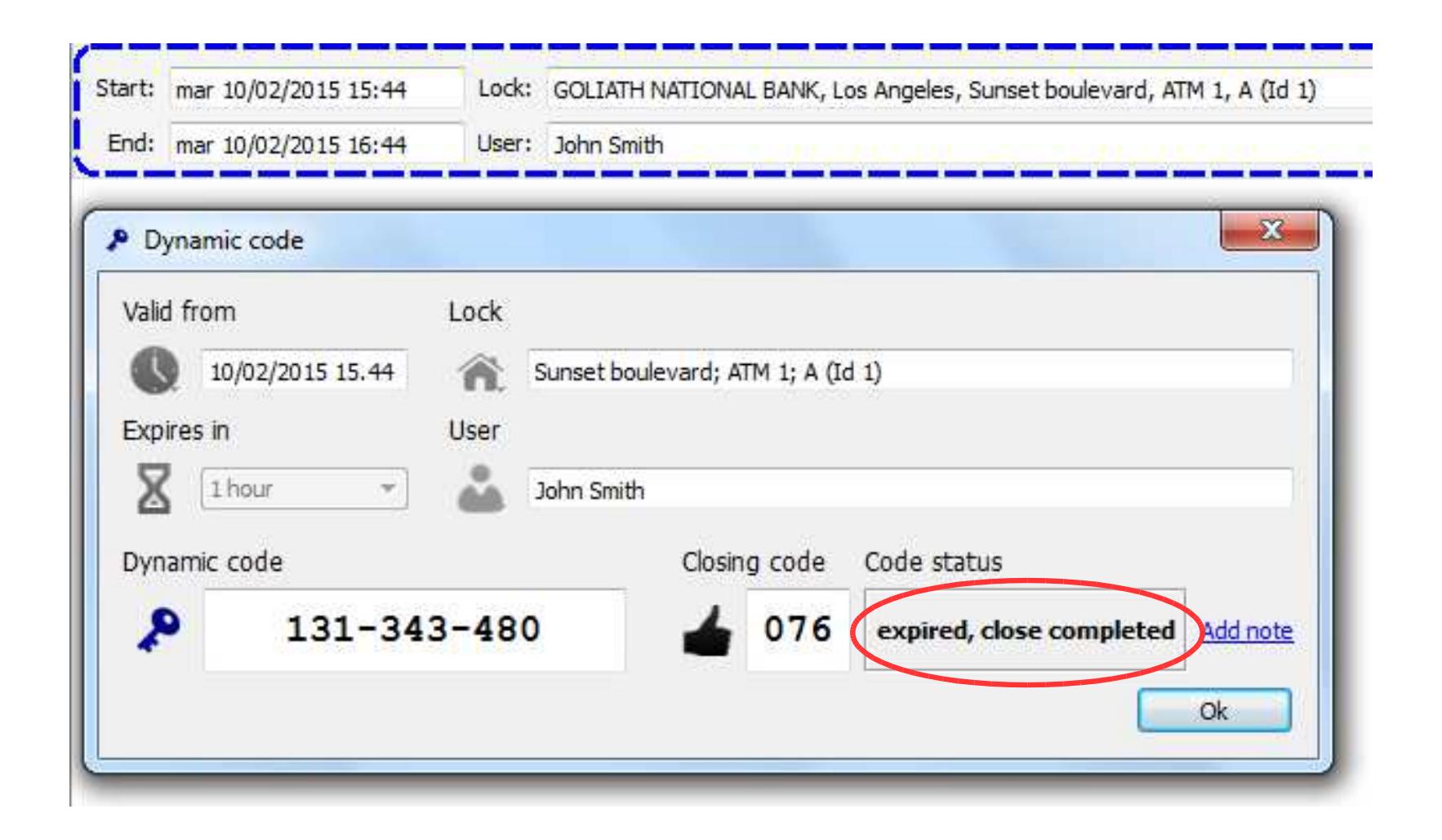
Once the closing code has been entered, the operation is concluded.

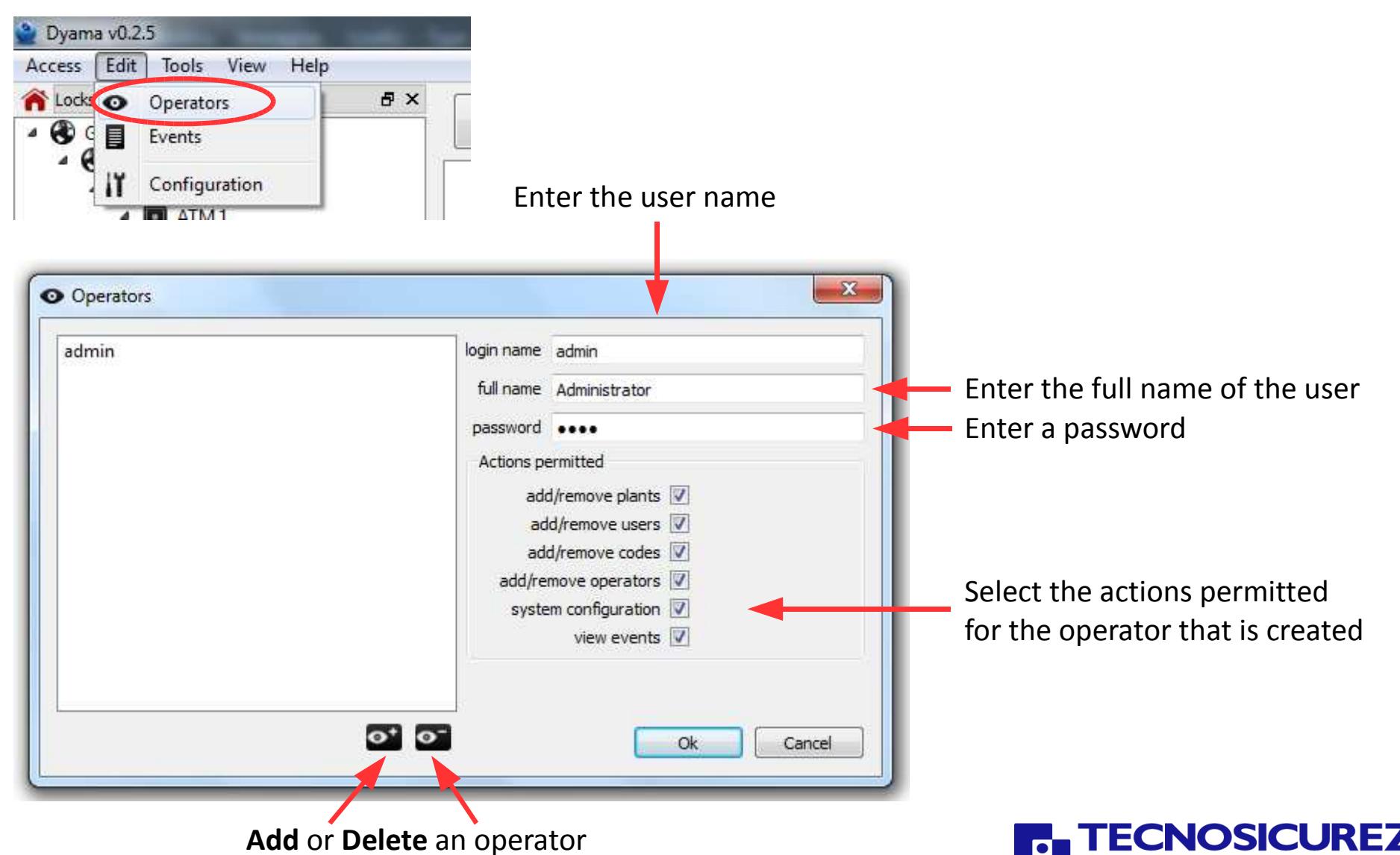
From the menu Edit you can open the Operators window, where you can add/remove operators. By default it is installed the operator "Administrator".
From the Edit menu you can open the Events window, where you can view and search all events.
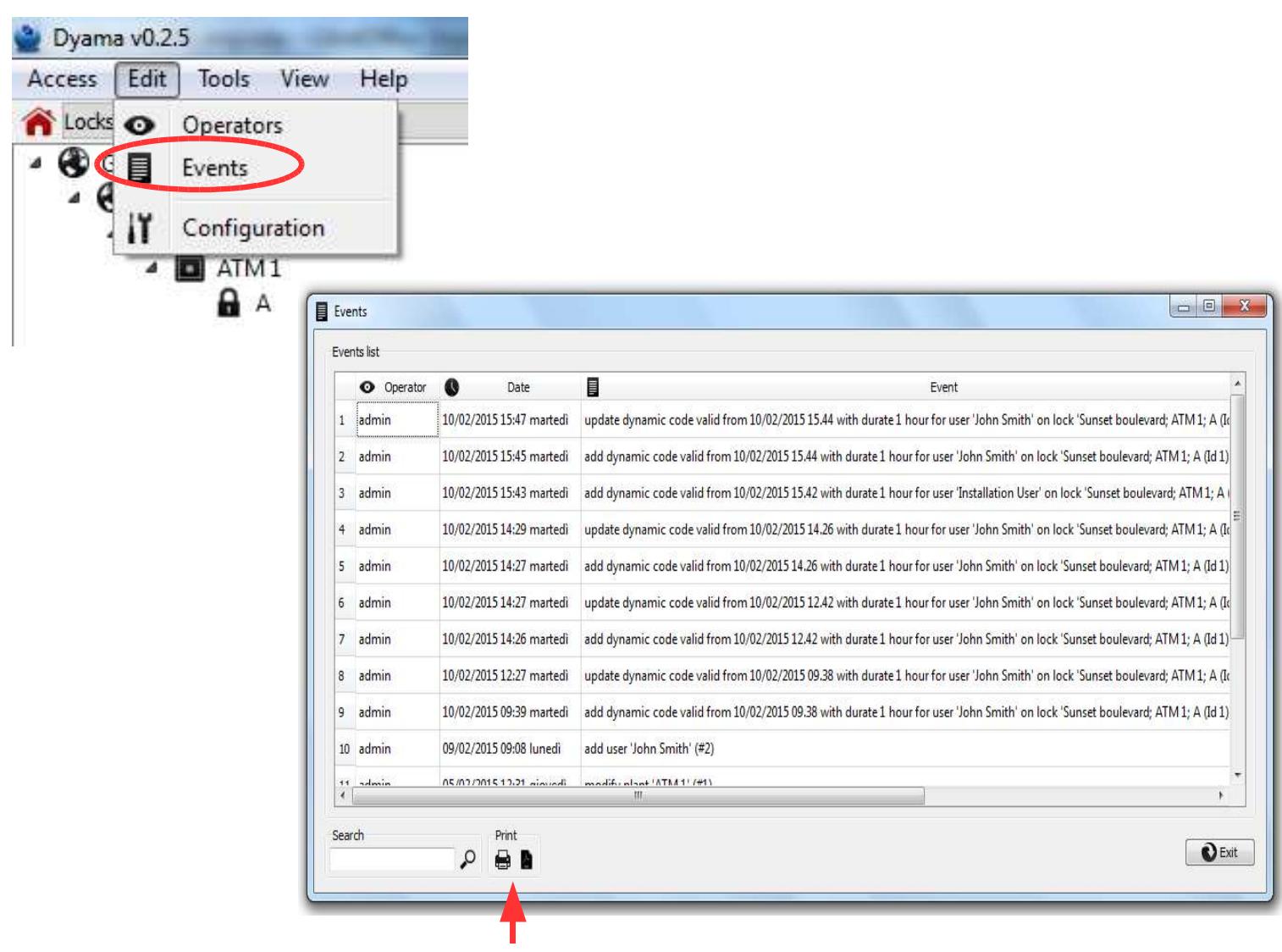
You can print or create a PDF file of the events displayed


Tecnosicurezza srlVia Cesare Battisti, 27637057 S.Giovanni Lupatoto (VR) ItalyTel. +39 045 826 64 70Fax. +39 045 826 64 69www.tecnosicurezza.it