DORMA 9000-DORREXKIT-ED Installation Instruction
Open the original PDF document
View PDF

DorREXKIT-ed
I N S E R T I n s t r u c t i o n s
The Command Access DORREXKIT-ED is a field-installable Request to Exit switch for the Dorma 9000 series exit devices.
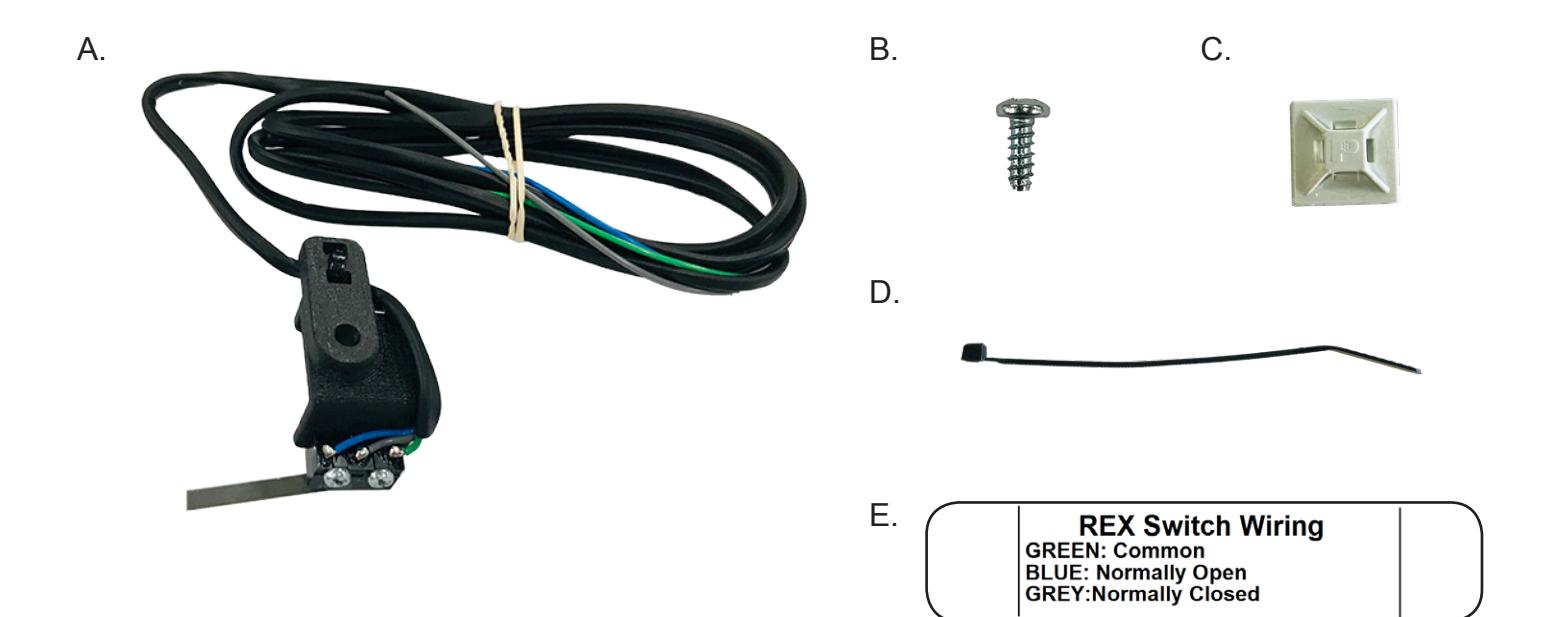
a. 60391 - dorrexkit-ed #2 phillips screwdriver
b. 40058 - machine screw 4-24 x 3/8"
c. 40059 - cable tie mount
d. 40060 - cable tie
e. 20015 - rex stickr
Kit Includes Tools Required
installation instructions

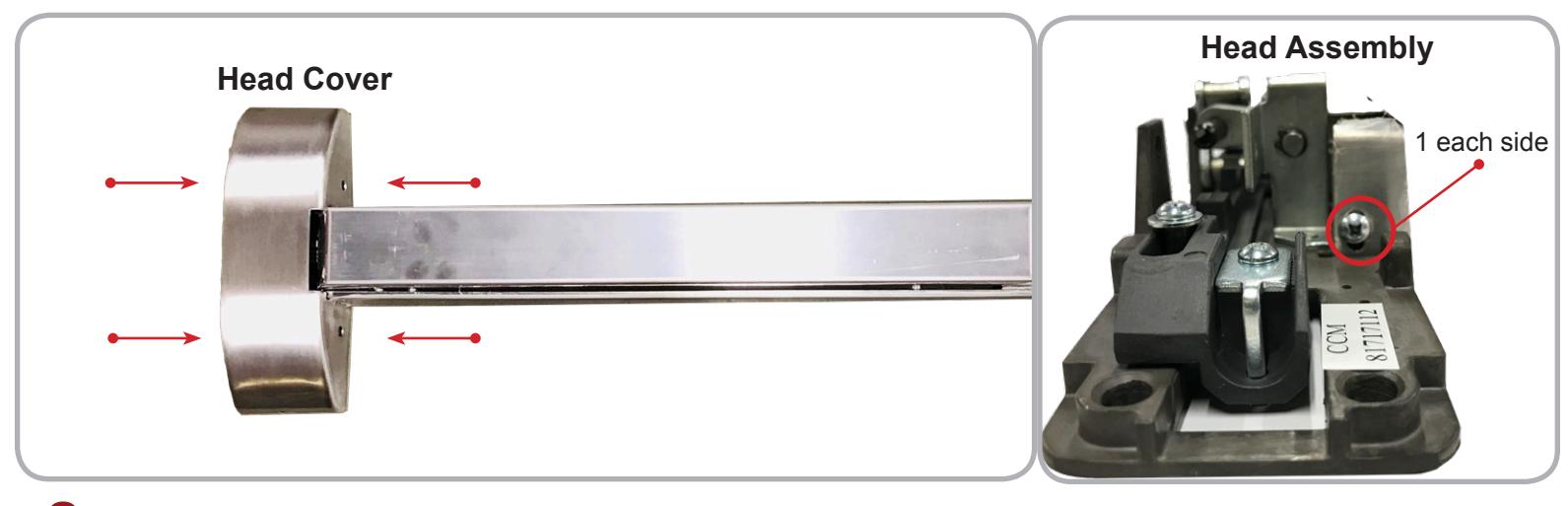
1 Remove Head Cover (4 screws) and Head Assembly (2 screws).
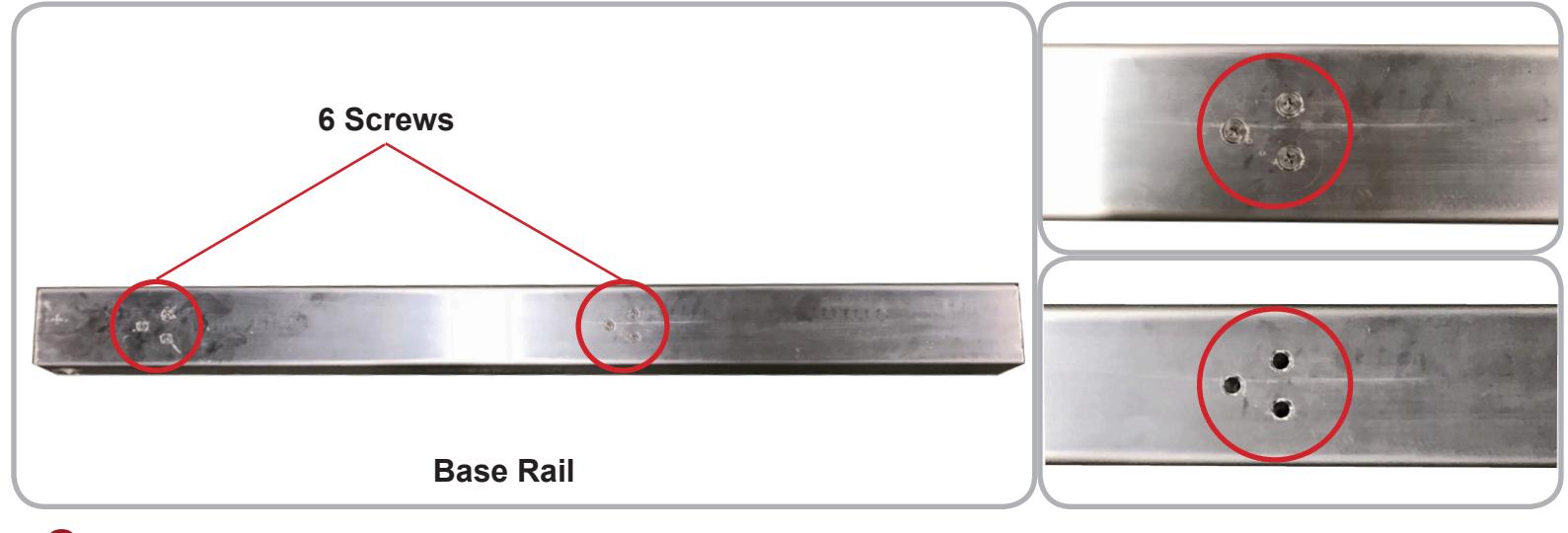
2 Flip the bar over and remove the 6 Screws holding the Pushpad Assembly to the Base Rail.
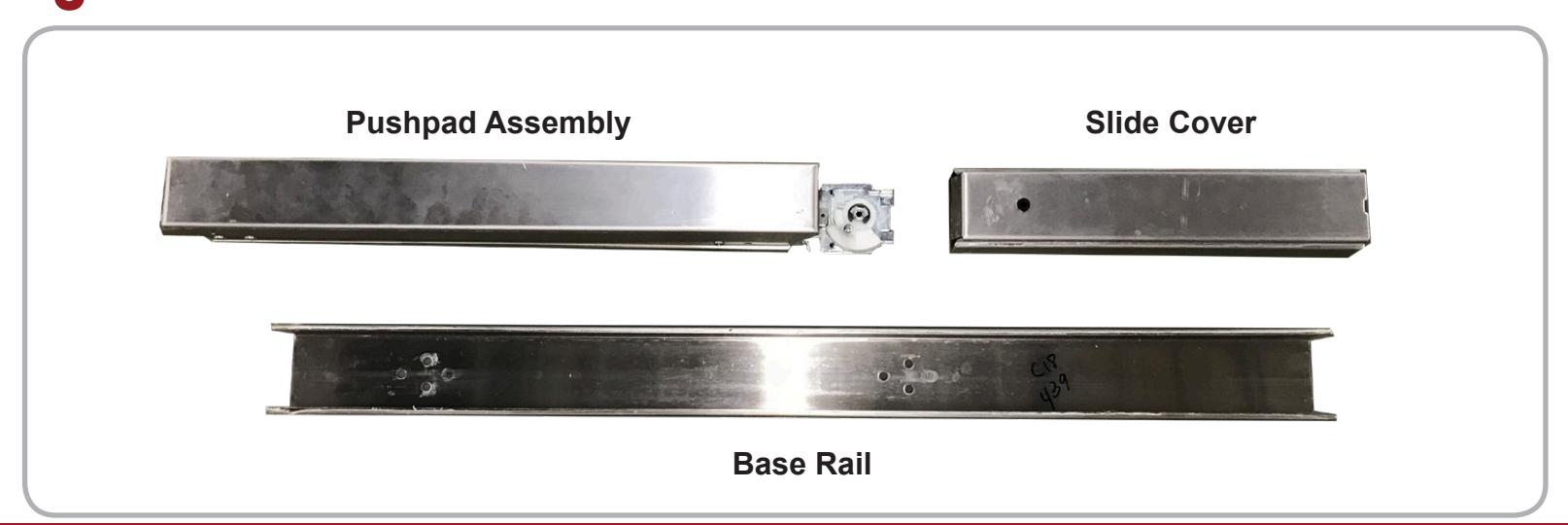
3 Slide Pushpad Assembly and Slide Cover out of the Base Rail.
installation instructions

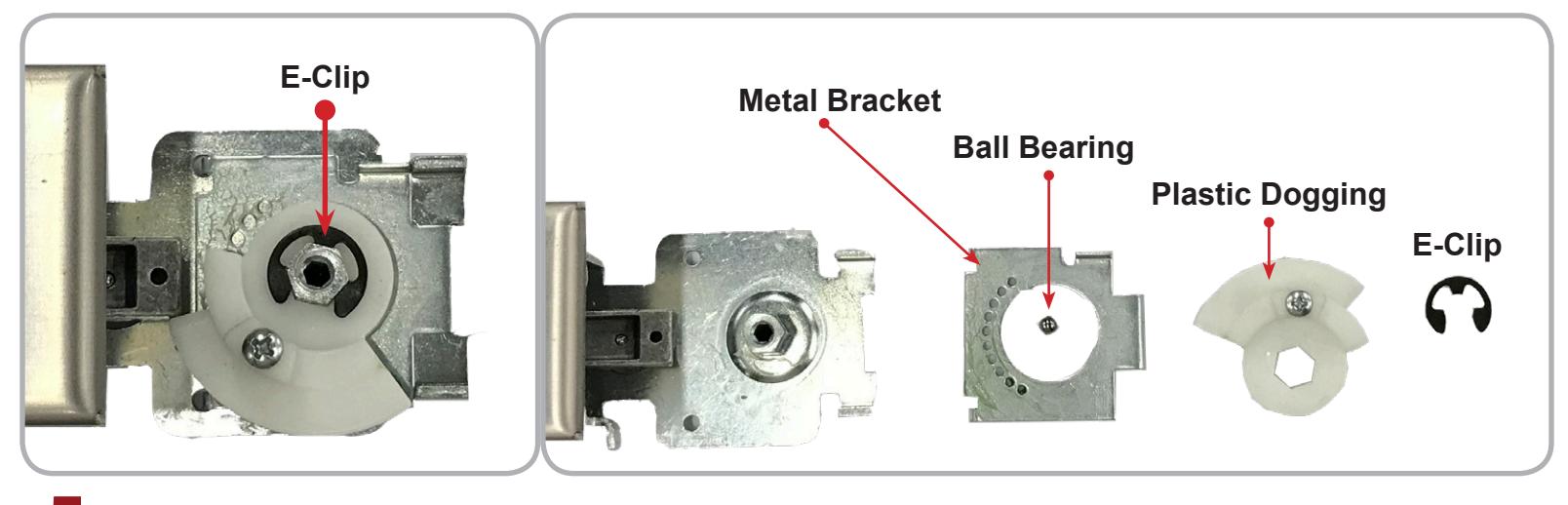
4 To install the DORREXKIT-ED, the dogging (if present) must be removed. Simply take the E-Clip off and the Plastic Dogging Piece , Ball Bearing and Metal Bracket can be gently lifted out.
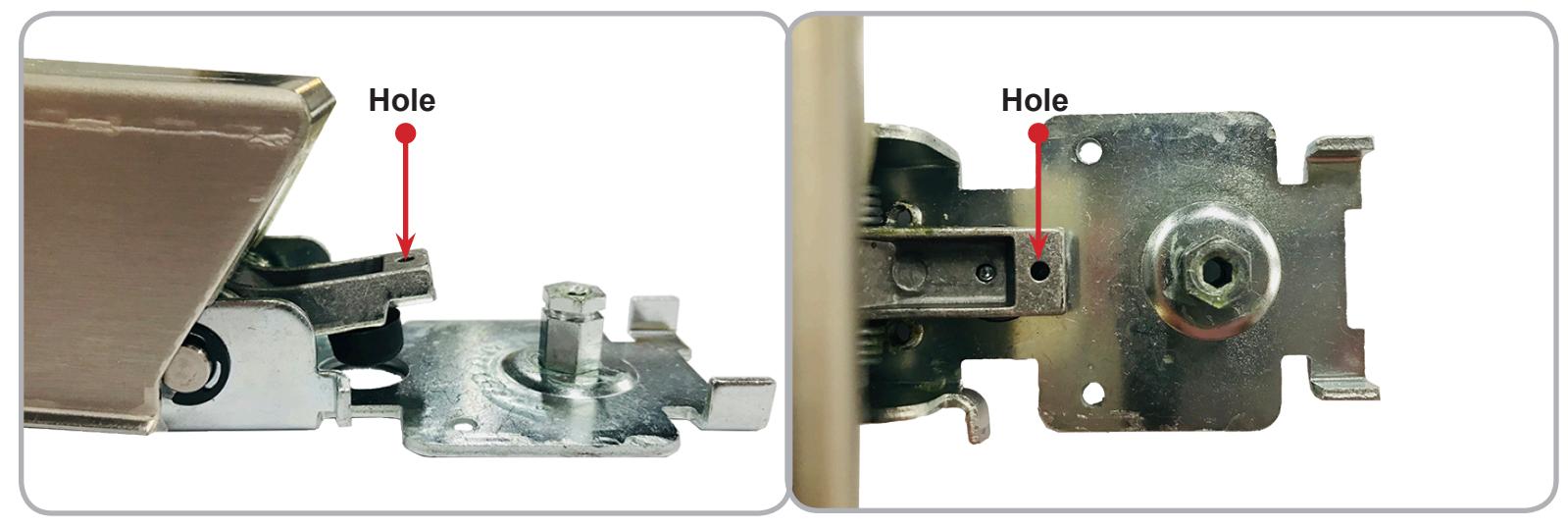
5 The DORREXKIT-ED installs into the pre-existing Hole on the end of the back activating bracket.
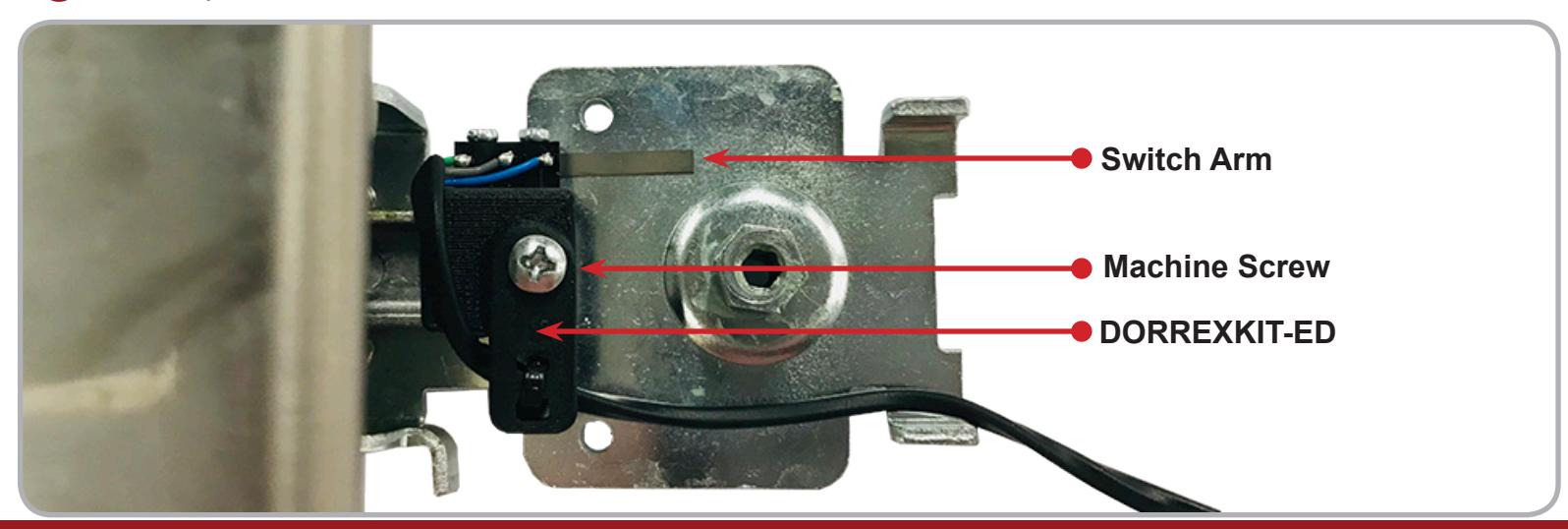
6 Install the DORREXKIT-ED with the Switch Arm facing away from the push pad using the Machine Screw provided with the kit.
installation instructions

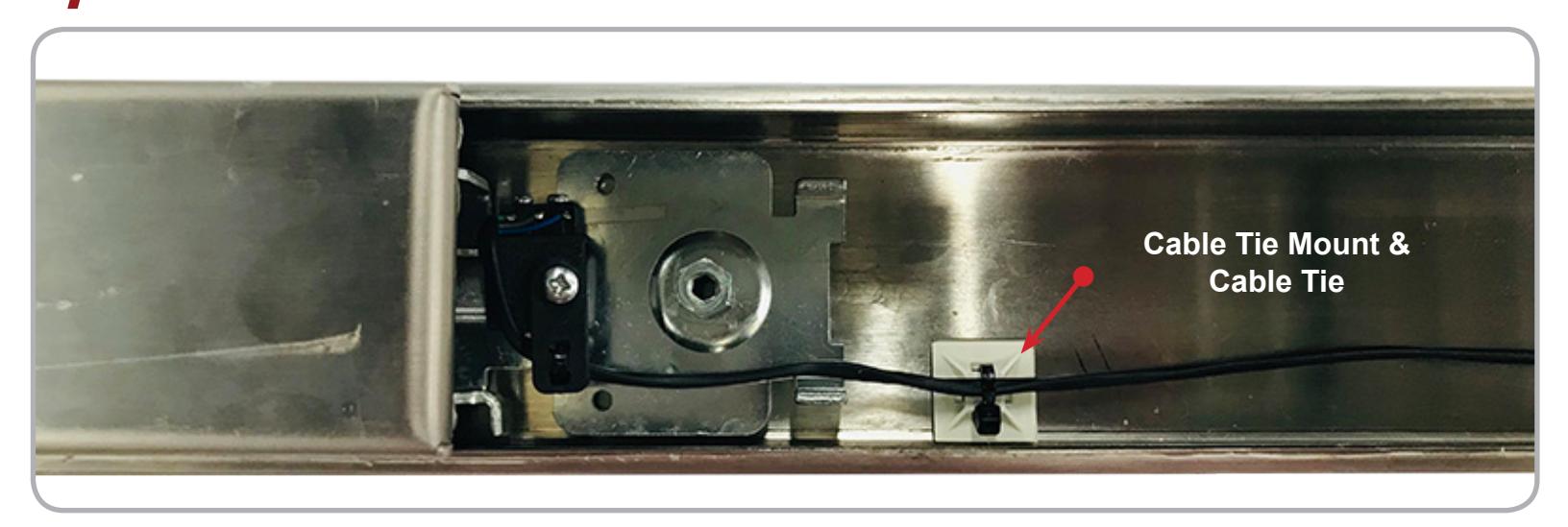
7 Use the provided Cable Tie Mount and Cable Tie to provide strain relief to the DORREXKIT-ED wire.
-
SPECIFICATIONS: Single Pole Double Throw (SPDT)
- Rating: .5A @24VAC
- Configuration: Green Common (C)
Blue - Normally Open (NO) Gray - Normally Closed (NC)