Command ML1- CATBMKIT-ML Installation Instruction
Open the original PDF document
View PDF

CATLBMKIT-ML
INSERT INSTRUCTIONS
Field Installable Latchbolt Montior switch for Command Access ML1 & LPM1 series mortise locks. The kit's easy "drop-in" installation adds a switch that monitors the position of the latchbolt. This switch is SPDT (single pull, double throw).
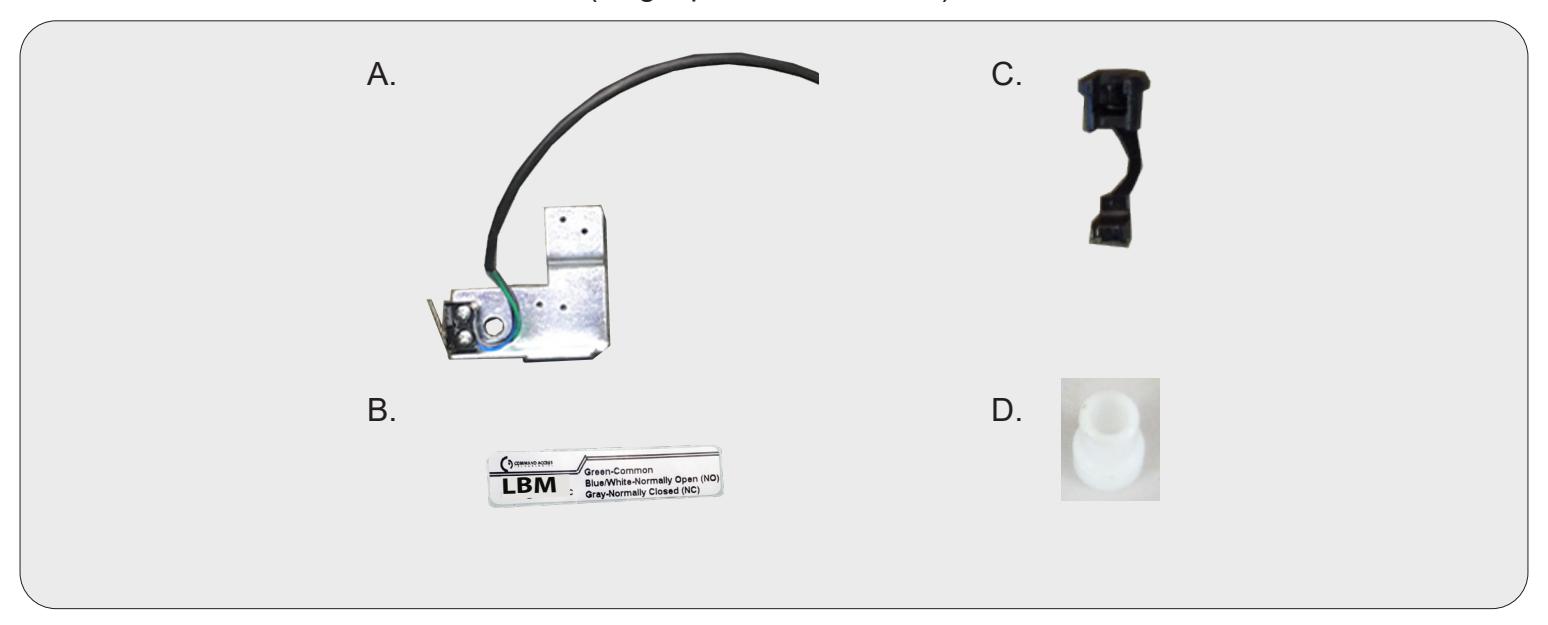
LBMKIT INCLUDES | WORK WITH
- A. 1 LBM Bracket
- B. 1- LBM Sticker
- C. 1- Strain Relief (40001)
- D. 1- Fire Door Fuse
- ML180,182,1480,1482,1485
- LPM110,180-188
SPECIFICATIONS
- Single Pole Double Throw (SPDT)
- Rating: .5A @24VAC
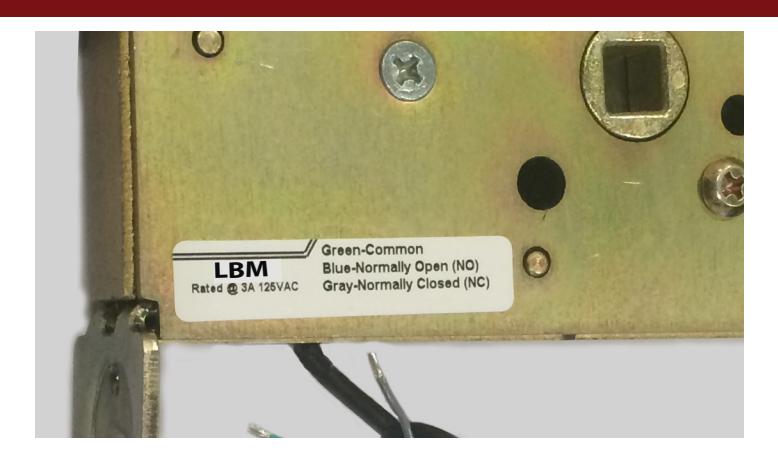
- Configuration: Green/Black Common (C)
Blue/Black - Normally Open (NO)
Gray/Black - Normally Closed (NC)
1

A. Remove cover plate (4 screws).
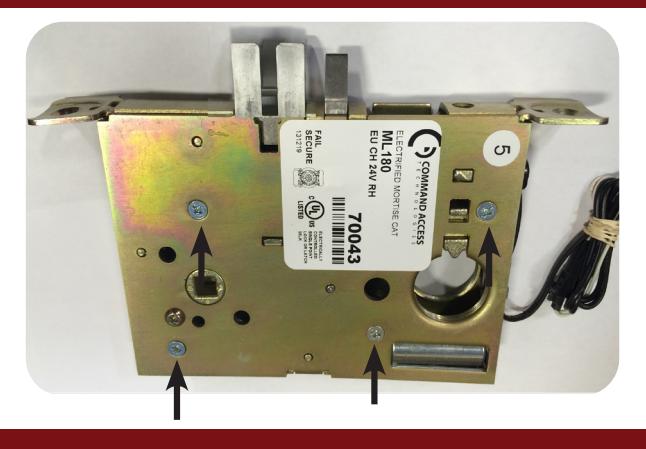
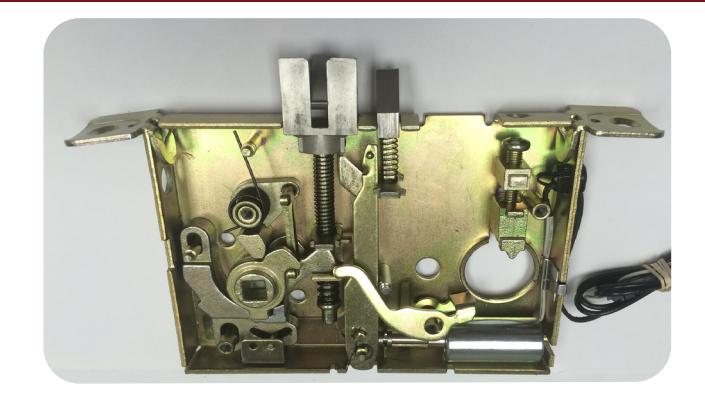
B. Remove the following items:
C. Fish wires through the bottom hole in the lock body.
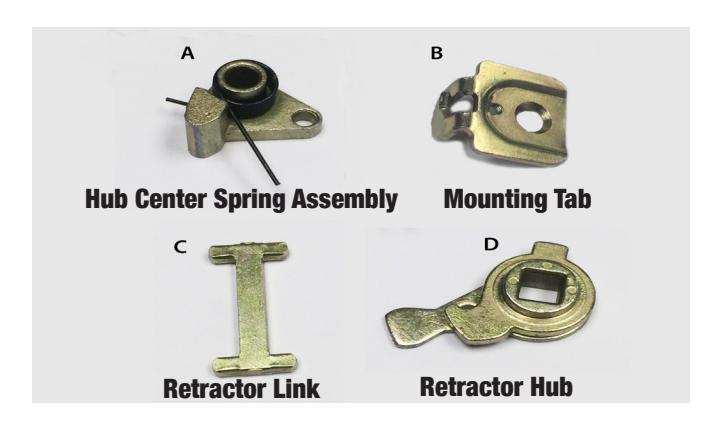
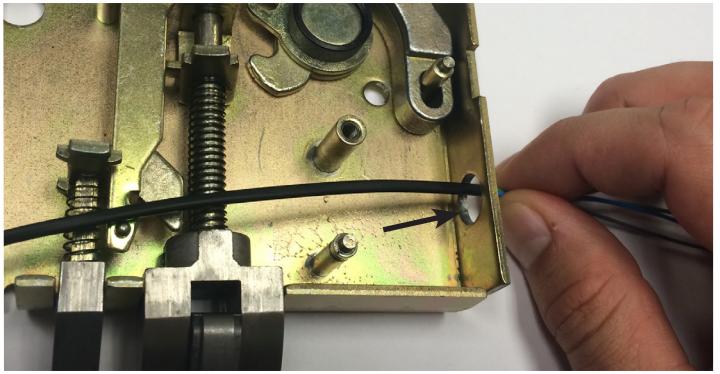
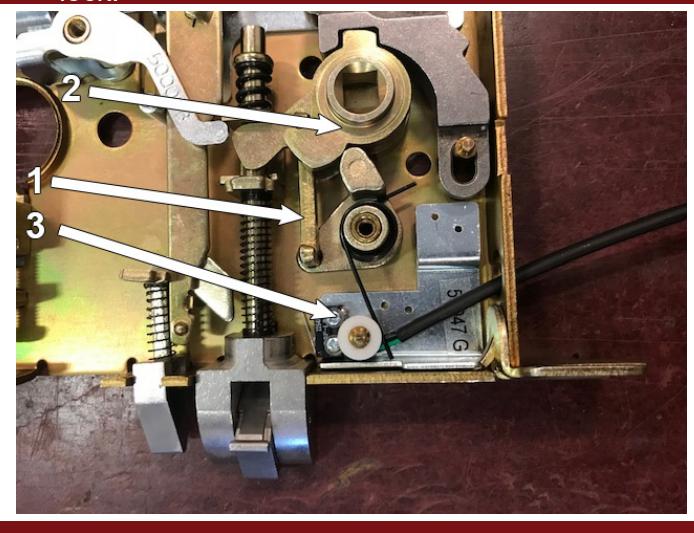
D. Place LBM bracket over post & replace mounting tab (B) to secure bracket.
E. Replace hub center spring assembly (A). Line up & place over posts so (A) lightly rests on switch.
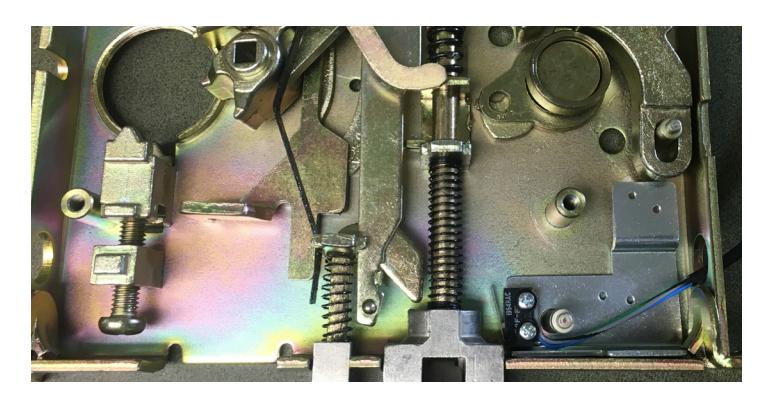
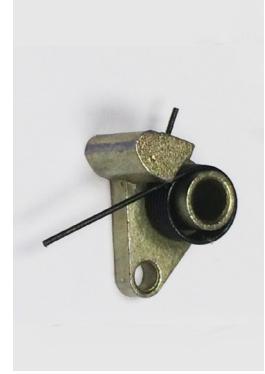
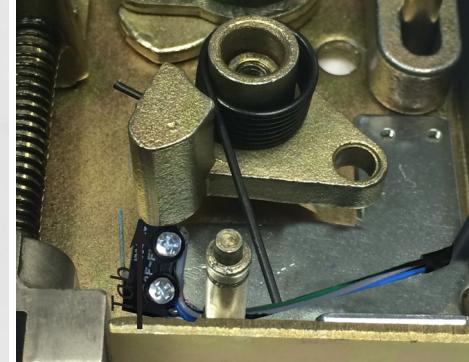

- F. One finger holding the spring on the post & the other on the tab. Rotate clockwise
- G. Once Hub Center has rotated to the desired position, past the switch, push down to the bottom of the lock body.
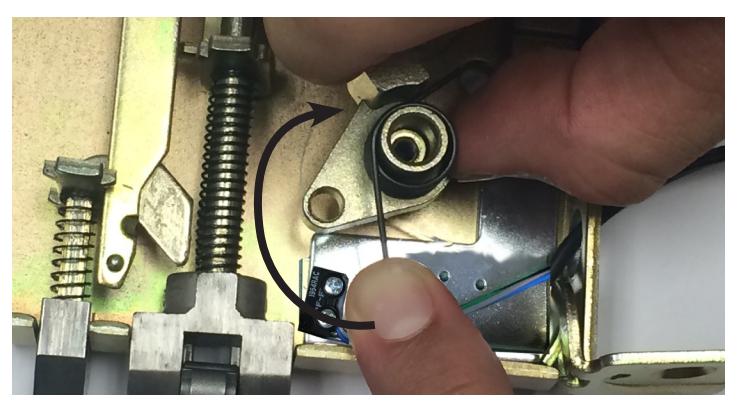
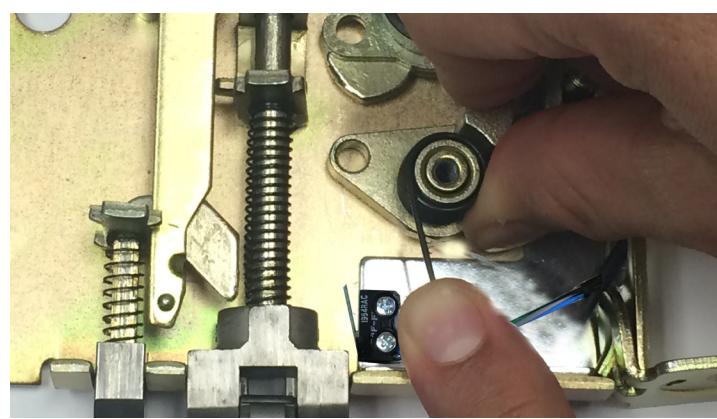
-
H. 1. Replace Retractor Link (C) & 2. Retractor Hub (D) | 3. Add Fire Door Fuse and replace the cover of the lock.
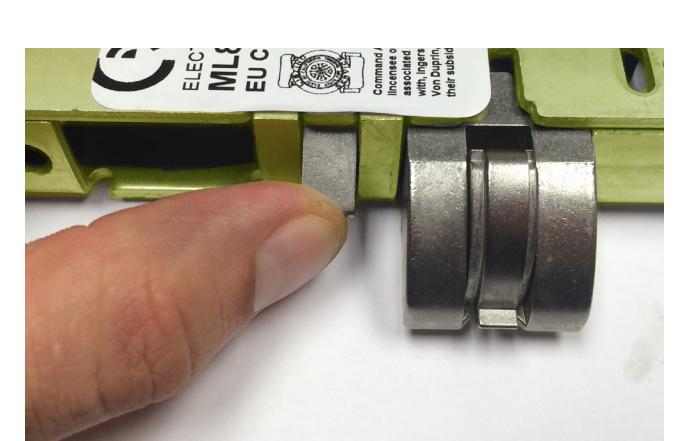
- Replace cover. If needed pull on anti-pic & push latchbolt to help case slip together. Test that latchbolt & anti-pick function smoothly.
J. Re-install cover & tighten 4 screws. Place wiring code sticker on case.
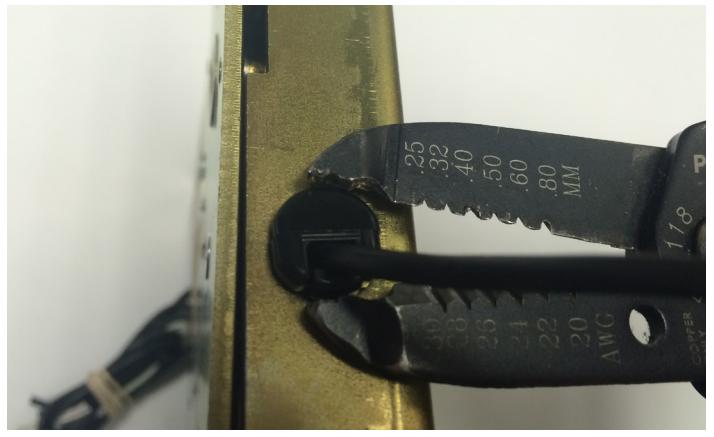
K. Pull slack out of the switch wires and install strain relief.