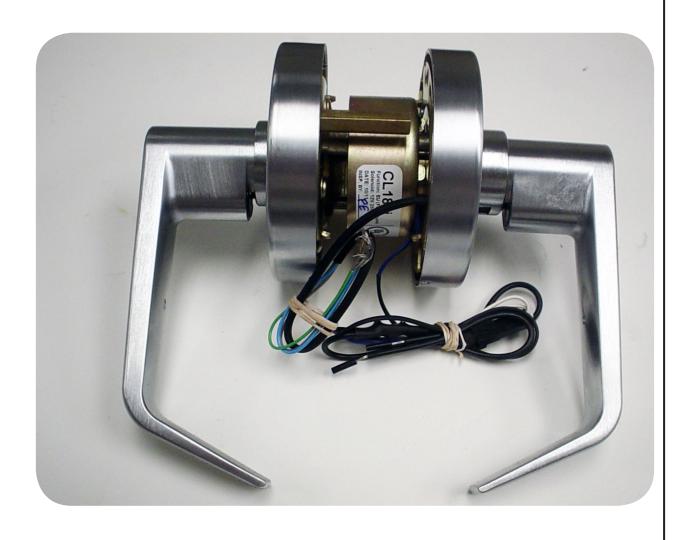
Command CL1- CATREXKIT-CL Installation Instruction
Open the original PDF document
View PDF

CATREXKIT-CL
INSTALLATION INSTRUCTIONS
Field Installable Rex switch for Command Access CL1 Series Cylindrical Lock. This switch is SPDT (single pull, double throw).
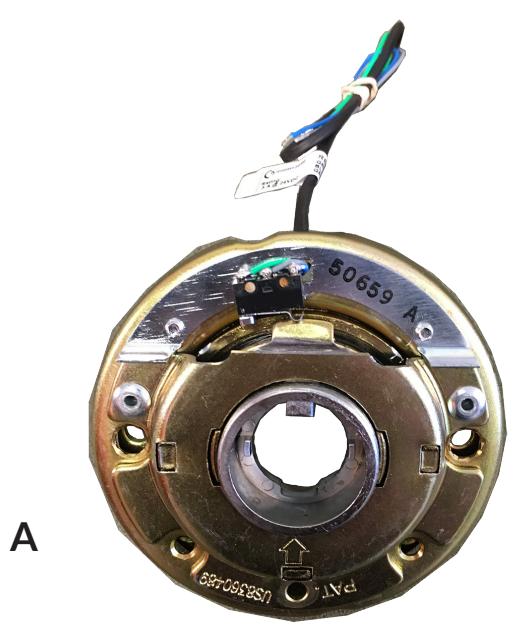
KIT INCLUDES
A. Inside Spring Cage w/ REX
Tools Required
None
S PECIFICATIONS
Rating: .25A@ 24VAC/DC
Configuration: Green - Common (C)
Blue - Normally Open (NO) Grey - Normally Closed (NC)

• Remove lock from door.
• Replace inside spring cage with Rex spring cage.
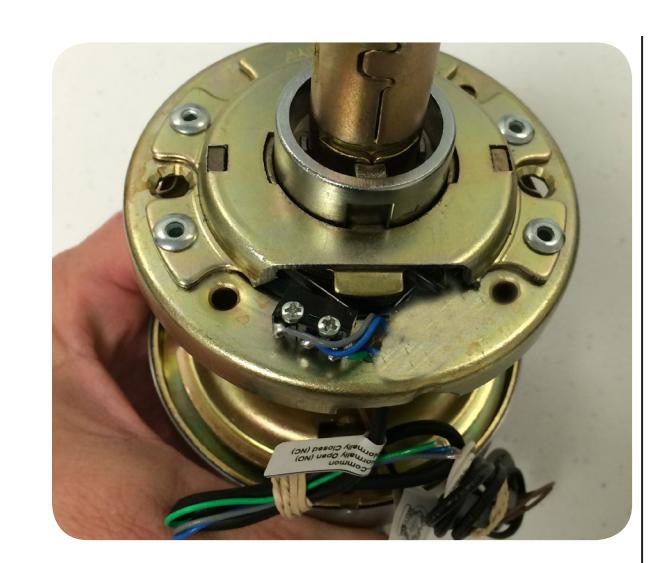
• Make sure wires are coming out to the inner part of door.
• Assemble spring cage, rose, collar and handle onto chassis.
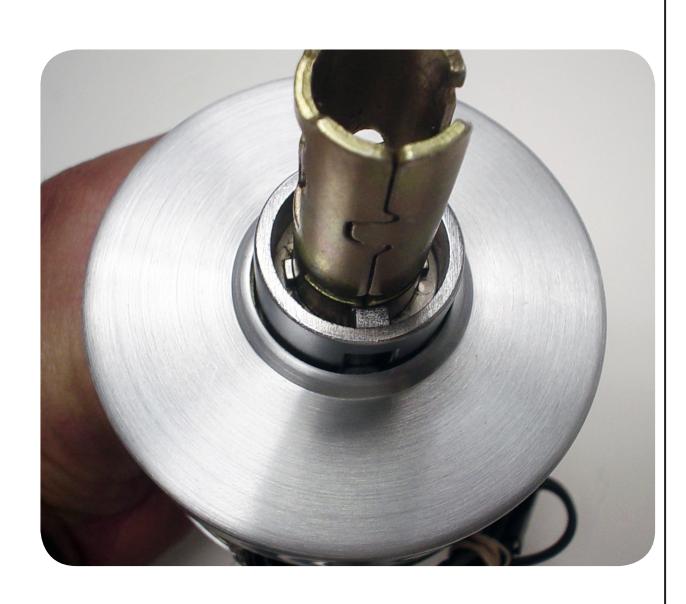
• Make sure not to over tighten.
• Re-install lock onto door and check for proper operation.