CATREXKIT-ML
Open the original PDF document
View PDF

INSTALLATION INSTRUCTIONS
CATREXKIT-ML DESCRIPTION
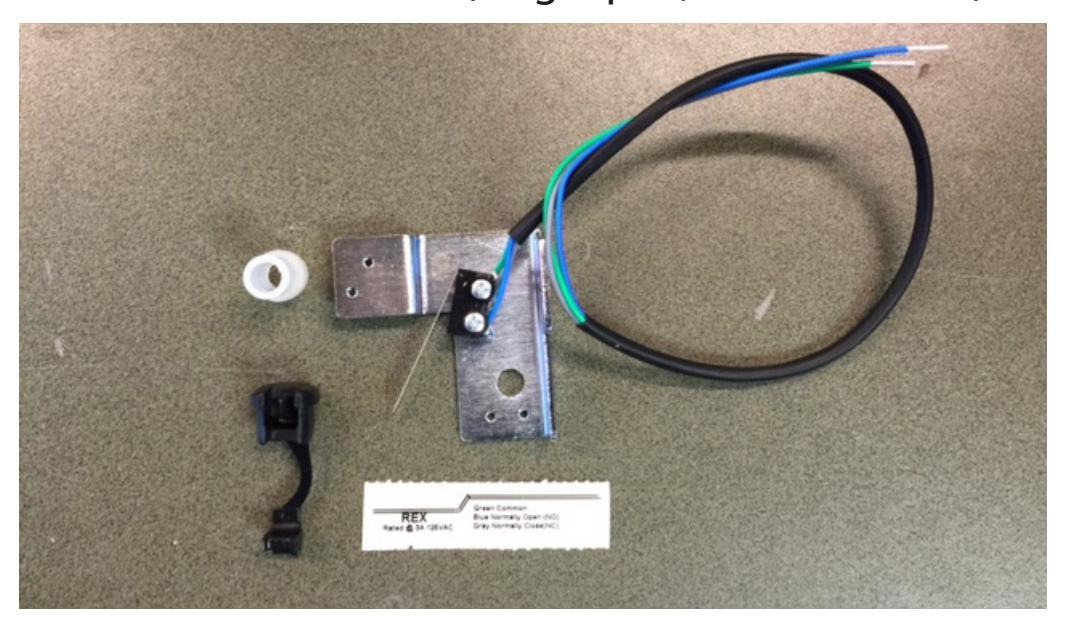
Field Installable Request-to-Exit switch for Command Access ML1 & LPM1 retrofit series for the L9000 mortise lock. The kit's easy "drop-in" installation adds a switch that sends a signal to alert the control panel that the door is about to be opened by someone exiting from within the secured area. The switch is SPDT (single pull, double throw).
SPECIFICATIONS & CONTENTS
For Series: ML180,182,1480,1485
LPM110, 180, 182, 183, 184, 185, 186, 187, 188
Rating: .25A @ 24VAC/DC
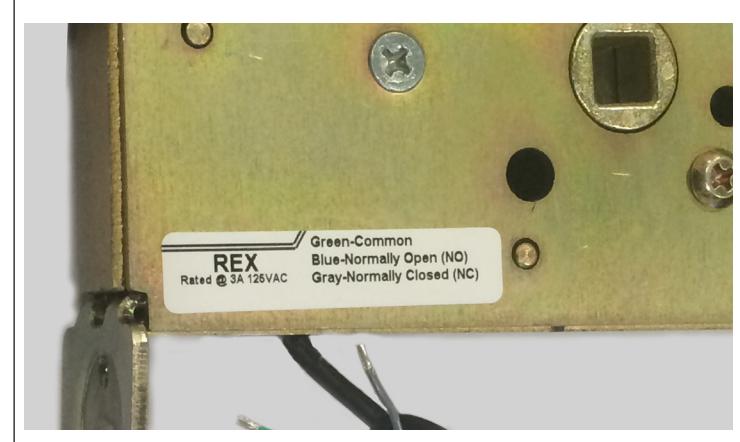
Configuration: Green - Common (C)
Blue - Normally Open (NO) Gray - Normally Closed (NC)
Contents:
- 1 Bracket with REX Switch
- 1 REX Sticker
- 1 Strain Relief
- 1 Fire door fuse
CATREXKIT-ML

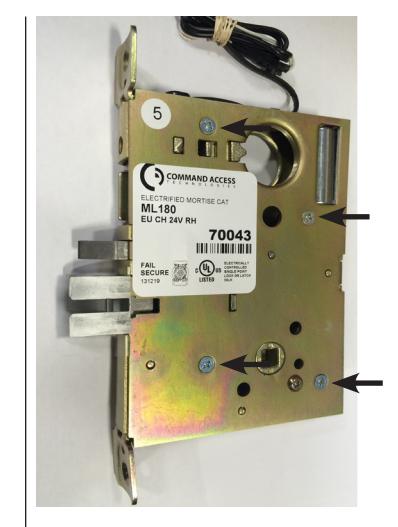
1. Remove cover plate (4 screws).
-
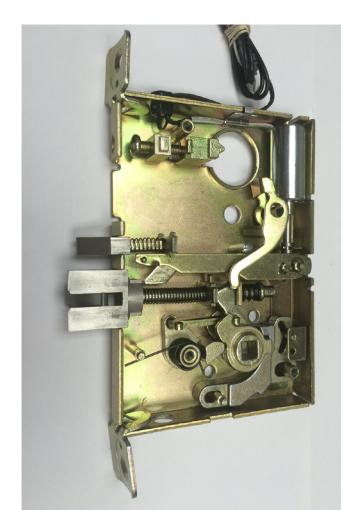
2. Remove following items:
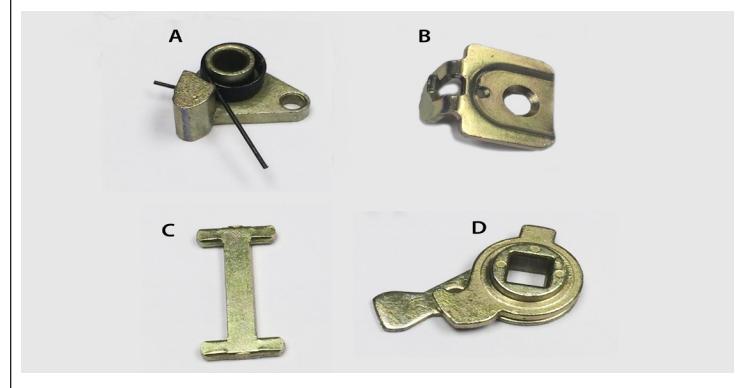
- A. Hub Center Spring Assembly
- B. Mounting Tab
- C. Retractor Link
- D. Retractor Hub
3. Fish wires through bottom hole.
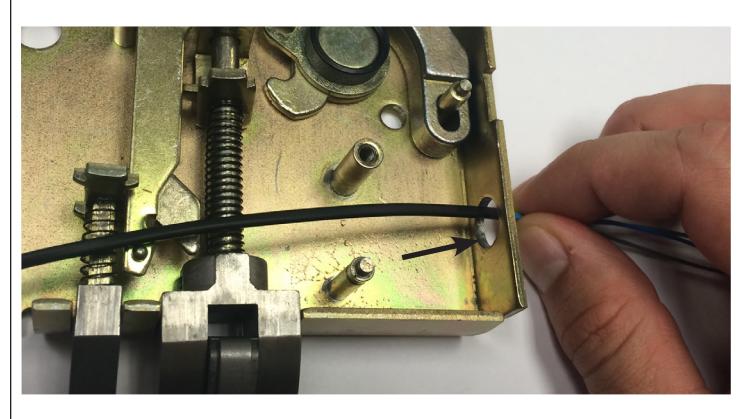
4. Place bracket over post & replace Mounting Tab(B.) to secure bracket.
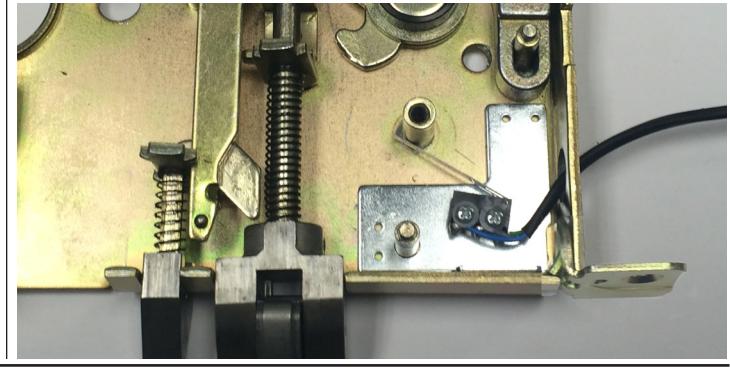

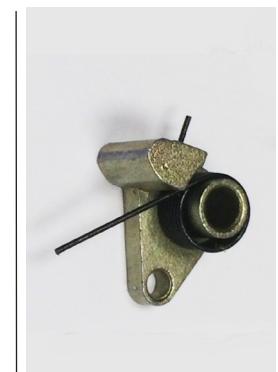
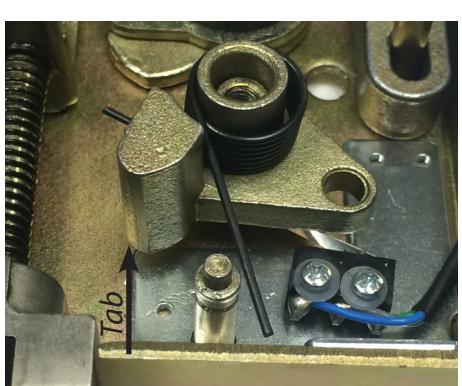
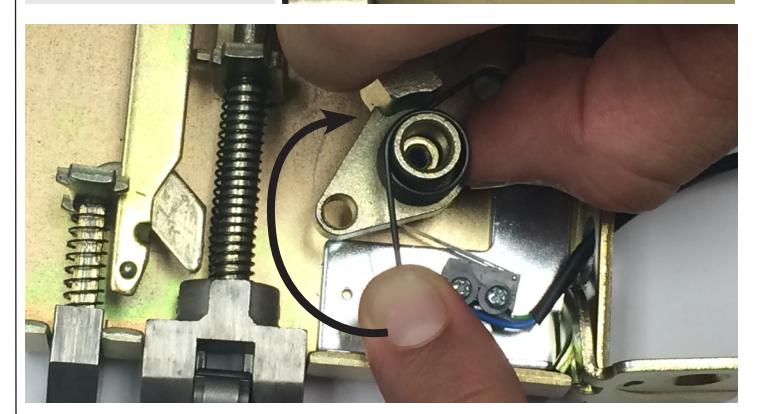
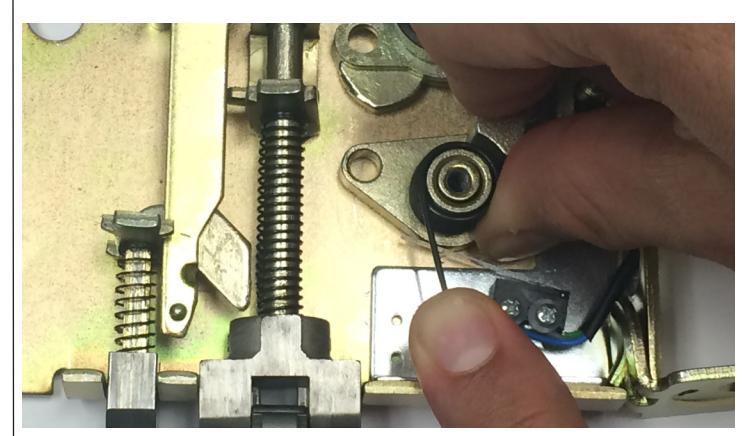
- 5. Replace Hub Center Spring Assembly(A.). Line up & place over posts so it lightly rests on switch.
- 6. One finger positioned on the post & the other on the tab. Rotate by pushing clockwise on the Hub Center Spring Assembly.
- Once Hub Center Spring Assembly has rotated to desired position, past the switch, push down till it hits bottom of lock body. 7.
- 8. Replace Retractor Link(C.) & Retractor Hub(D.). Add Fire door fuse
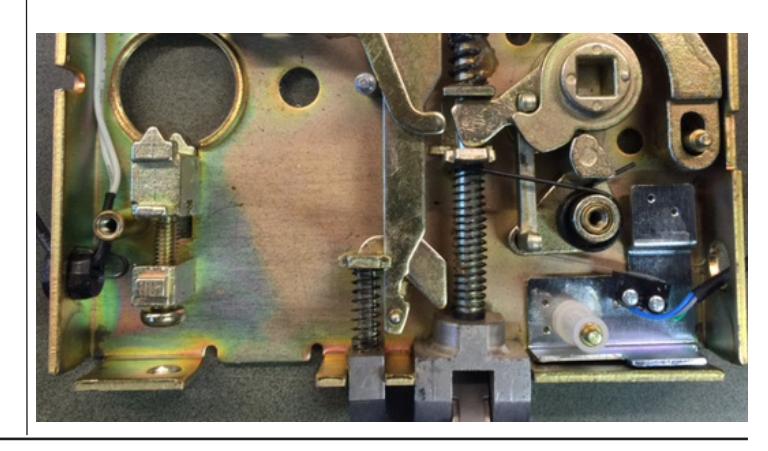


9. Replace cover. If needed pull on anti-pick and push on latchbolt to help case slip together. Test that latchbolt & anti-pick function.
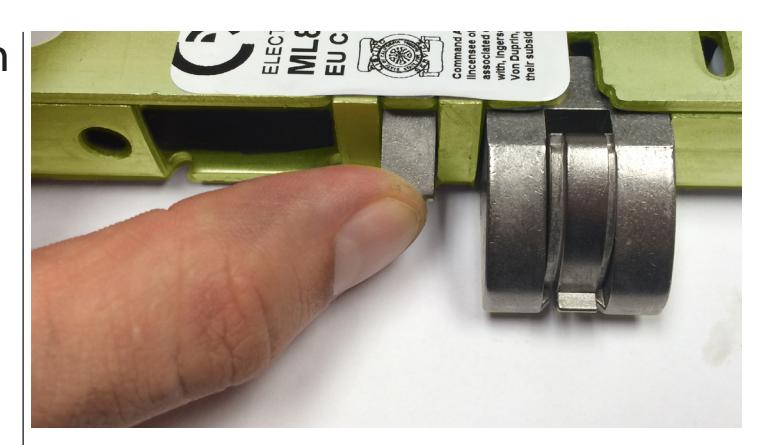
Re-install cover and tighten 4 screws and place wiring code sticker on case. 10.
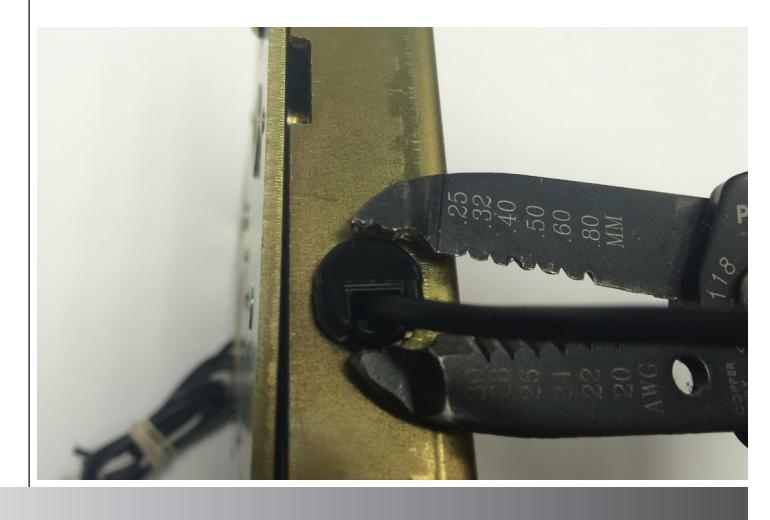
Pull slack out of the switch wires and install strain relief. 11.
TESTING FOR CONTINUITY
Continuity should change state when either lever is turned:
Normally Open (NO) : Green and Blue Normally Closed (NC) : Green and Gray