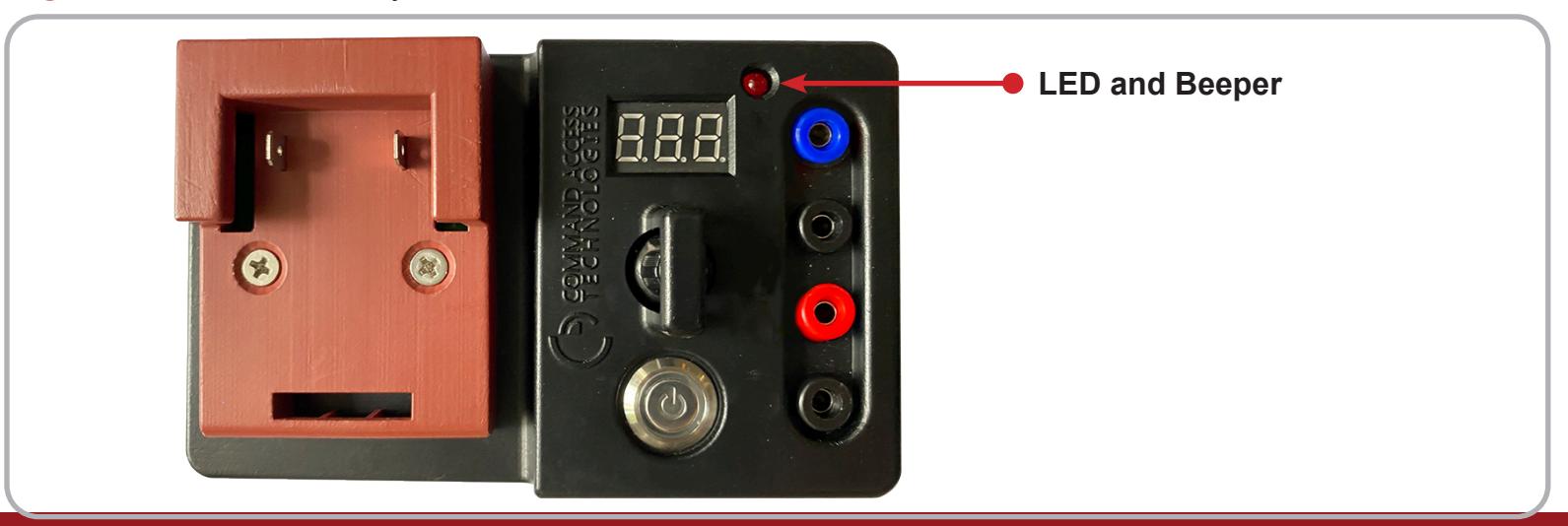
CAT Field Tester Installation Instruction
Open the original PDF document
View PDF

CAT FIELD TESTER
(Portable power supply and continuity tester)
I N S E R T I n s t r u c t i o n s
The Command Access Portable Power Supply and Continuity Tester uses a cordless drill battery to test and/or troubleshoot electrified hardware while in the field.
Input Voltage: Varies depending on manufacture battery, do not recommended anything above 30 volts.
* Warning: Running a low battery will impact the effectiveness of the tester and may have
a detrimental impact on your battery.
Output Voltage: Adjustable 12VDC to 24VDC +/-10%
Output Current: Max 2A
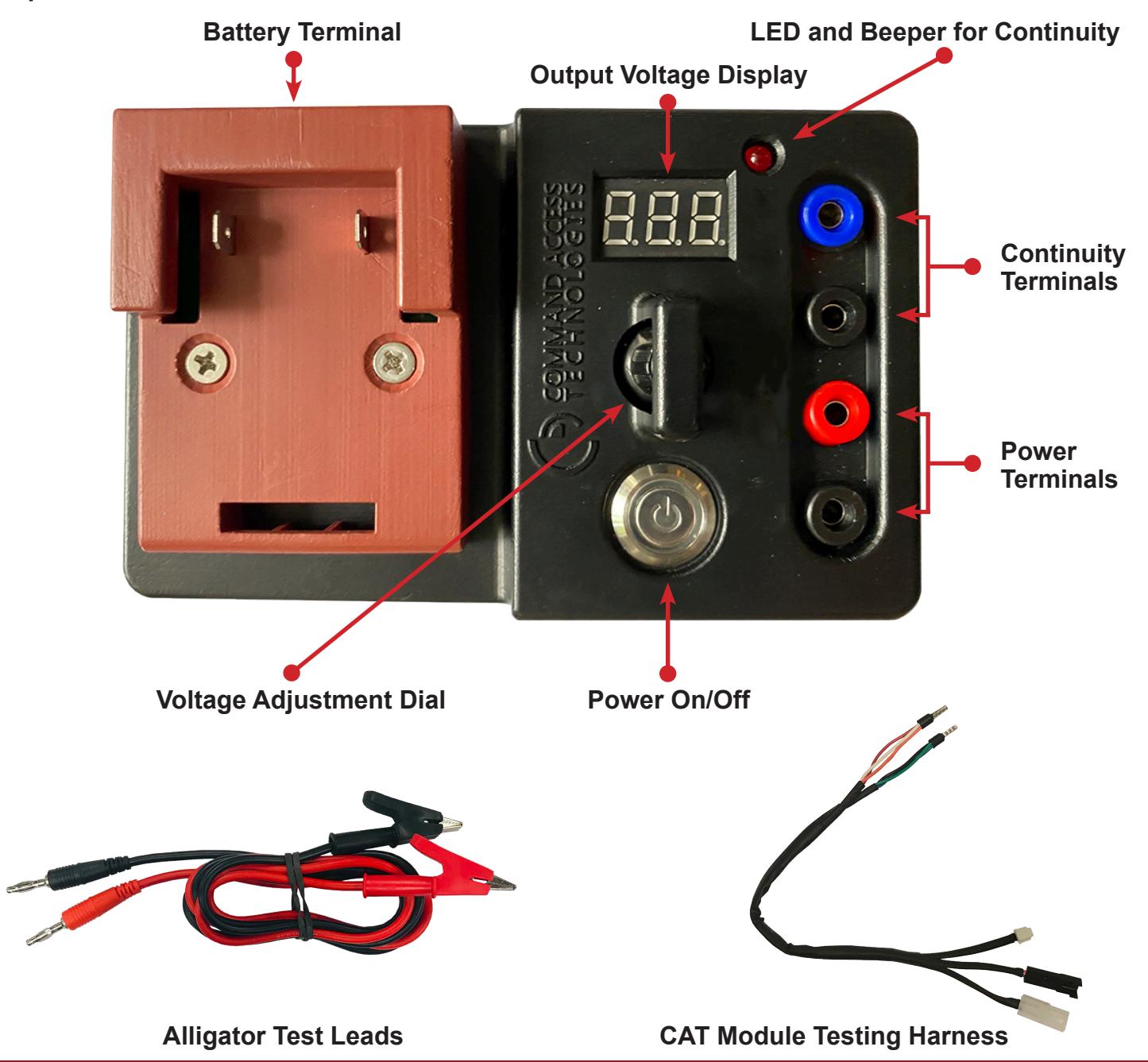
installation instructions

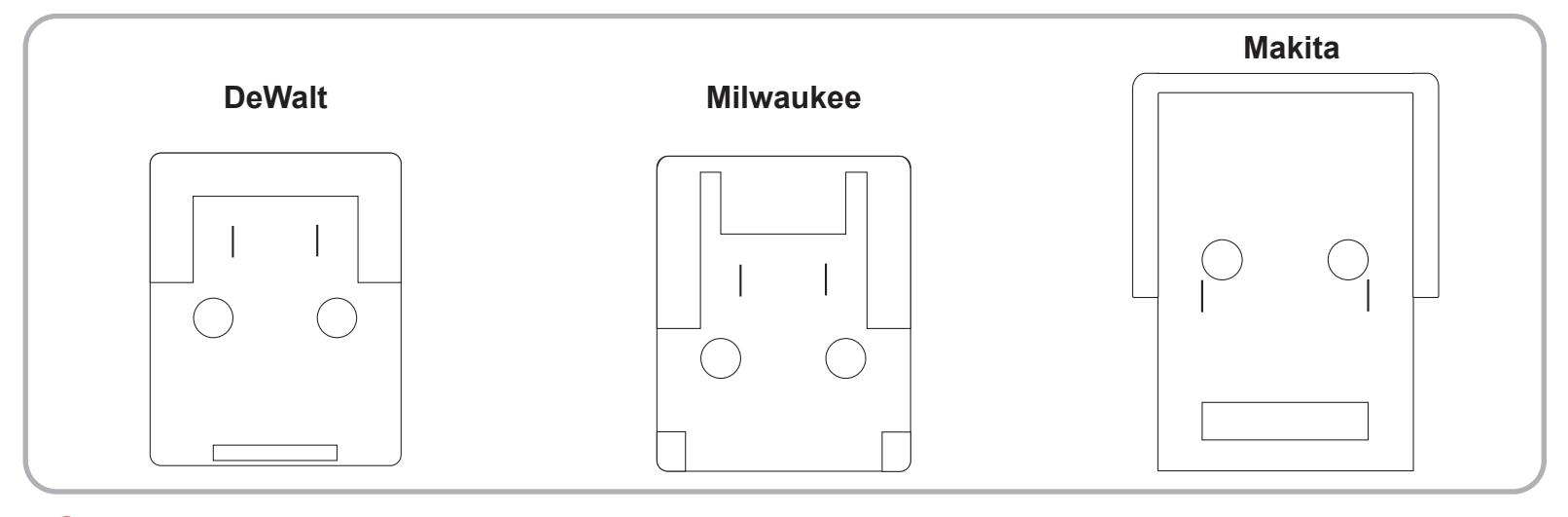
1 Insert a cordless drill battery into the Battery Terminal. Note: The Portable Power Supplies are manufacture specific to the cordless drill battery.
2 To use as a Power Supply: Insert Alligator Test Leads into the Power Terminals and press the Power Button .
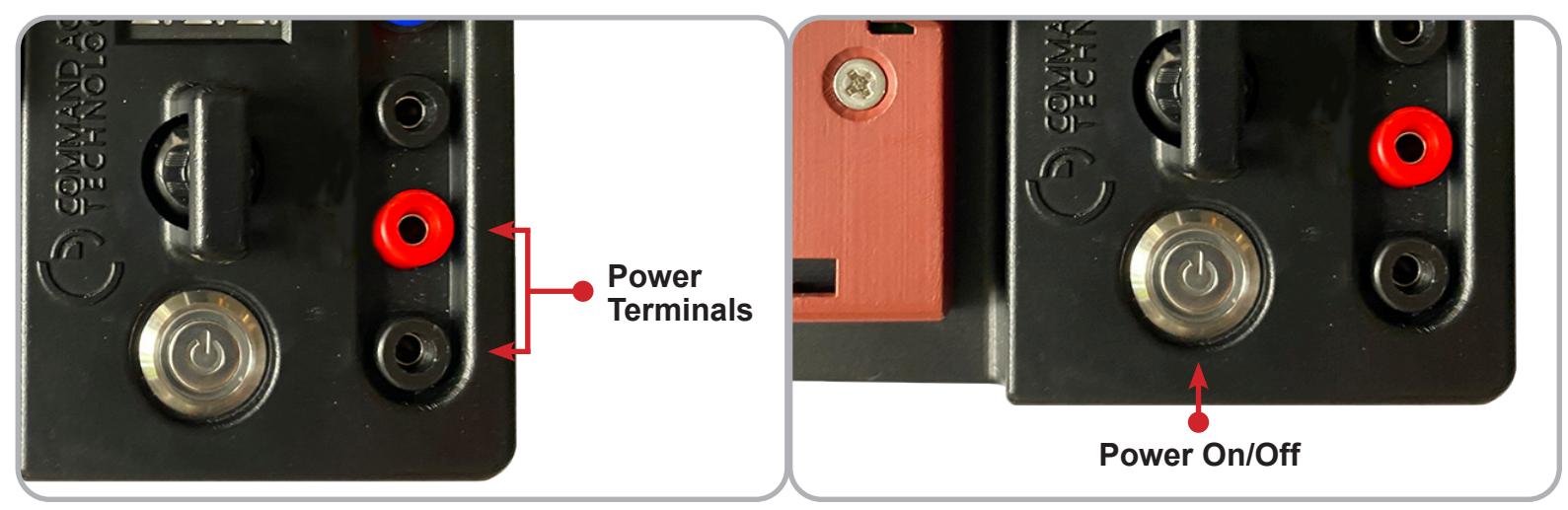
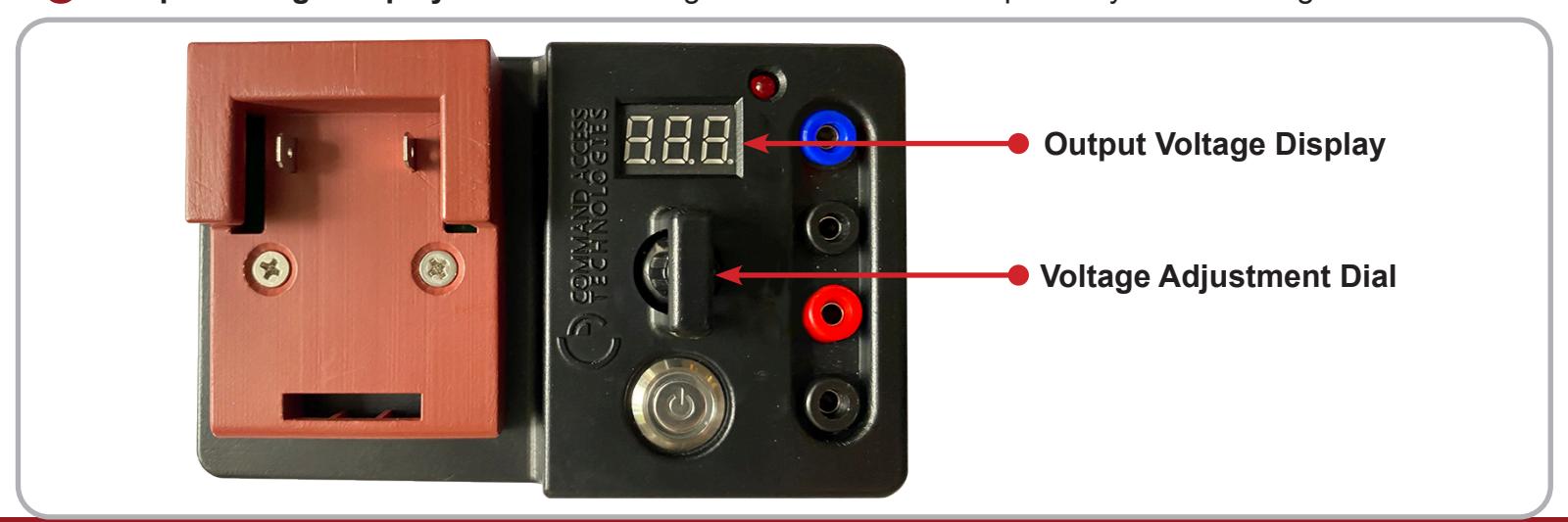
3 Adjust to the specified voltage using the Voltage Adjustment Dial . The output voltage will show on the Output Voltage Display . Connect the Alligator Leads to the component you are testing.
installation instructions

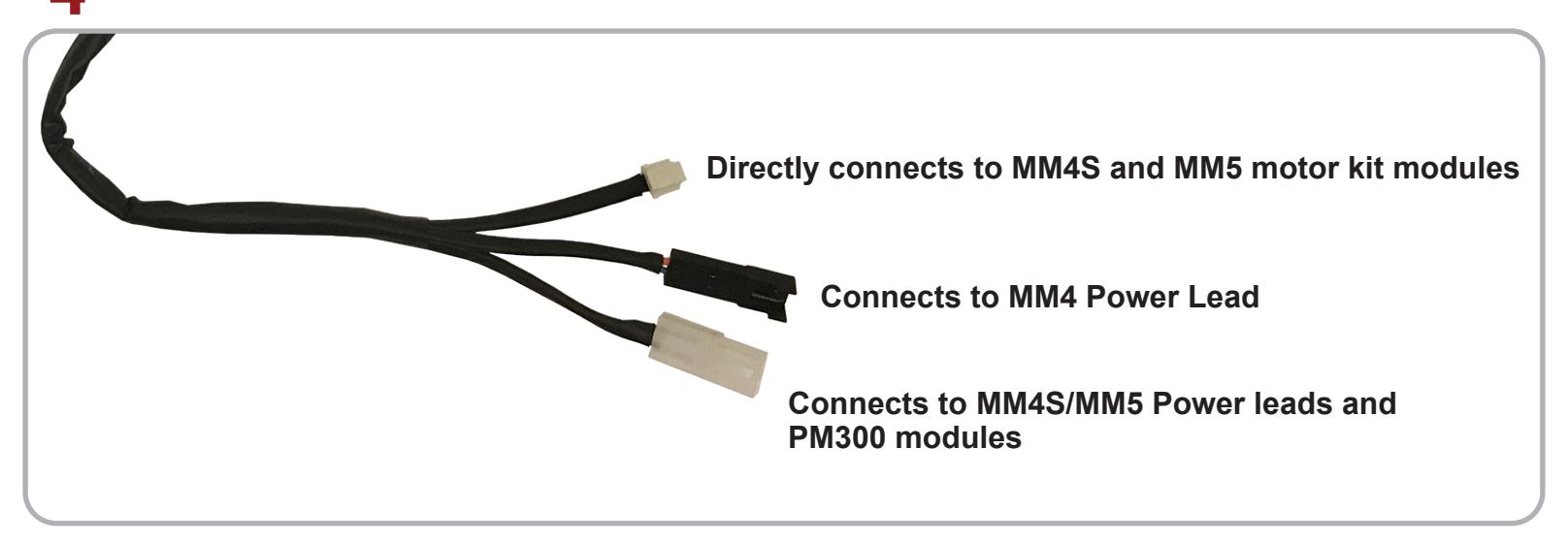
4 The CAT Module Testing Harness can be used to directly test all CAT modules in the field.
5 To use as a Continuity Tester: Insert Alligator Test Leads into the Continuity Terminals and press the Power Button .
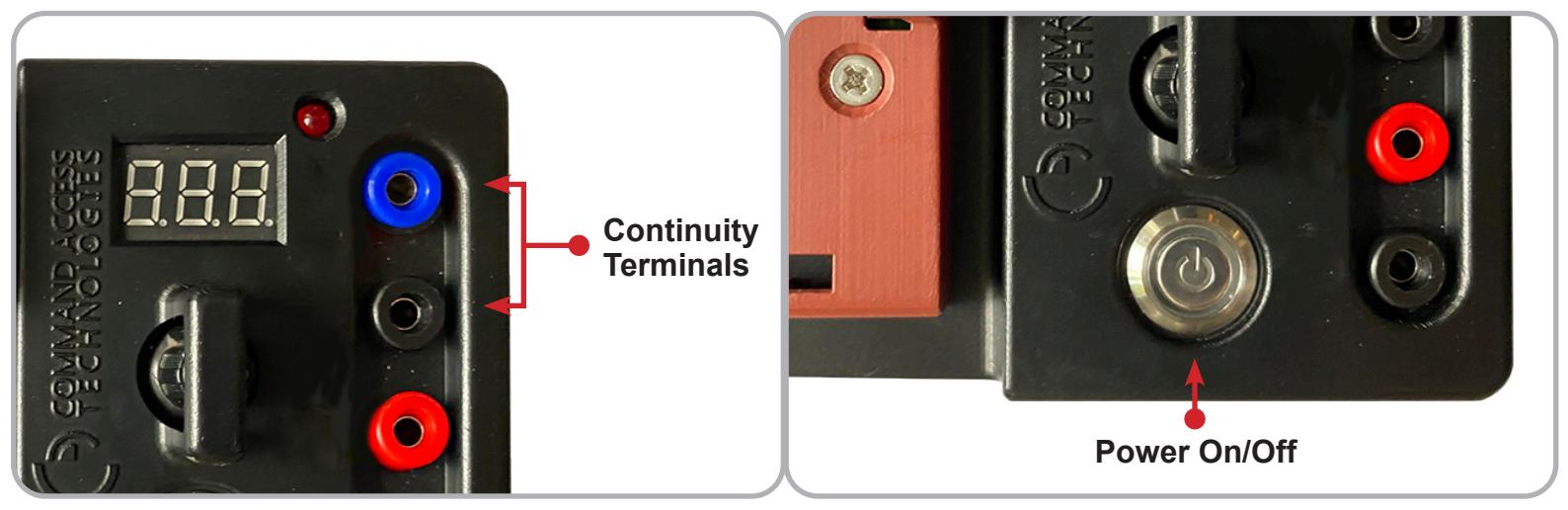
6 Connect Alligator Test Leads to the component you are testing, The LED and Beeper will light up and sound when continuity is established.