Auto Entry Installation Instructions For AUTO-KS-KSN-RKR
Open the original PDF document
View PDF

801 Avenida Acaso, Camarillo, Ca. 93012 • (805) 494-0622 • www.sdcsecurity.com • E-mail: service@sdcsecurity.com
INSTALLATION INSTRUCTIONS AUTO ENTRYCONTROL™ REMOTE KEYSWITCH MODEL: AUTO-KS/KSN/RKR
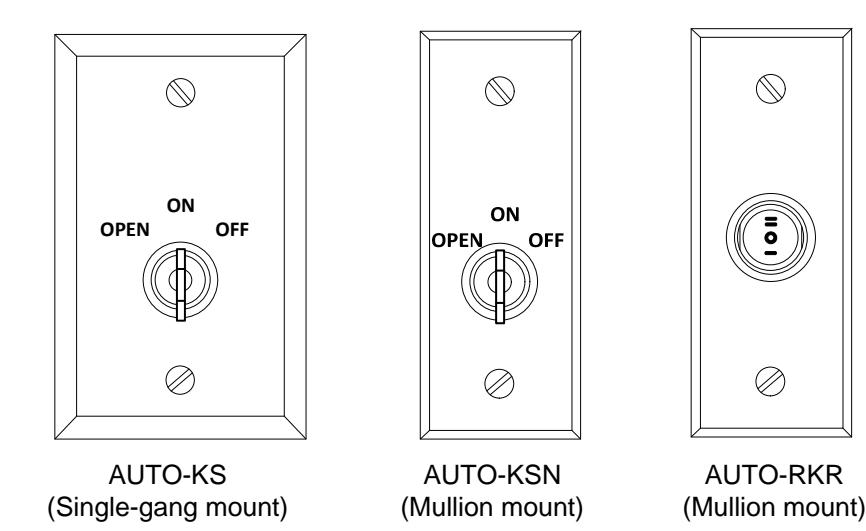
Wiring Instructions for use with SDC Auto EntryControl™ Low-Energy Operator:
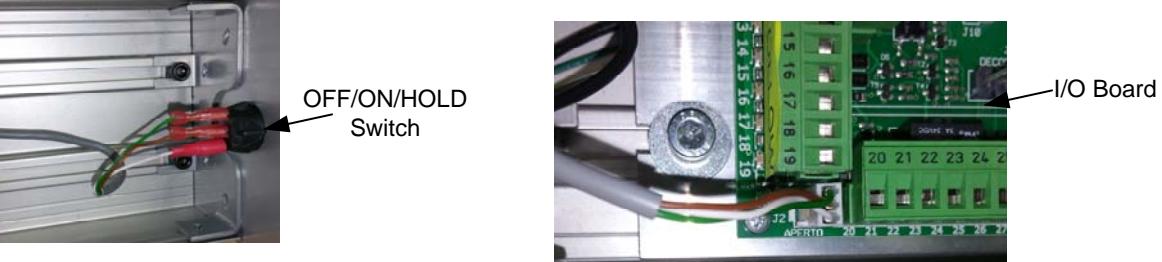
STEP 1. Verify that the auto operator is powered OFF. Remove the housing cover & locate the OFF/ON/HOLD Switch on the end of the operator housing. The other end of the existing switch cable will already be connected to the I/O board.
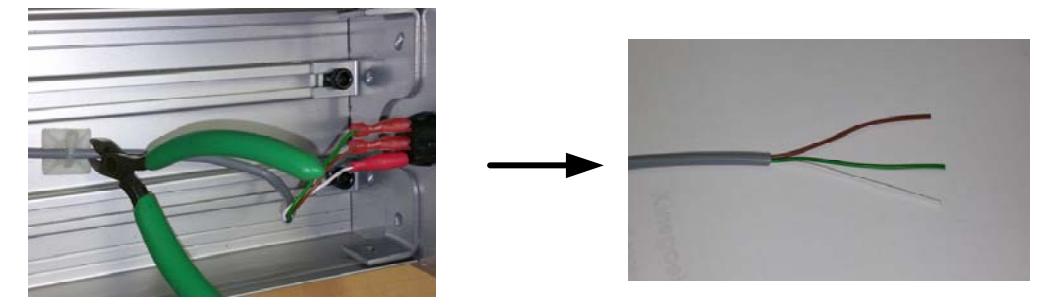
STEP 2. Cut the cable within a few inches of the existing toggle switch. Take the cable coming from the I/O board, and carefully strip back 1 to 2 inches from the cable's outer jacket.
STEP 3. Run field wiring (22 AWG/3 Cond minimum) from the remote switch to the operator housing. IMPORTANT: Keep all low voltage wiring separate from incoming High Voltage wiring.
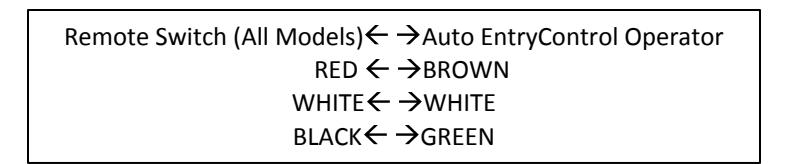
AUTO-KS/KSN
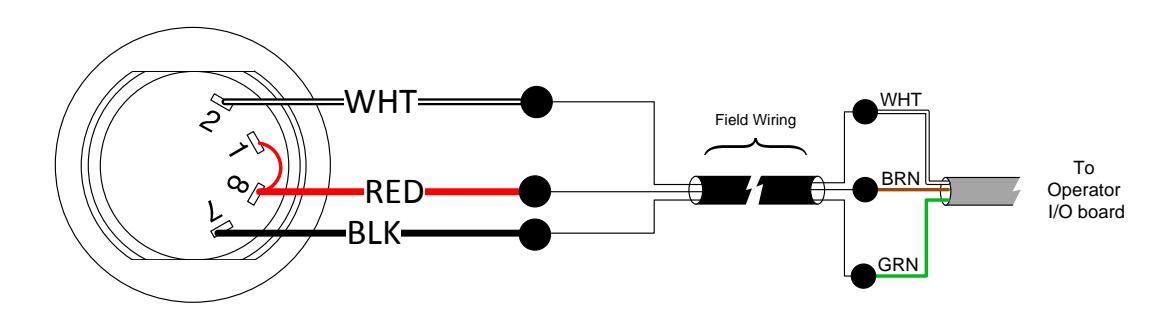
AUTO-RKR

STEP 5. Power ON the operator and verify operation of the switch. The key will be removable from any of the available positions.
| Rocker Position | Keyswitch Position | AutoEntryControl Operation | Switch Configuration |
|---|---|---|---|
| I | OPEN | Door Held OPEN | Red & Black are shorted |
| II | OFF | Operator OFF | Red & White are shorted |
| O | ON | Operator ON |
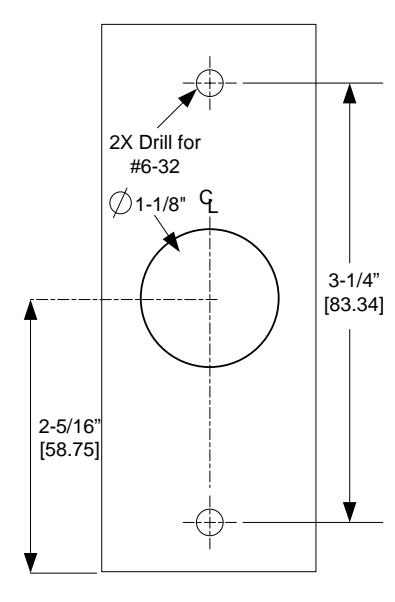
AUTO-KSN (Narrow Keyswitch) FRAME PREPARATION
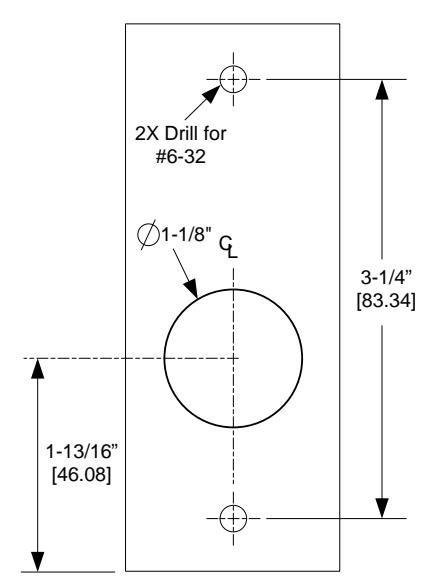
AUTO-RKR (Rocker Switch) FRAME PREPARATION