Arrow Lock & Door Hardware Door Opreators 7800 Push to Pull Conversion Instruction Sheet
Open the original PDF document
View PDF80-9357-0140-040 (08-09)
These instructions are used to change the application of an operator from a Push Side unit to a Pull side unit.
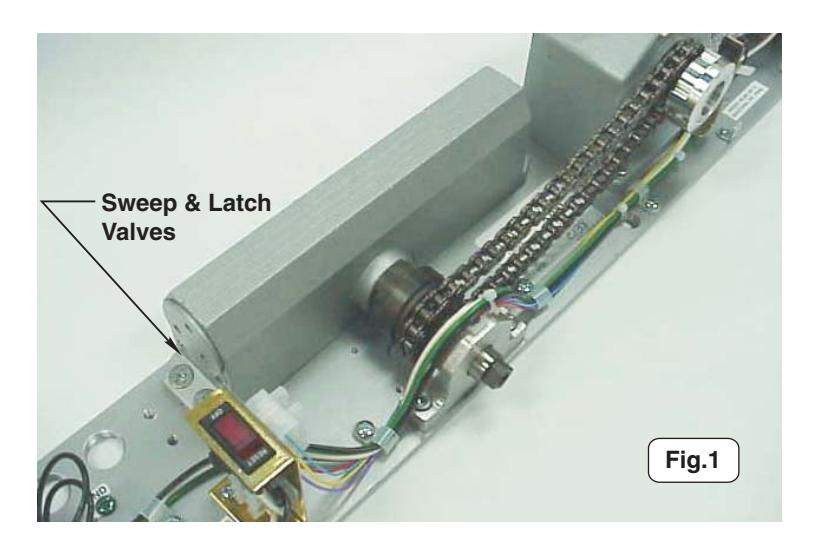
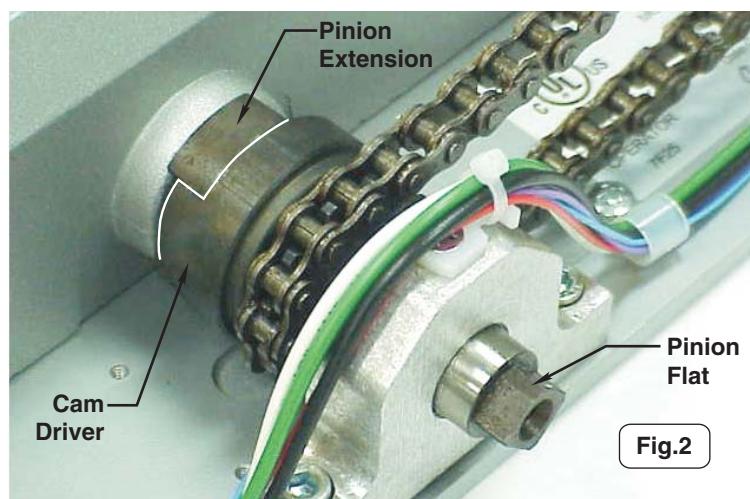
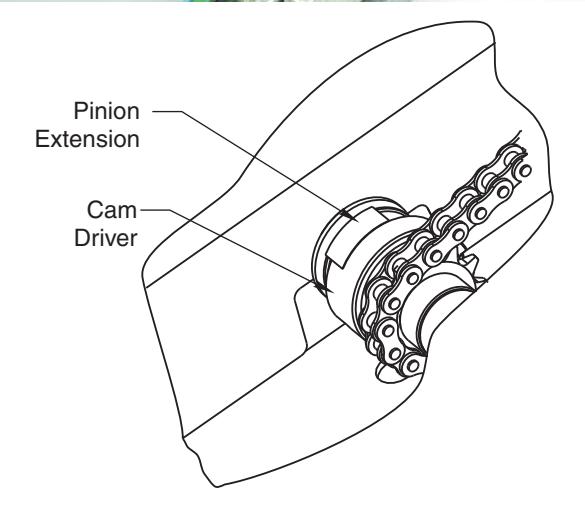
1. The unit shown in fig.1 is configured for a push side application. Note the valve orientation of the closer body. The photo in fig.2 shows a close-up view of the clutch mechanism configured for
- 2. Remove the four screws which secure the closer body to the backplate.
- 3. Slide the closer body away from the clutch assembly and chain. Make sure you do not remove pinion extension when removing closer body from clutch mechanism.
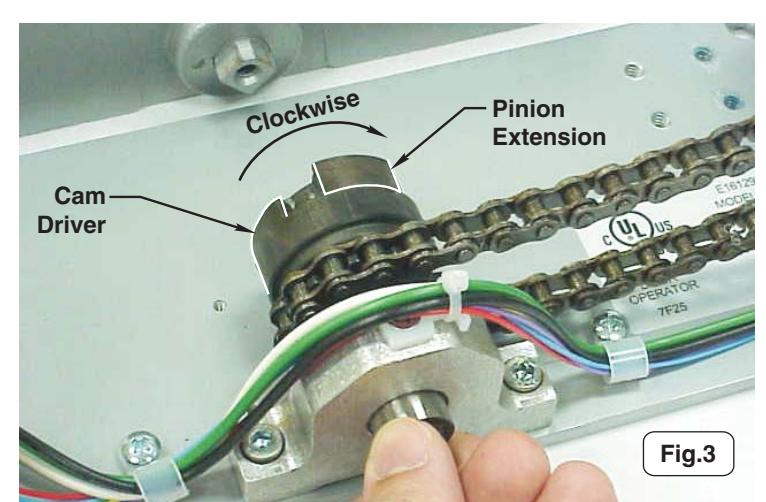
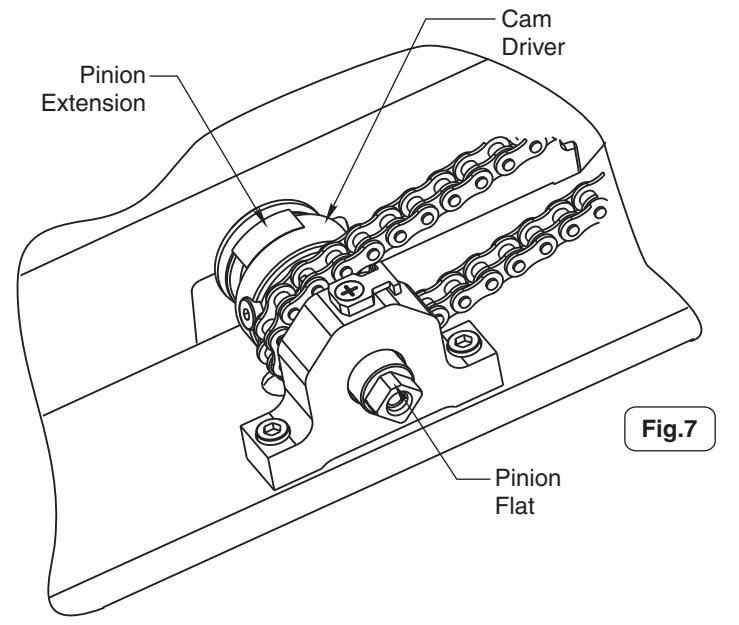
- 4. Rotate pinion extension clockwise as shown in fig.3 until it contacts backside of cam driver.
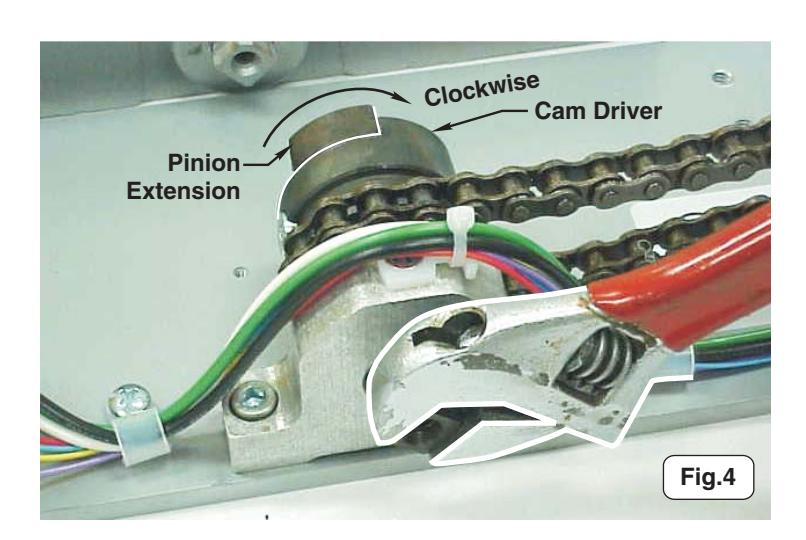
- 5. Using a wrench, continue to rotate pinion extension clockwise until pinion flat is back in its original orientation (fig.4). The chain will
Instructions continued on page 2.
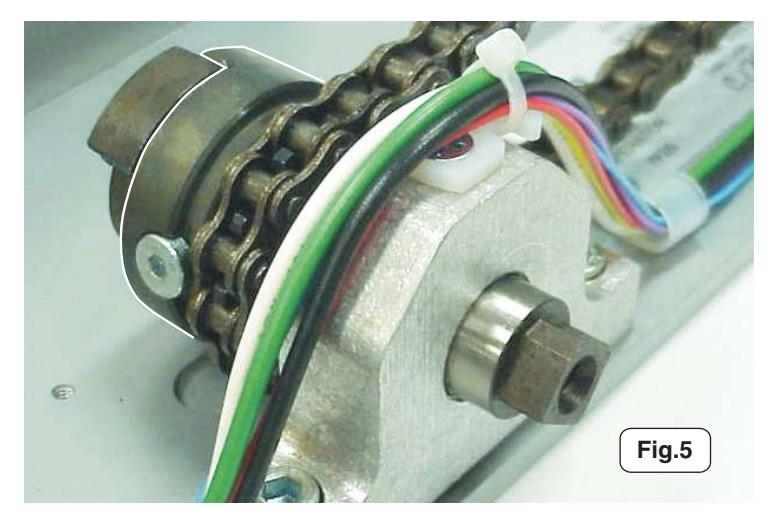
- 6. The proper orientation of the clutch mechanism is shown in fig.5 and fig.7.
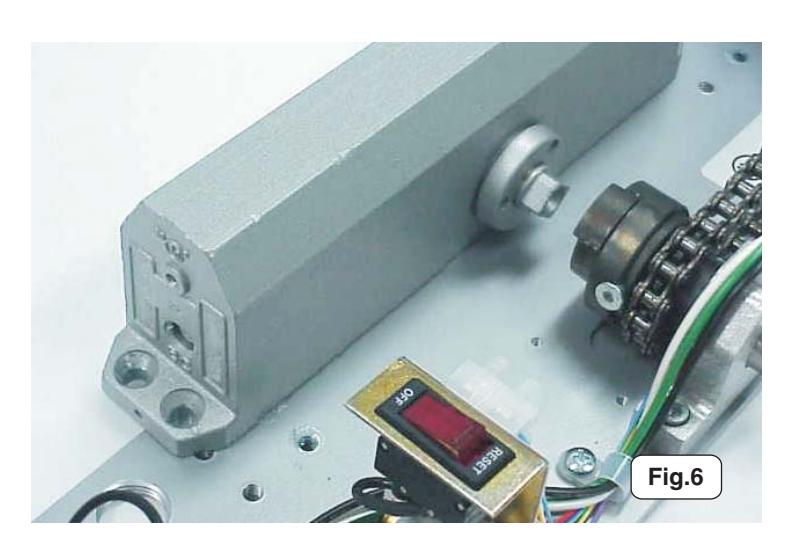
- 7. Orient the closer body as shown in fig.6, with "BC" valve toward conduit holes, and slide onto backplate so that closer pinion is inserted into pinion extension. Some rotational adjustment of the pinion extension may be required to allow assembly of closer
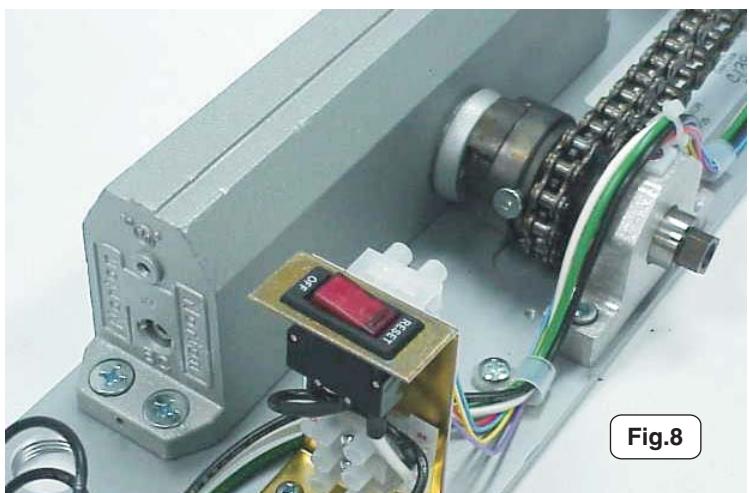
- 8. Replace and tighten closer body screws removed in step 2. See fig.8.
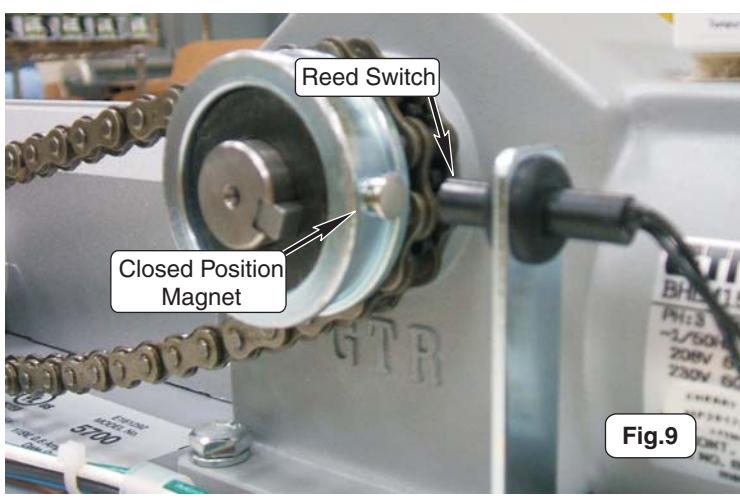
- 9. With door closed, slide Closed Position Magnet so it aligns with the Reed Switch. See fig. 9.
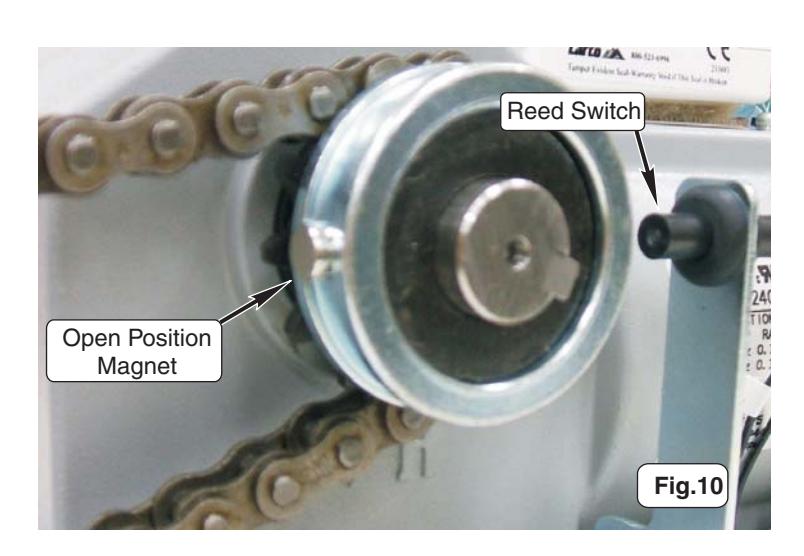
- 10. Slide Open Position Magnet so it is 180° from the Reed Switch. See fig. 10. Slide Open Position Magnet as needed to get proper door opening.
2 80-9357-0140-040 (08-09)
11. Flip dip switch 1 to the "ON" (Pull) position.
Inverter Details
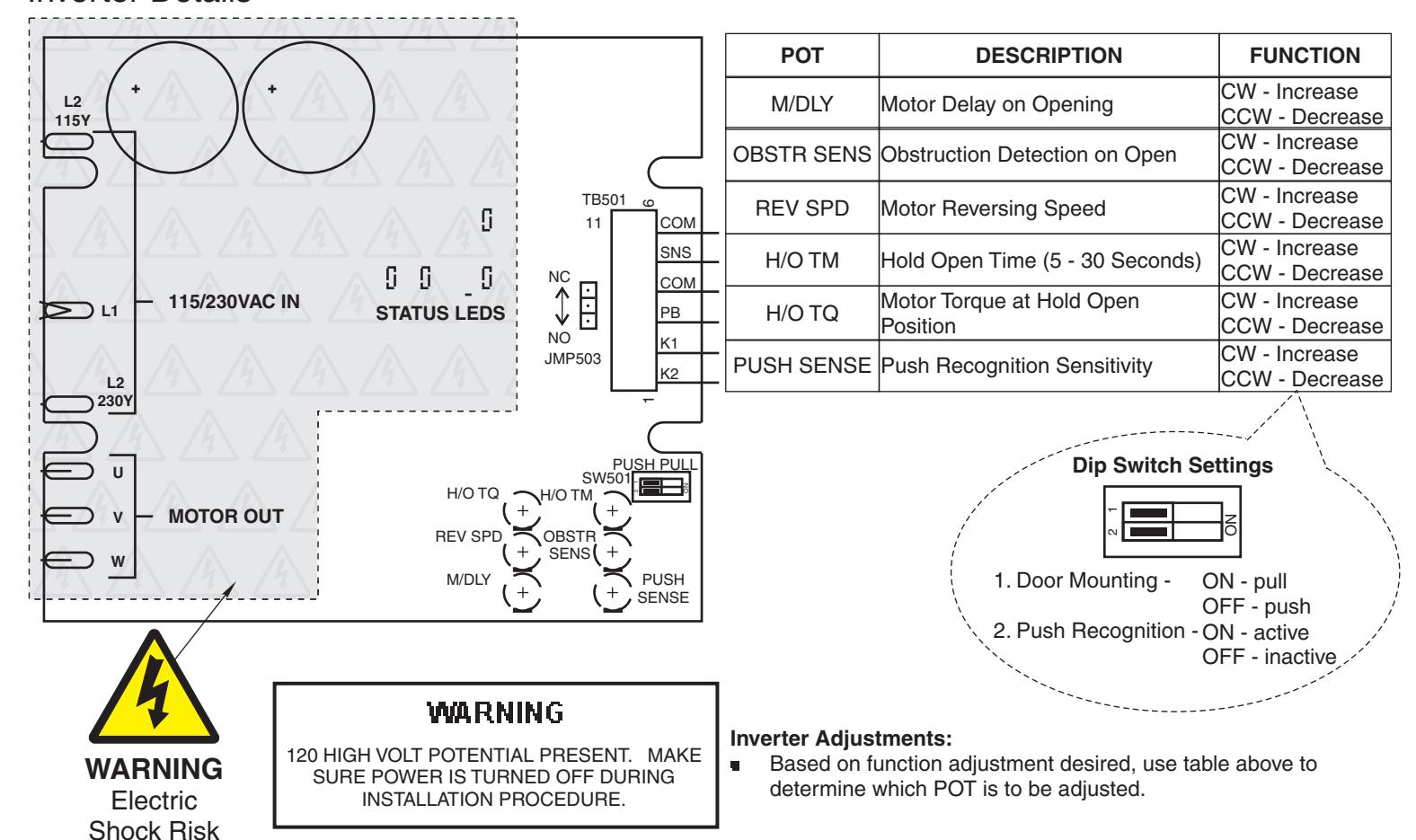
(Adjustments made in the shaded area should be performed by Authorized Factory Personnel.)

P.O. Box 3075 • Salem, VA 24153 Phone USA: 800-839-3157 • Fax 800-421-6615 www.arrowlock.com
80-9357-0140-040 (08-09)