Arrow Lock & Door Hardware DB Deadbolt Revolution V1 Lever Gen 2 Qucik Start
Open the original PDF document
View PDFQuickstart Guide HARDWARE INSTALLATION
Components
Door Marker
Quick Start Instructions Installation Instructions
Outside Touchscreen Assembly Inside Support Assembly
Inside Escutcheon Assembly:
- Inside Support Assembly
- Inside Escutcheon
- Inside Lever Handle
- Battery Cover
4 AA Alkaline Batteries Latchbolt
Strike
Allen Wrench 3/32" (2.5 mm)
Screw Pack (7 screws)
2 Keys (If Cylinder Included)
For Technical Assistance call Arrow: 1-800-221-6529.
Directions
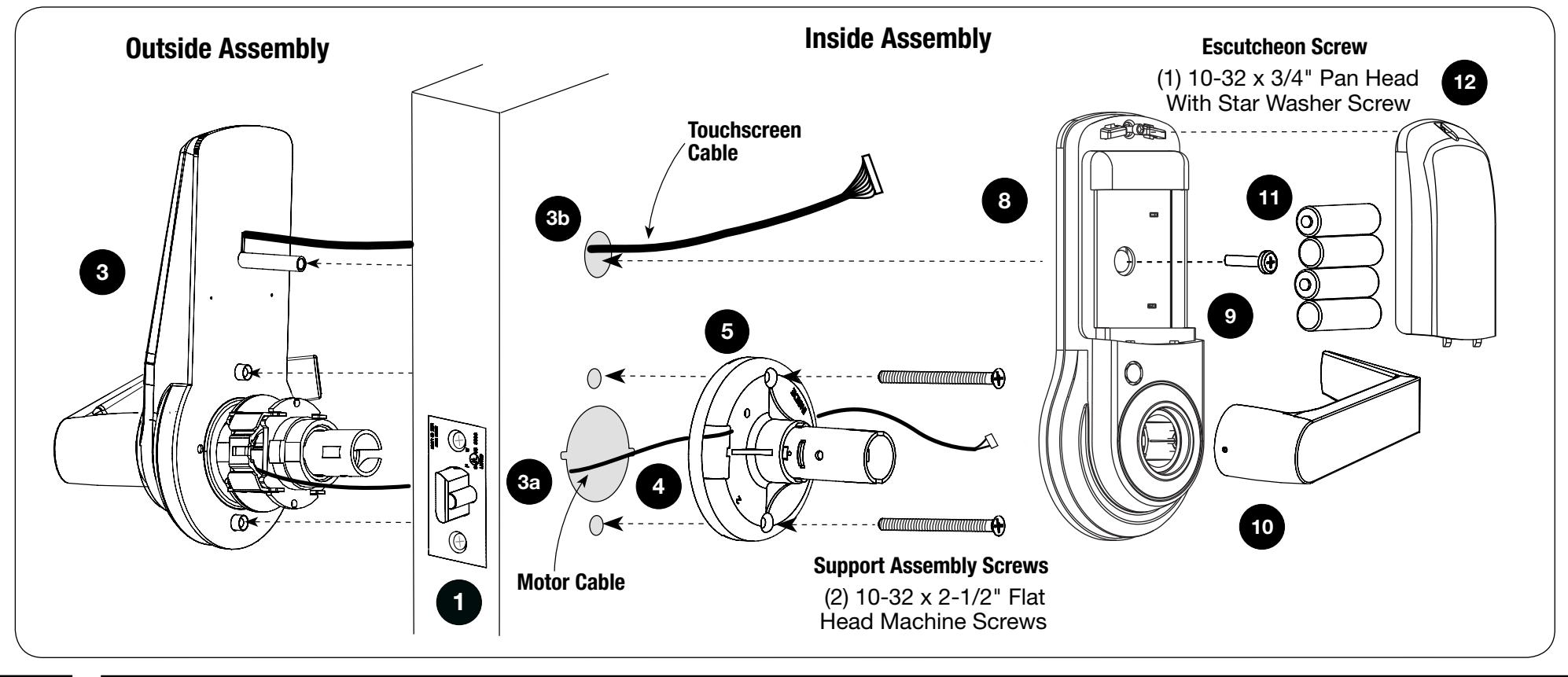
Before installation, disassemble the inside assembly, as shown above, by removing the inside lever with the lever removal tool provided and separating the support assembly from the inside escutcheon. Remove the battery cover from the inside escutcheon by unscrewing the hex screw, using the Allen wrench provided, and sliding the battery cover up and off (the hex screw does not come completely out). The outside assembly remains assembled.
Refer to complete installation instructions for more information if changing hands or adjusting door thickness is required.
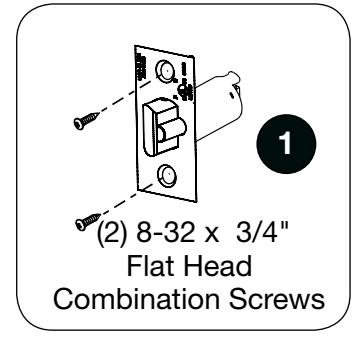
- 1. Install latchbolt in door. Attach with two screws provided. Note: Be sure that bevel edge of bolt faces strike.
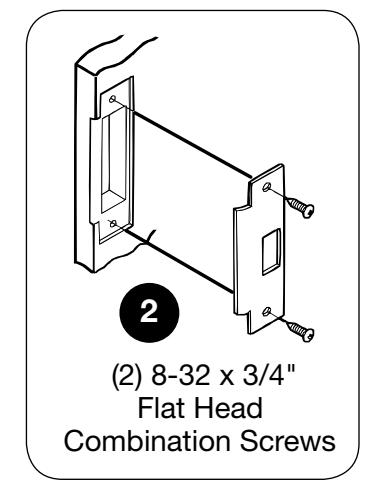
- 2. Install strike on the door frame.
- 3. Insert outside assembly through door.
- a. Guide motor cable (red and black wires) through 2-1/8" diameter hole.
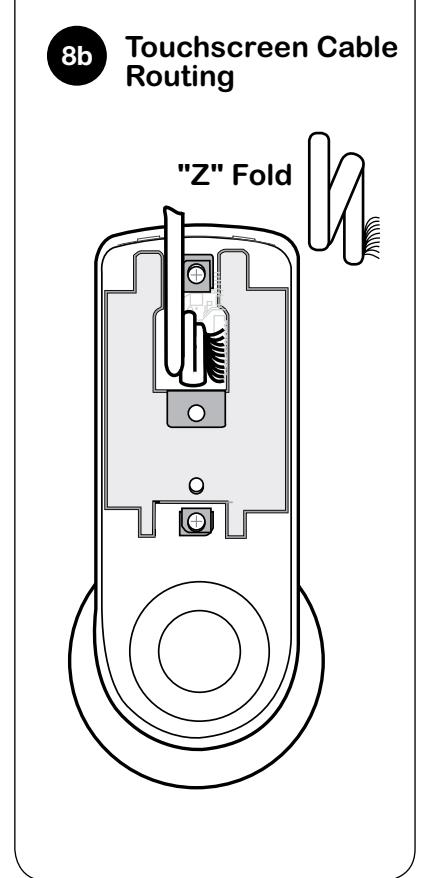
- b. Guide touchscreen cable through 3/4" diameter upper hole.
- 4. Guide motor cable through rectangular hole on inside support assembly.
- 5. Slide inside support assembly over outside assembly, lining up top and bottom screw guides with holes in door. Secure both assemblies with (2) 10-32 x 2-1/2" flat head machine screws. Do not over-tighten.
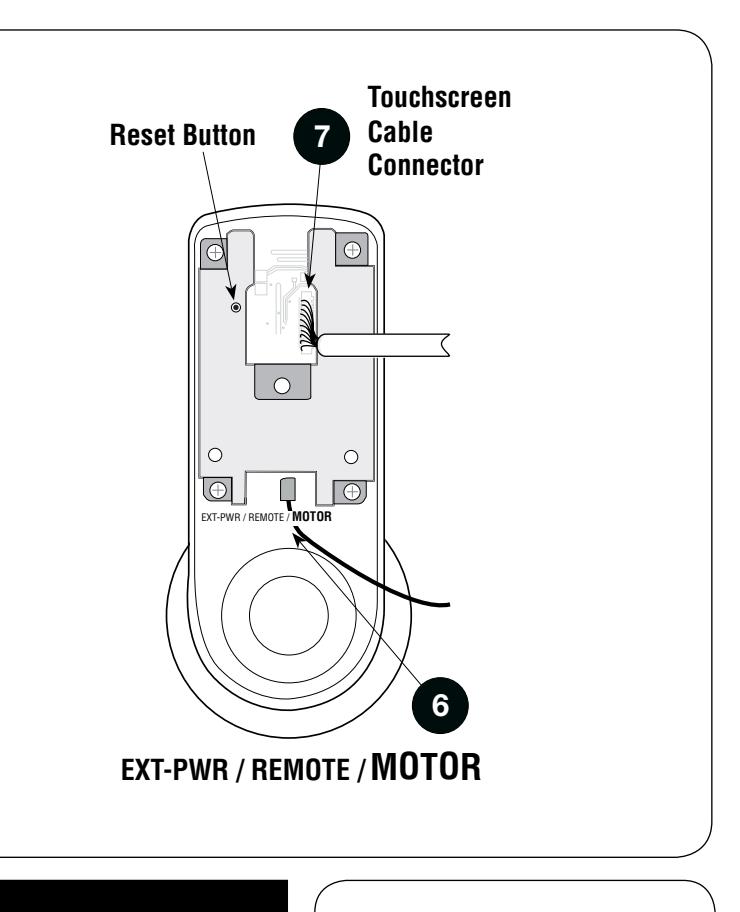
- 6. Attach motor cable connector to the inside escutcheon PC board header marked "MOTOR."
- 7. Attach the touchscreen cable connector to the inside escutcheon PC board header as illustrated.
- 8. Slide inside escutcheon over inside support assembly.
CAUTION:
- a. Position motor cable against inside support assembly. Avoid pinching wires against the steel shank of the assembly.
- b. "Z" fold touchscreen wire cable and lay against the back recessed area of the escutcheon assembly. Position and bend wires to prevent binding when installing the escutcheon over the support assembly.
- 9. Install and secure the 10-32 x 3/4" pan head screw through the center of the battery housing into the barrel nut of the outside assembly.
- 10. Slide on inside lever and push in to attach.
- 11. Insert four (4) AA alkaline batteries. The lock responds, " Welcome to the Arrow Digital World ."
- 12. Install battery cover and tighten hex head screw with Allen wrench provided with lock.

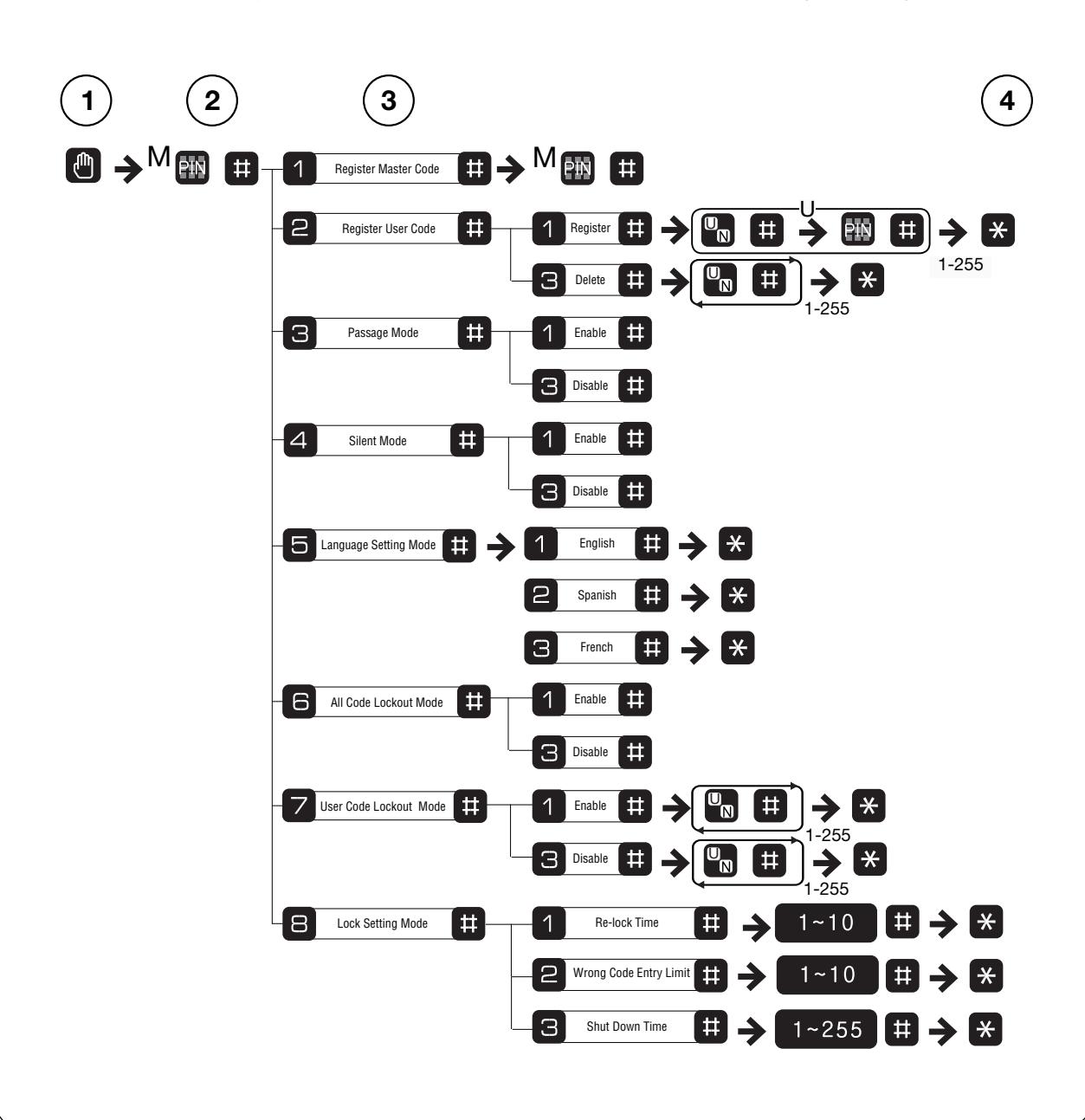
Quickstart Guide EASY MODE PROGRAMMING INSTRUCTIONS
- User PIN codes can be 4 to 12 digits in length.
-
The Master PIN code is personalized by the user upon installation. There is no factory default. The Master code must be established before User codes can be set up.
- -Enter Master code followed by the key to manage users and program features.
- -Enter Master code followed by the key to open door.
- The key is used to enter or accept an entry, and also to conclude a programming session.
- The key is used either to enter or to continue additional steps in a programming sequence.
Establish the Master Code Before Programming
- 1. Touch the screen with the palm of your hand or fingers to activate .
- 2. Press the key.
- 3. Enter personalized 6-digit Master PIN code followed by the key.
- 4. Press key to complete the process and conclude the programming session.
To Set Up User Codes
User Codes can only be programmed through Master Code.
- 1. Touch the screen with the palm of your hand or fingers to activate .
- 2. Enter the 6 digit Master PIN code followed by the key. Lock Response: " Menu mode, enter number, press the key to continue ."
- 3. Enter "2" followed by the key.
- 4. Enter "1" followed by the key.
- 5. Enter the User number to be registered (1-255) followed by the key.
- 6. Enter a 4-12 digit PIN code for the User number followed by the key. Press to add more users.
- 7. Press the key to complete the process and conclude the programming session.
- 1. Touch the screen with the palm of your hand or fingers to activate .
- 2. Enter the 6-digit Master PIN code followed by the key. Lock Response: " Menu mode, enter number, press the key to continue ."
- 3. Enter digit corresponding to the function to be performed followed by the key. Follow the verbal commands.
- 4. Press the key to complete the process and conclude the programming session.
Introduction Feature Programming Open Door With PIN Code
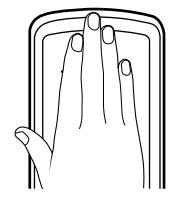
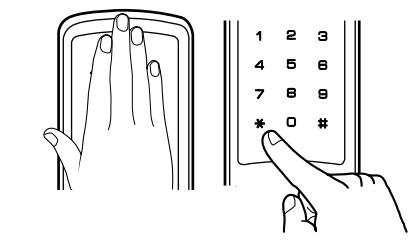
1. Touch the screen with the palm of your hand or fingers to activate.
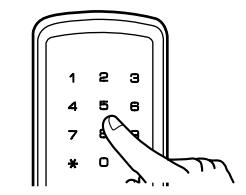
2. Enter the Master or a User PIN code.
3. Palm touch the screen or press the key to confirm the selection.
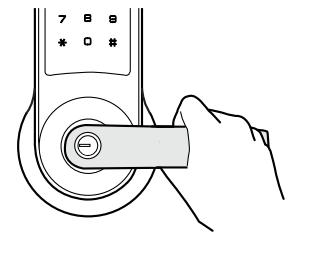
4. Turn lever to open door.
For Technical Assistance call Arrow: 1-800-221-6529.