Arrow Lock & Door Hardware DB Deadbolt DC300 Installation Instruction
Open the original PDF document
View PDFDOOR CLOSER
HOLD OPEN ARM (FRICTION TYPE) INSTALLATION INSTRUCTIONS
Chart To Determine Orientation of Foot
Optional Hold-open Arm Option
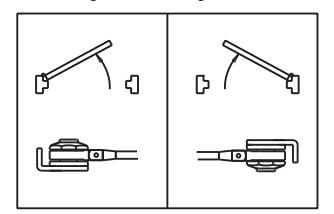
Identify direction of hold-open nut according to mounting.
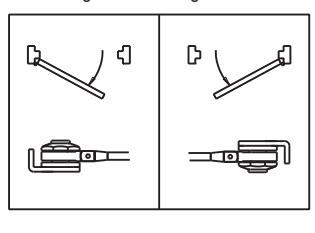
Optional Hold-open Arm
Identify direction of hold-open nut according to mounting.
■ Final Adjustment And Regulating Procedures
Regulating Door Speed And Latching Speed
Turn speed regulating valve clockwise to slow down or counter clockwise to speed up door movement.
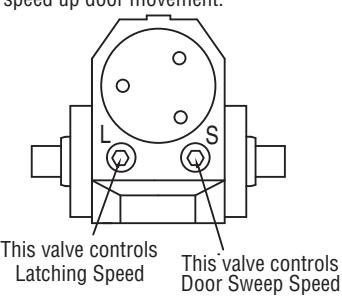
Regulating Spring Power Regulating BC Power
Turn power adjustment screw clockwise to increase or counter clockwise to decrease.
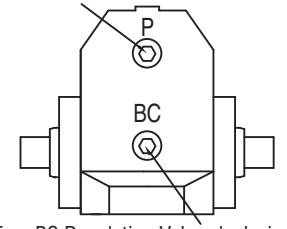
Turn BC Regulating Valve clockwise to increase or counter clockwise to decrease. NEVER close completely.
Standard Installation: Pull Side Right Installation
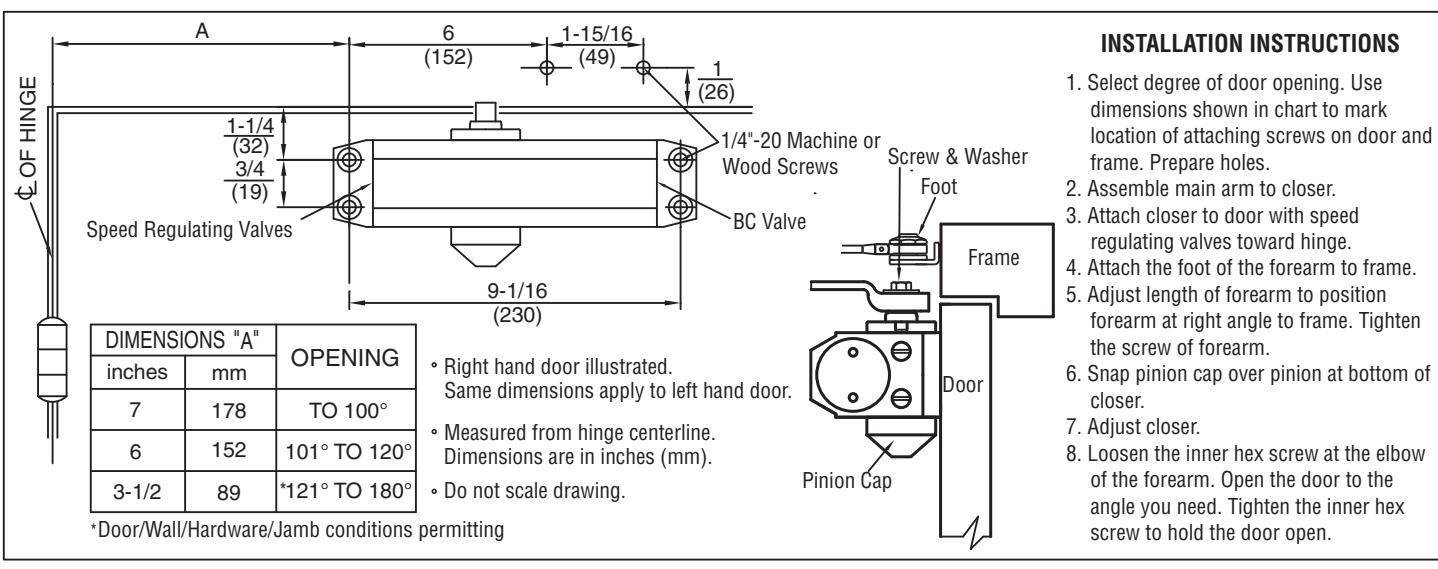
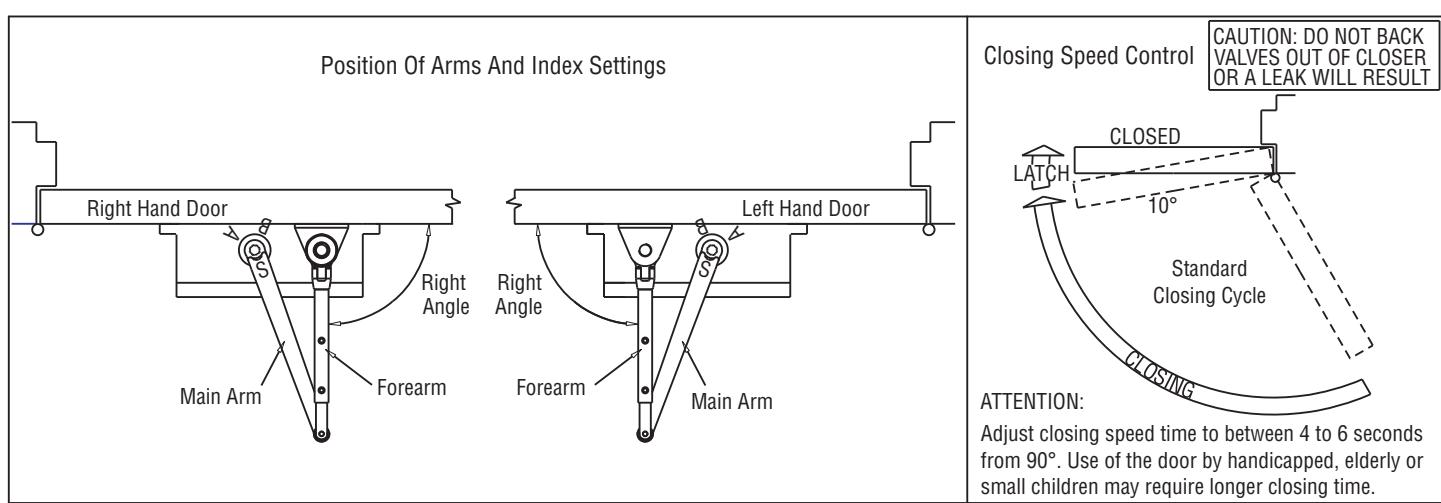
UA304-HO-FR-1111 Rev A 1/11
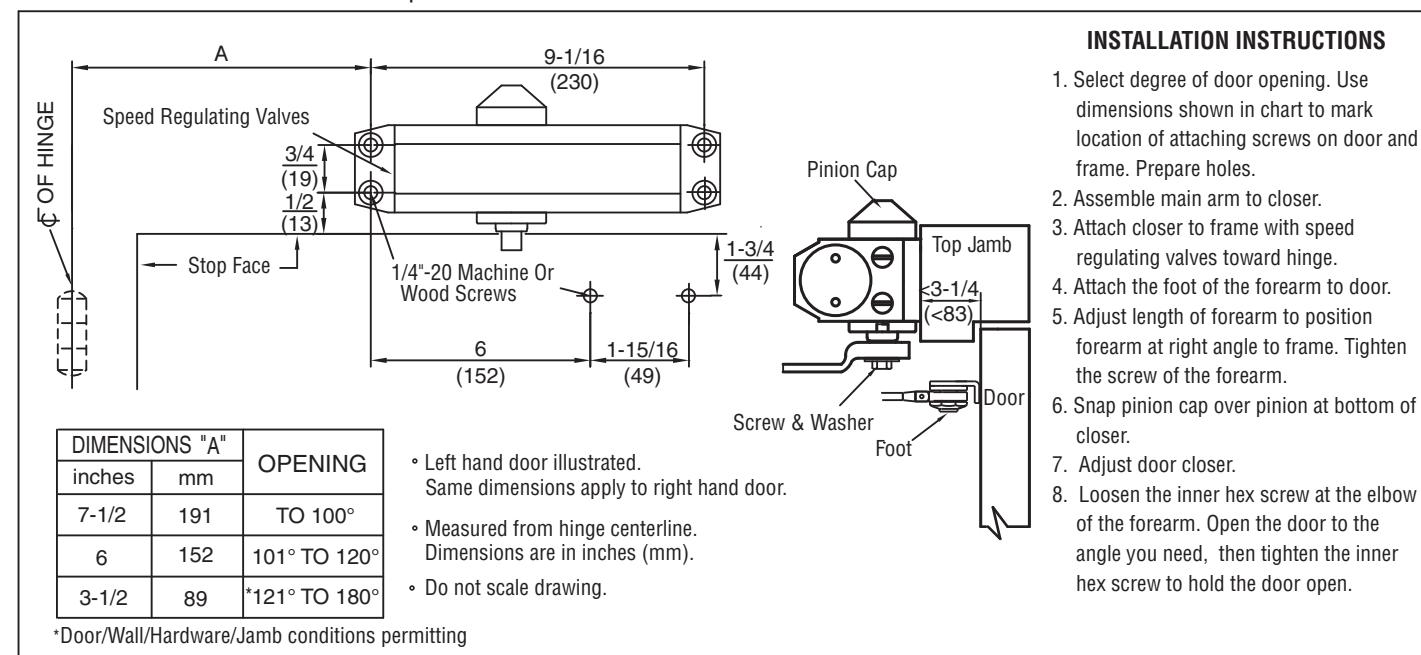
Other Installation: Push Side Top Jamb Installation
Other Installation: Push Side Parallel Installation
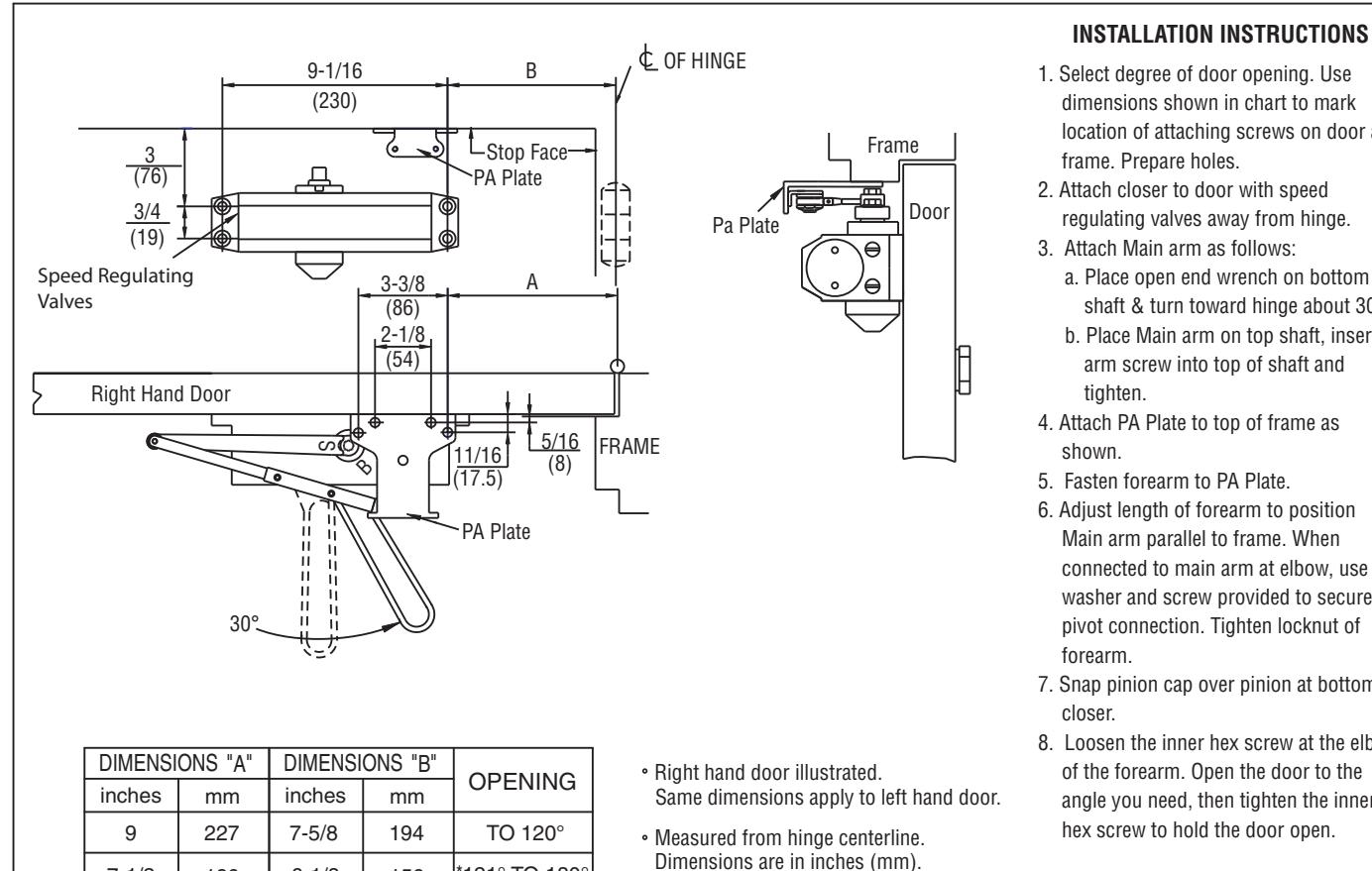
121° TO 180°
APPLICABLE DOOR: Weight 44-176 lbs (20-80Kg)
190
6-1/8
*Door/Wall/Hardware/Jamb conditions permitting
156
7-1/2
- 1. Select degree of door opening. Use dimensions shown in chart to mark location of attaching screws on door and frame. Prepare holes.
- regulating valves away from hinge.
-
- a. Place open end wrench on bottom shaft & turn toward hinge about 30°.
- b. Place Main arm on top shaft, insert arm screw into top of shaft and
- 4. Attach PA Plate to top of frame as
- 5. Fasten forearm to PA Plate.
- 6. Adjust length of forearm to position Main arm parallel to frame. When connected to main arm at elbow, use washer and screw provided to secure pivot connection. Tighten locknut of
- 7. Snap pinion cap over pinion at bottom of
- 8. Loosen the inner hex screw at the elbow of the forearm. Open the door to the angle you need, then tighten the inner hex screw to hold the door open.
2 UA304-HO-FR-1111 Rev A 1/11
· Do not scale drawing.