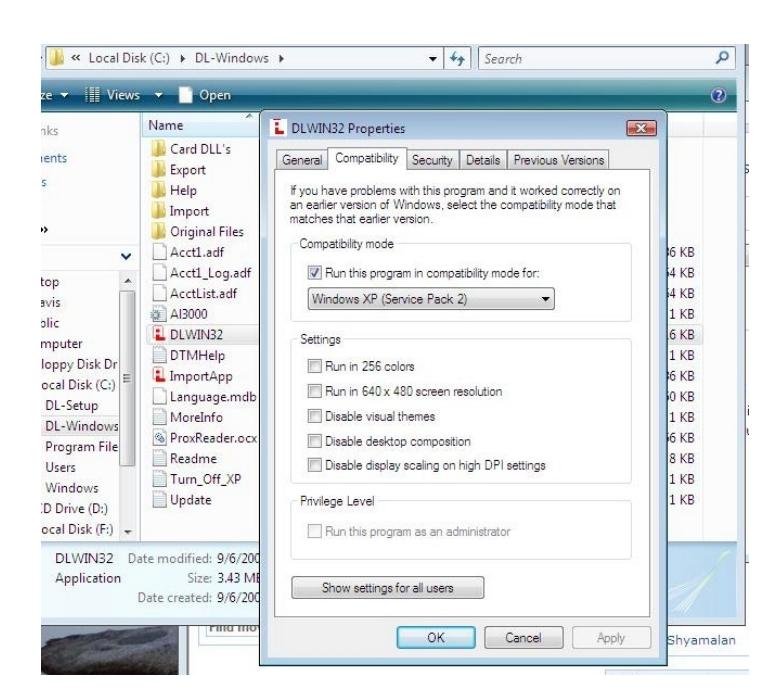
Alarm Lock Tech Note How To Run DL-Windows in XP Compatibility Mode.
Open the original PDF document
View PDF
Publicly traded on NASDAQ Symbol: NSSC © ALARM LOCK 2008
Running DL-Windows in Compatibility Mode
Tech Note
WI1786 9/08
To run DL-Windows in XP Compatibility Mode , proceed as follows:
- 1. Locate the DL-Windows working directory--usually "C:\DL-Windows".
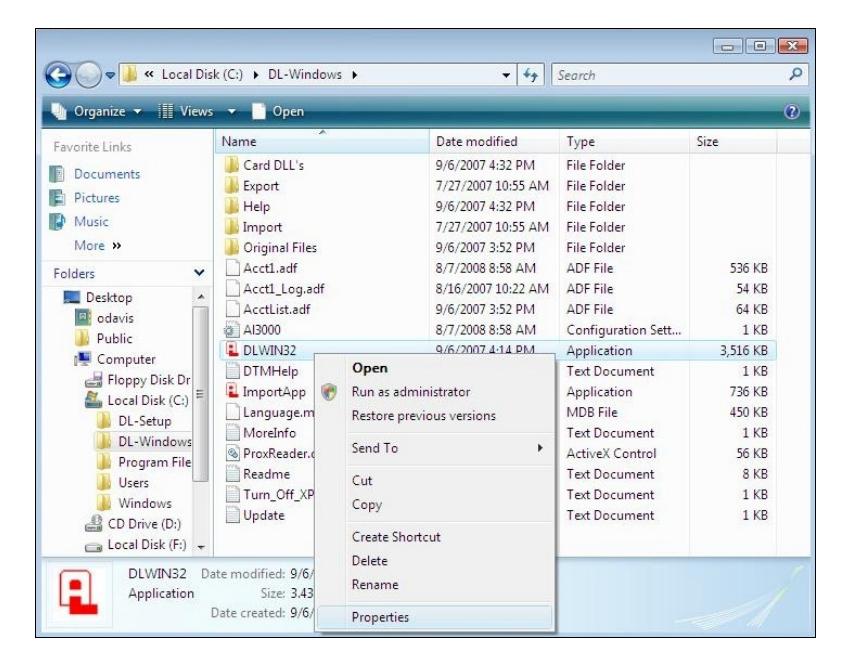
- 2. Right-click DLWIN32.exe and click Properties . Note: Windows may display the file name as DLWIN32 , as shown in the following image:
3. In the Compatibility tab, check " Run this program in compatibility mode for " and select " Windows XP (Service Pack 2) " from the pull-down list. Click OK to save your selections.