Alarm Lock Installing DL-Windows from the Alarm Lock Website
Open the original PDF document
View PDF
ALARM LOCK
345 Bayview Avenue, Amityville, New York, U.S.A. 11701 For Sales and Repairs 1-800-ALA-LOCK • For Technical Service 1-800-645-9440
Fax: 631-789-3383 • info@alarmlock.com
Note: Technical Service is for security professionals only
ALARM LOCK Tech Support


Date: Thursday, June 09, 2016
Subject: Installing DL-Windows from the Alarm Lock Website
Models: DL-Windows V5.3.3 Beta
The DL-Windows V5.3.3 BETA Software download web page at the Alarm Lock Technical Library (tech.napcosecurity.com) provides simple installation instructions (shown at right).
This Tech Note provides additional details and include several helpful tips to assist with the installation process.
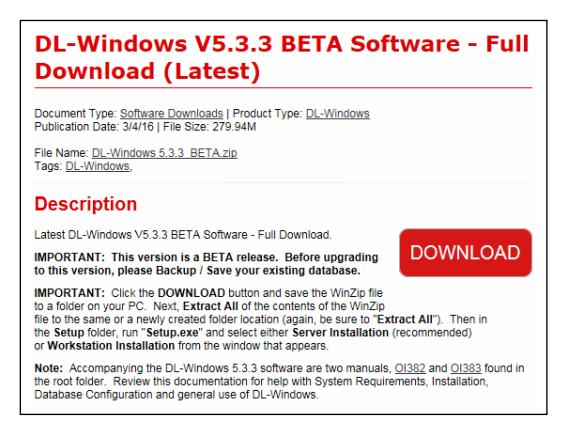
1. Click the website " DOWNLOAD " button to save the installation WinZip file. Every PC is different, but the file is often saved in the PC's default Downloads folder.
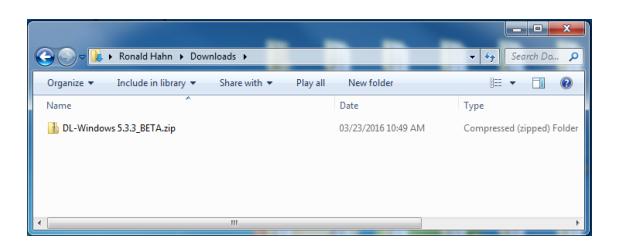
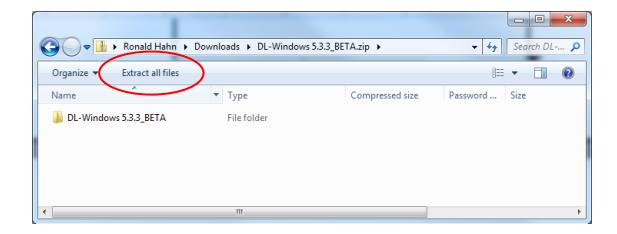
2. Open Windows Explorer and double-click the WinZip file; notice the " Extract all files " button appears at the top of the window (circled below).
ALARM LOCK
345 Bayview Avenue, Amityville, New York, U.S.A. 11701 For Sales and Repairs 1-800-ALA-LOCK • For Technical Service 1-800-645-9440
Fax: 631-789-3383 • info@alarmlock.com
Note: Technical Service is for security professionals only
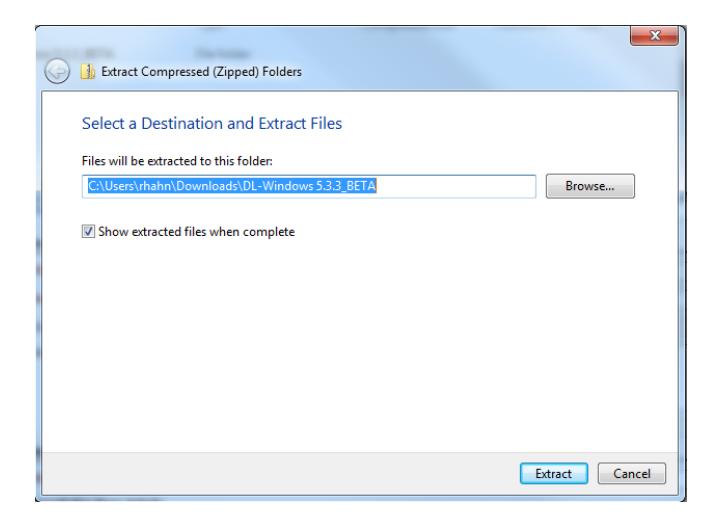
3. Click the " Extract all files " button and you will be prompted to select a destination folder. Click " Browse " to locate a folder that is different from the default folder that appears; when the folder is selected, click " Extract ".
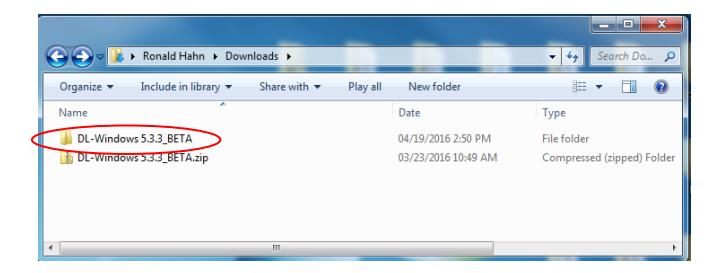
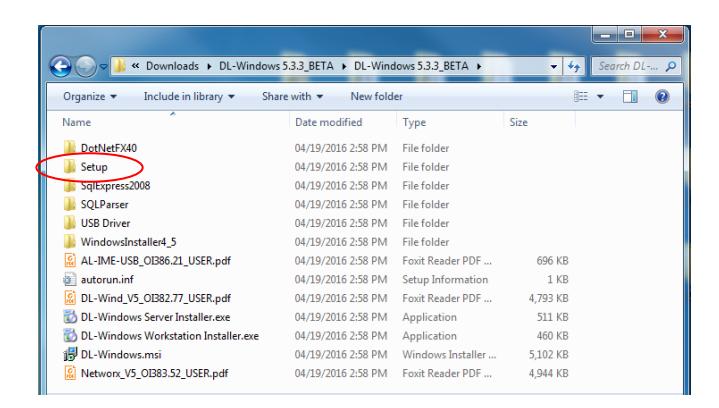
4. Use Windows Explorer to open the destination folder selected in step 3. Inside this destination folder is the unzipped DL-Windows 5.3.3_Beta folder (circled below). Double-click this folder and another DL-Windows 5.3.3_Beta folder opens. Double-click that folder and the actual installation folders and files appear.
5. Double-click the Setup folder (circled below).
ALARM LOCK
345 Bayview Avenue, Amityville, New York, U.S.A. 11701 For Sales and Repairs 1-800-ALA-LOCK • For Technical Service 1-800-645-9440
Fax: 631-789-3383 • info@alarmlock.com
Note: Technical Service is for security professionals only
6. Important: In the window that opens, right-click the file " Setup.exe " and select " Run as administrator ".
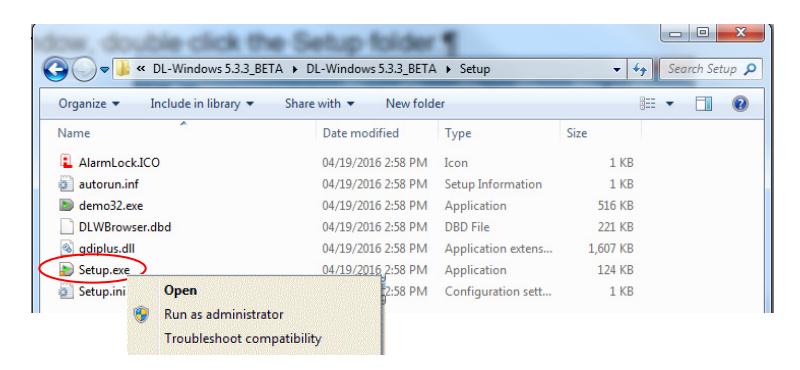
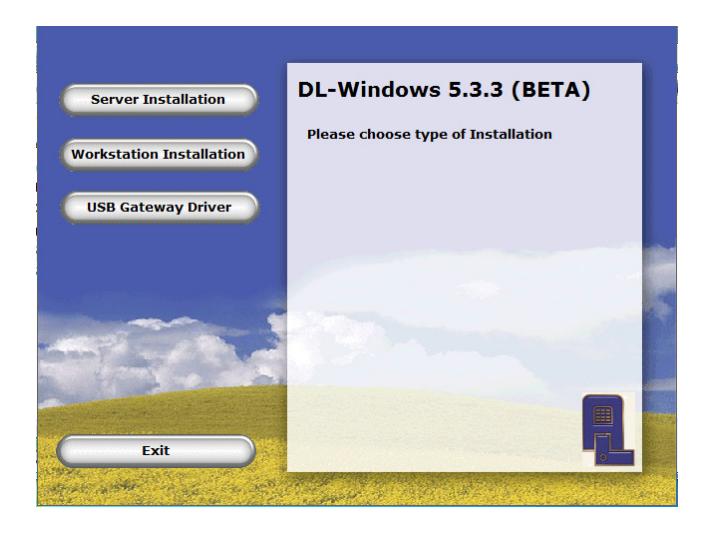
7. The DL-Windows installation process begins. Continue by selecting the desired installation type and following the onscreen prompts that appear.