Alarm Lock Infrared Wireless Printer Operation Instructions
Open the original PDF document
View PDF

345 Bayview Avenue Amityville, New York 11701 For Sales and Repairs 1-800-ALA-LOCK For Technical Service 1-800-645-9440 Publicly traded on NASDAQ Symbol: NSSC
© ALARM LOCK 2004
AL-IR1 WIRELESS PRINTER OPERATION INSTRUCTIONS
OI233B 9/04
Introduction
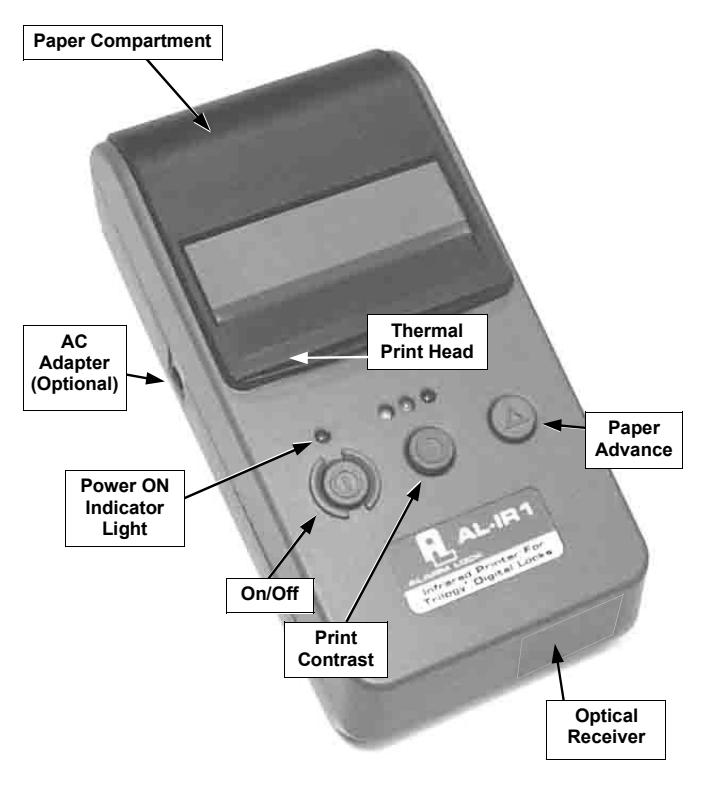
The AL-IR1 is optically linked to the T3/T3E Series Locks via infrared light. It is used for reading the various reports maintained by the locks, including the Audit Log.
Specifications
• Dimensions: 3½" W x 7"L
• Interface: Infrared Light Beam
• Activation: Refer to Lock Instructions
• Distance: 1" to 4" above the infrared LED
• Controls: 3 (Power On/Off, printer Contrast and Paper Feed)
• Paper: Uses common 2º" thermal paper available at most office supply stores (supplied)
• Batteries: 4 "AA" 1.5 volt alkaline batteries (supplied)
• AC Adapter (Optional): 9-12V AC or DC 500-1500mA, Hewlett Packard HP82241A or equivalent
Operation
- ! Turn on the printer.
- ! Activate printer mode on lock (see lock instructions).
- ! Place AL-IR1 approximately 1" to 4" above the infrared LED (as shown in image).
- ! Turn off the printer when not in use.
NOTE: Press the Paper Advance button or turn off the printer and on again, if printer has been not been in use for a long time.
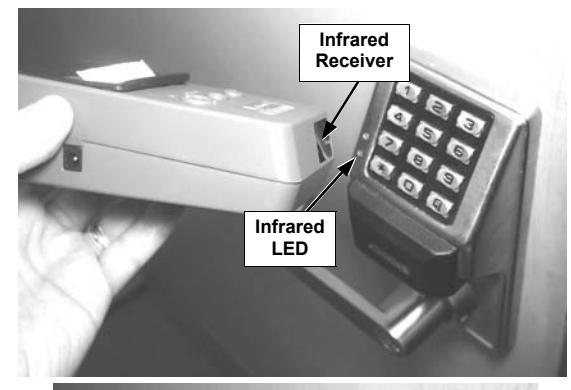
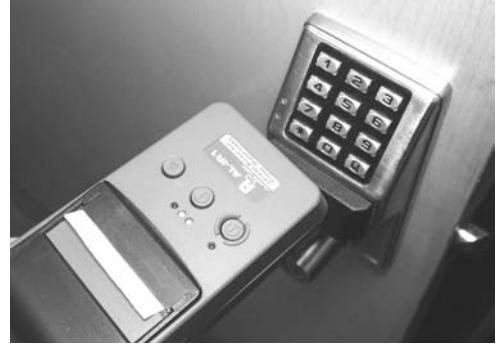
AL-IR1 to DL3000 (side and front views)
Loading Paper
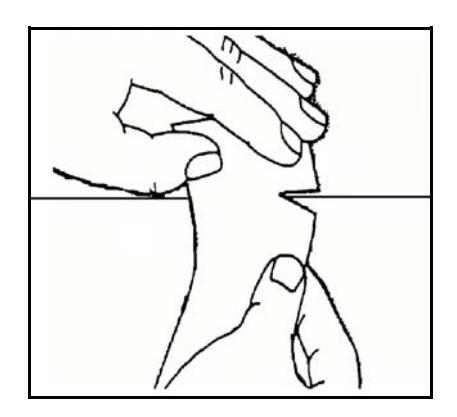
Tear or cut paper evenly.
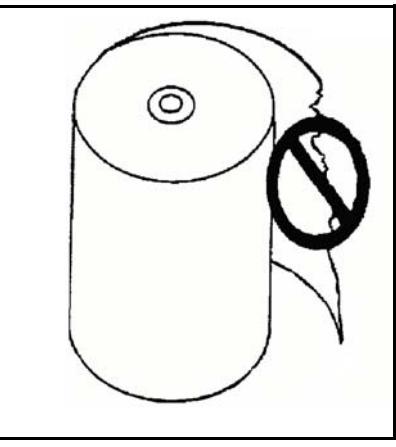
Do not use paper with folds or uneven edges. Do not allow obstructions to contact the print mechanism.
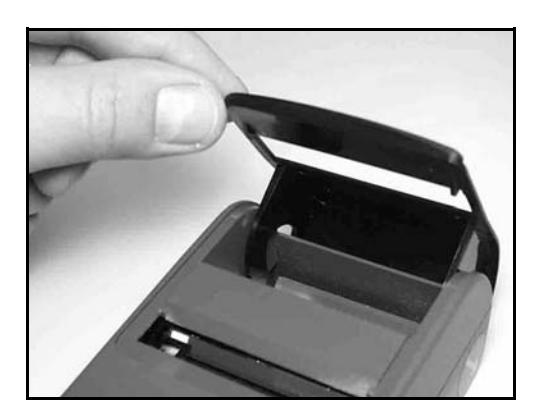
Open door.
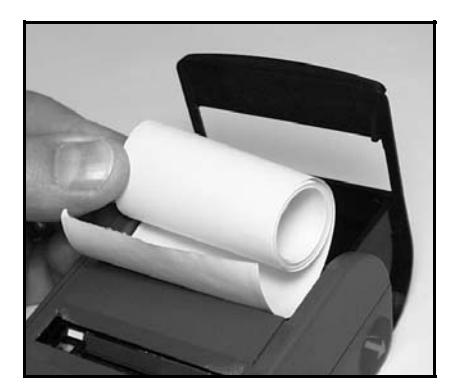
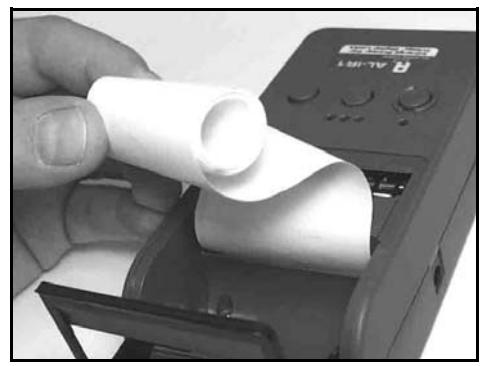
Position paper in door as shown. While pushing paper into slot, hold down the ▲ button until paper emerges. If paper jams, pull backwards VERY slowly.
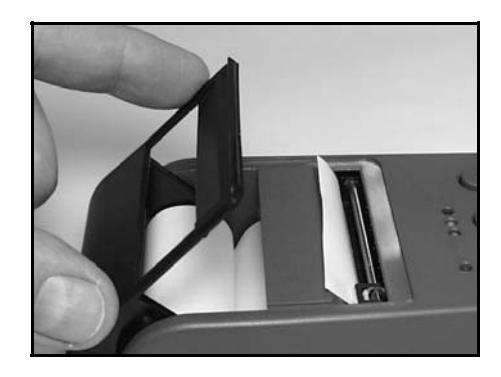
Place paper in compartment. Close door.
- Do not operate printer without paper. For best results, use HP 82175 black-printing thermal paper.
- Do not pull on paper ó use the ▲ button.
- Do not pull paper backward through printer.
- Do not run paper to end of roll if paper is attached to its inner core (HP paper is not attached).