Alarm Lock How to turn off User Access Control (UAC) in Windows Vista
Open the original PDF document
View PDF

Turn Off User Access Control (UAC) in Windows® Vista
Tech Note
WI1787 9/08
Turn off User Access Control (UAC) in Windows® Vista as follows:
Important: If DL-Windows is installed, uninstall DL-Windows first, then reinstall after UAC is turned off.
1. Open the Windows® Control Panel .
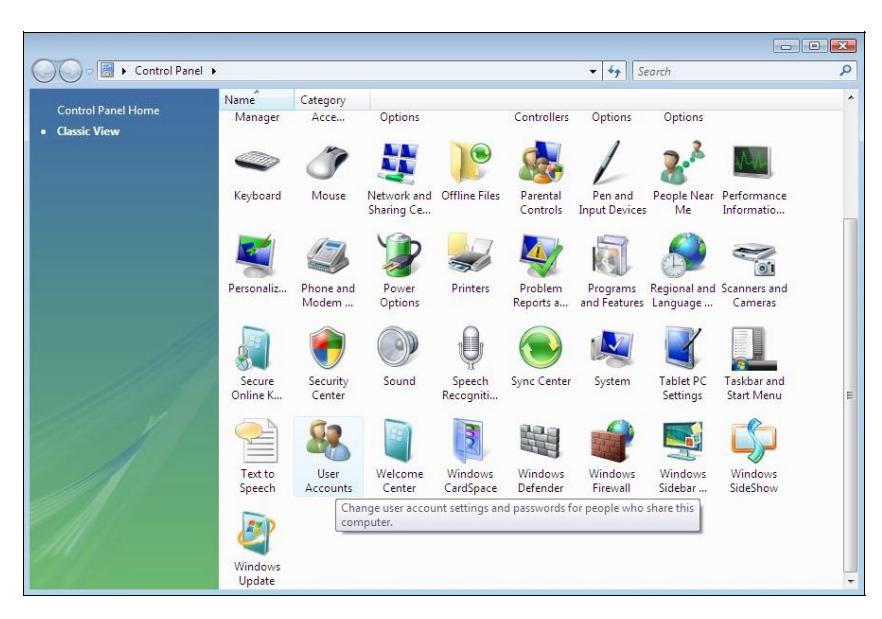
2. Open User Accounts .
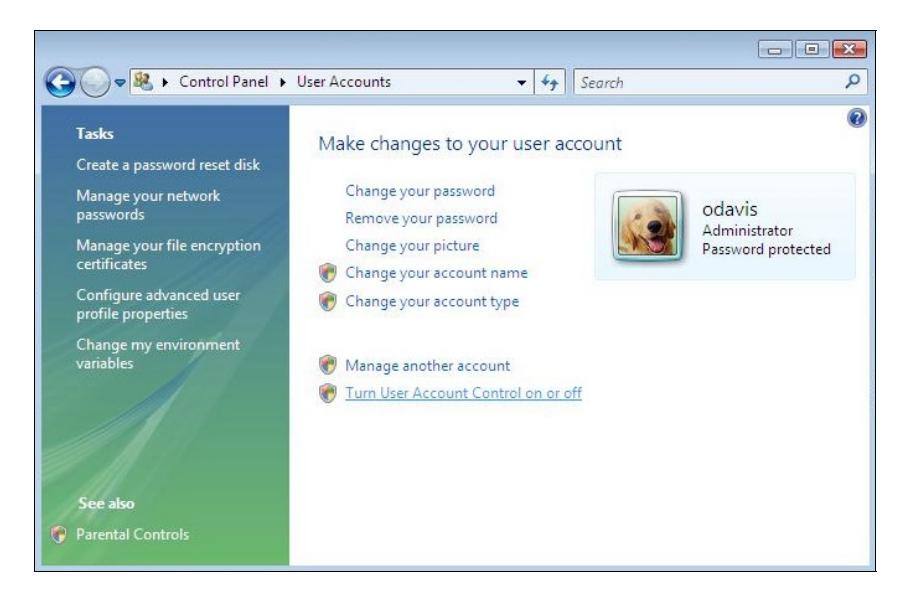
3. Click Turn User Account Control on or off .
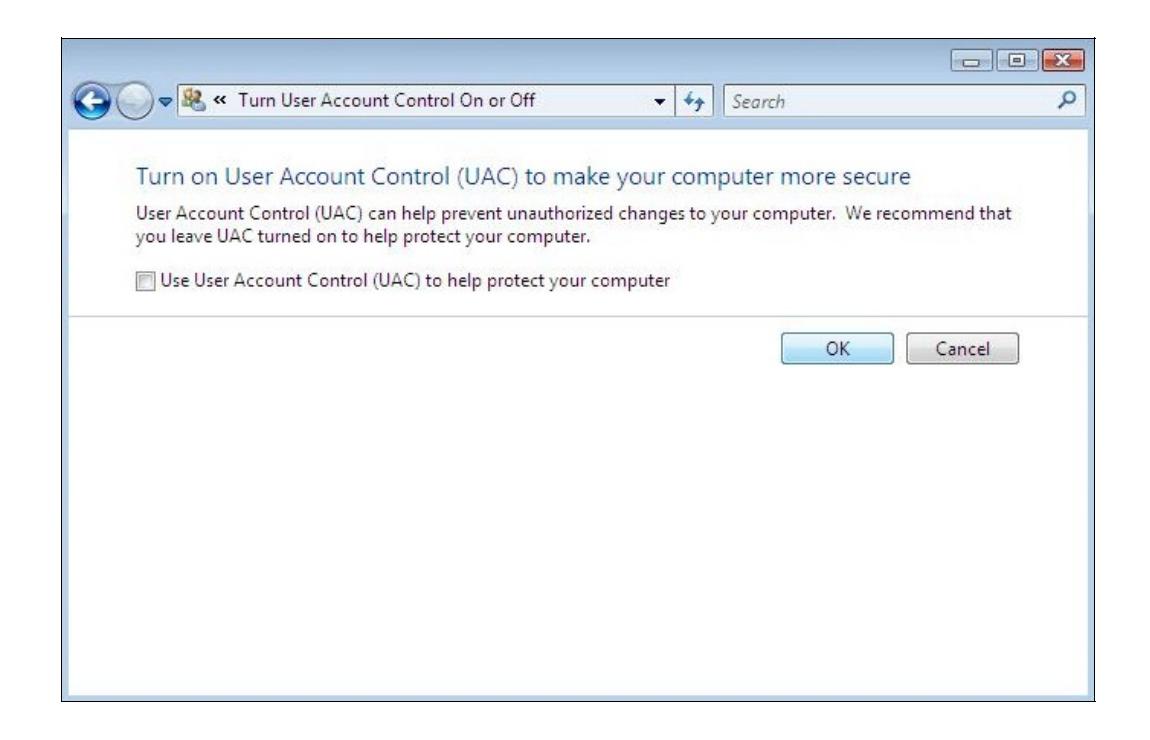
- 4. Uncheck Use User Account Control (UAC) to help protect your computer and click OK .
- 5. Reboot your computer.