Alarm Lock AL-IMEPOE Power Over Ethernet Gateway Installation Instructions
Open the original PDF document
View PDF

345 Bayview Avenue Amityville, New York 11701 For Sales and Repairs 1-800-ALA-LOCK For Technical Service 1-800-645-9440 or visit us at http://tech.napcosecurity.com/ (Note: Technical Service is for security professionals only) Publicly traded on NASDAQ Symbol: NSSC
Trilogy Networx™ AL-IMEPOE "Power Over Ethernet" Gateway Installation Instructions
© ALARM LOCK 2015 WI2137 01/15
OVERVIEW
The AL-IMEPOE is the "Power Over Ethernet" Gateway device used within the Trilogy Networx™ wireless system. Before proceeding, you should have a working knowledge of DL-Windows. See the DL-Windows User's Guide (OI382) for basic infor-
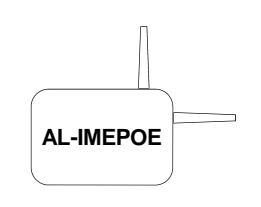
mation such as how to install and open DL-Windows, how to create Accounts, how to add Profiles to Accounts, etc. For information regarding how to connect your computer running DL-Windows to a network, and the DL-Windows programming necessary for a network connection to the Networx Gateway, see DL-Windows for Networx™ User's Guide (OI383).
Blue Gateway ID Card
We recommend that when installing the AL-IMEPOE Gateway, a blue-colored "Gateway ID Card" be completed. Since Gateways are often installed in ceilings or other hidden locations, their physical locations may be easily forgotten. This ID card may prove very useful when replacing Gateways, or when selecting a Gateway to use to discover locks, or whenever an installed Gateway needs to be physically located.
Select a Gateway Mounting Location
Give careful consideration to the location of the Gateway when planning the layout of the system. Gateways should be mounted in elevated areas, and should be centrally located within the separate lock installations. Select a convenient location that allows access to the RJ-45 Power Over Ethernet network cable running from the Gateway to the router / network.
Note: For mounting above drop ceilings, we recommend installing a model AL-IMEPOEP , a plenum-rated Gateway specifically designed for these locations.
You can plan for a single Gateway to cover a circle several hundred feet in diameter, greater within open areas without walls. Choose a location as high above ground level as practical (home attic installations are not recommended), keeping in mind that metal objects may adversely affect reception. It may be helpful to draw a layout of the system, identifying all proposed Gateway locations and the anticipated door locations. Also include notations indicating construction materials in use. Although wood and wallboard construction will have little effect upon signal strength at the lock, concrete or brick can reduce signal strength by up to 35%, while steel-reinforced concrete or metal lath and plaster can reduce Gateway transmitter strength as much as 90%. Do NOT mount close to electrical wiring or other metal obstructions such as pipes or conduits. Do NOT install the AL-IMEPOE in utility or computer closets as these locations will severely
affect signal strength.
Note: In difficult installations wherein distant Gateways pose reception problems, the use of multiple gateways throughout the premises is recommended.
The AL-NSM Networx Signal Meter tool can help you perform a site survey test of the premises to find the optimum location for Gateways relative to Networx locks; as well as determine the optimum number of Gateways needed to cover the signal area of the locks you plan to install. See WI2092 or speak to your Alarm Lock sales representative for more information. TIP
MOUNTING THE AL-IMEPOE
Mount the AL-IMEPOE vertically, i.e. attached to a wall with its antenna positioned vertically. Horizontal "flat" mounting of the Gateway enclosure should be specifically avoided.
Use the housing as a mounting template and secure the AL -IMEPOE using the hardware provided.
FIRST TIME GATEWAY POWER UP
Insert the RJ-45 Power Over Ethernet network cable. Upon initial power up, the red light flashes slowly (about once every 2 seconds), indicating the unit is looking for a valid IP address (unit may take up to 90 seconds to find a valid address). If the unit finds a valid IP address prior to 90 seconds, the red light flickers rapidly.
Note: This flash rate changes with the state of the Gateway; see below.
Next, reset the Gateway as follows:
Reset the Gateway
Before securing the Gateway housing cover, reset the Gateway memory--even if the Gateway has never been used.
Press and hold the " RESET " button and the red light turns on continuously; continue to hold the button and the red light will start to flicker. Release the button and the red light will continue to flicker .
"Resetting" the Gateway clears all memory and ensures that any previous data is cleared from the unit.
For important information about resetting the Gateway and for the meaning of the various LED flashes, see the DL-Windows for Networx™ User's Guide (OI383).
Secure the Gateway housing cover with the screws provided.
ALARM LOCK LIMITED WARRANTY
ALARM LOCK SYSTEMS, INC. (ALARM LOCK) warrants its products to be free from manufacturing defects in materials and workmanship for twenty four months following the date of manufacture. ALARM LOCK will, within said period, at its option, repair or replace any product failing to operate correctly without charge to the original purchaser or user.
This warranty shall not apply to any equipment, or any part thereof, which has been repaired by others, improperly installed, improperly used, abused, altered, damaged, subjected to acts of God, or on which any serial numbers have been altered, defaced or removed. Seller will not be responsible for any dismantling or reinstallation charges, environmental wear and tear, normal maintenance expenses, or shipping and freight expenses required to return products to ALARM LOCK. Additionally, this warranty shall not cover scratches, abrasions or deterioration due to the use of paints, solvents or other chemicals.
THERE ARE NO WARRANTIES, EXPRESS OR IM-PLIED, WHICH EXTEND BEYOND THE DESCRIPTION ON THE FACE HEREOF. THERE IS NO EXPRESS OR IMPLIED WARRANTY OF MERCHANTABILITY OR A WARRANTY OF FITNESS FOR A PARTICULAR PUR-POSE. ADDITIONALLY, THIS WARRANTY IS IN LIEU OF ALL OTHER OBLIGATIONS OR LIABILITIES ON THE PART OF ALARM LOCK.
Any action for breach of warranty, including but not limited to any implied warranty of merchantability, must be brought within the six months following the end of the warranty period.
IN NO CASE SHALL ALARM LOCK BE LIABLE TO ANY-ONE FOR ANY CONSEQUENTIAL OR INCIDENTAL DAMAGES FOR BREACH OF THIS OR ANY OTHER WARRANTY, EXPRESS OR IMPLIED, EVEN IF THE LOSS OR DAMAGE IS CAUSED BY THE SELLER'S OWN NEGLIGENCE OR FAULT.
In case of defect, contact the security professional who installed and maintains your security system. In order to exercise the warranty, the product must be returned by the security professional, shipping costs prepaid and insured to ALARM LOCK. After repair or replacement, ALARM LOCK assumes the cost of returning products under warranty. ALARM LOCK shall have no obligation under this warranty, or otherwise, if the product has been repaired by others, improperly installed, improperly used, abused, altered, damaged, subjected to accident, nuisance, flood, fire or acts of God, or on which any serial numbers have been altered, defaced or removed. ALARM LOCK will not be responsible for any dismantling, reassembly or reinstallation charges, environmental wear and tear, normal maintenance expenses, or shipping and freight expenses required to return products to ALARM LOCK. Additionally, this warranty shall not cover scratches, abrasions or deterioration due to the use of paints, solvents or other chemicals.
This warranty contains the entire warranty. It is the sole warranty and any prior agreements or representations, whether oral or written, are either merged herein or are expressly cancelled. ALARM LOCK neither assumes, nor authorizes any other person purporting to act on its behalf to modify, to change, or to assume for it, any other warranty or liability concerning its products.
In no event shall ALARM LOCK be liable for an amount in excess of ALARM LOCK's original selling price of the product, for any loss or damage, whether direct, indirect, incidental, consequential, or otherwise arising out of any failure of the product. Seller's warranty, as hereinabove set forth, shall not be enlarged, diminished or affected by and no obligation or liability shall arise or grow out of Seller's rendering of technical advice or service in connection with Buyer's order of the goods furnished hereunder.
ALARM LOCK RECOMMENDS THAT THE ENTIRE SYS-TEM BE COMPLETELY TESTED WEEKLY.
Warning: Despite frequent testing, and due to, but not limited to, any or all of the following; criminal tampering, electrical or communications disruption, it is possible for the system to fail to perform as expected. ALARM LOCK does not represent that the product/system may not be compromised or circumvented; or that the product or system will prevent any personal injury or property loss by burglary, robbery, fire or otherwise; nor that the product or system will in all cases provide adequate warning or protection. A properly installed and maintained alarm may only reduce risk of burglary, robbery, fire or otherwise but it is not insurance or a guarantee that these events will not occur. CONSEQUENTLY, SELLER SHALL HAVE NO LIA-BILITY FOR ANY PERSONAL INJURY, PROPERTY DAMAGE, OR OTHER LOSS BASED ON A CLAIM THE PRODUCT FAILED TO GIVE WARNING. Therefore, the installer should in turn advise the consumer to take any and all precautions for his or her safety including, but not limited to, fleeing the premises and calling police or fire department, in order to mitigate the possibilities of harm and/or damage.
ALARM LOCK is not an insurer of either the property or safety of the user's family or employees, and limits its liability for any loss or damage including incidental or consequential damages to ALARM LOCK's original selling price of the product regardless of the cause of such loss or damage.
Some states do not allow limitations on how long an implied warranty lasts or do not allow the exclusion or limitation of incidental or consequential damages, or differentiate in their treatment of limitations of liability for ordinary or gross negligence, so the above limitations or exclusions may not apply to you. This Warranty gives you specific legal rights and you may also have other rights which vary from state to state.