Alarm Controls ReceiverTransmitter Model RT-3 User Guide Instructions
Open the original PDF document
View PDFMODEL RT-3 RECEIVER/TRANSMITTER USER GUIDE
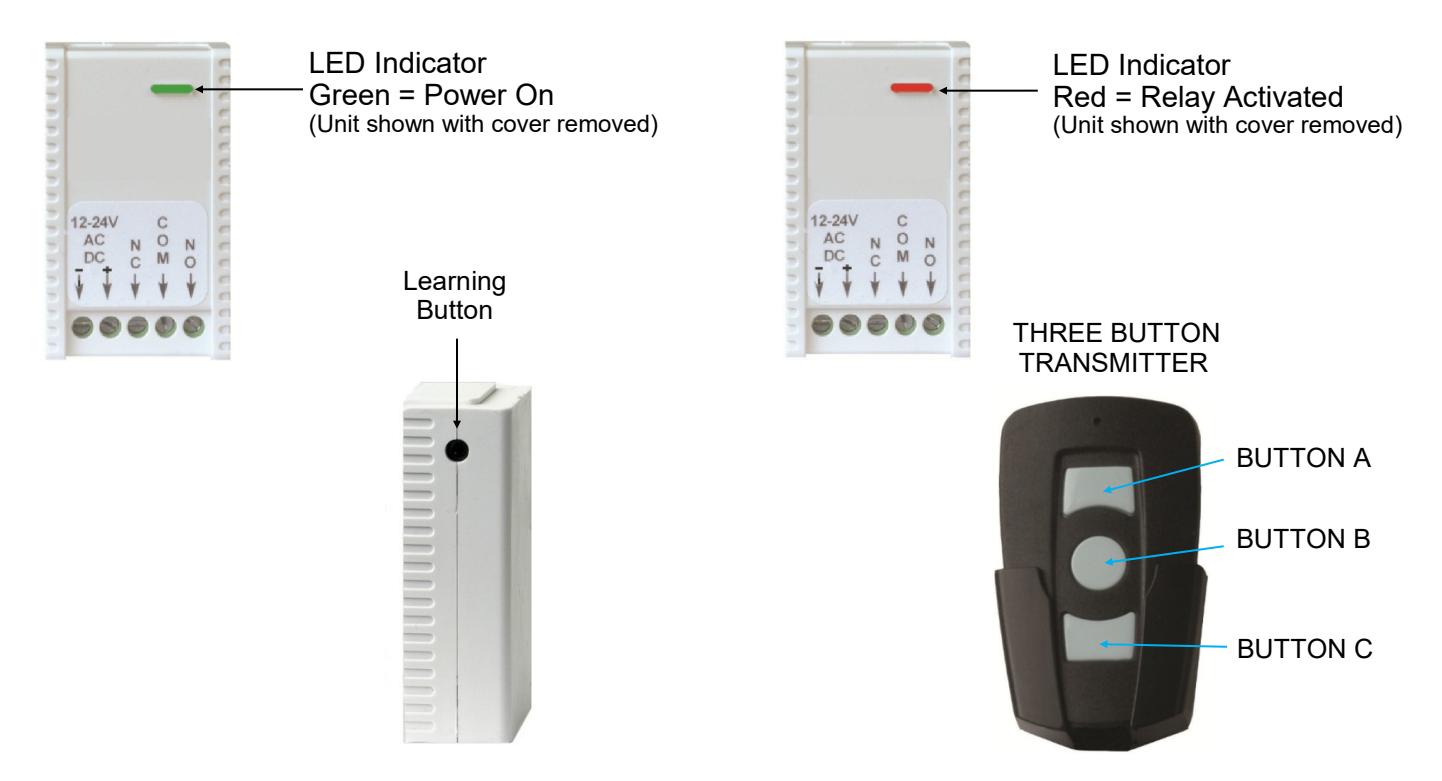
The RT-3 is packaged with three Receivers and one Transmitter.
To pair a Transmitter with a Receiver -
- 1. Power the receiver. Press the Learning Button on the Receiver. The end of a ball point pin with the ball retracted works as a good tool for this. The LED on the Receiver will turn from green to red.
- 2. Press the A, B or C button on the Transmitter two times. The LED on the Receiver will flash four times indicating that the Transmitter has been paired to the Receiver. If the LED on the Receiver flashes once and changes to green, pairing has failed. The Transmitter button must be pressed within 8 seconds or the Receiver will exit the learning mode. You can now pair two other receivers to the remaining two buttons on your transmitter.
- 3. Any transmitter button can be paired with any receiver. A transmitter cannot have two buttons paired to one receiver. If you attempt to program the same receiver to a second button on the transmitter it will program to the new button and be automatically removed from the original button.
- 4. Up to thirty transmitters can operate any receiver. Just repeat step 1. above with each transmitter so that the receiver can learn each new transmitter.
To remove all learned Transmitters from the Receiver -
- 1. Press and hold the Learning Button on the Receiver. The LED on the Receiver will turn from green to red and then back to green.
- 2. Release the Learning Button as soon as the LED turns back to green and the LED will quickly flash red and turn green again. All transmitters have now been removed and it is ready to learn a new transmitter.
Transmitter replacement battery type is CR2016. Each Transmitter requires 2 batteries.

Alarm Controls Phoenix, AZ 85044 (800) 645-5538 www.alarmcontrols.com
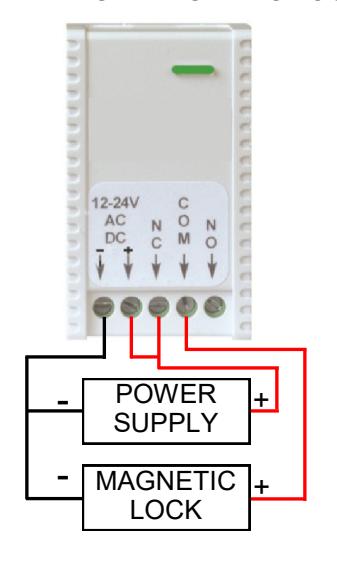
TYPICAL WIRING FOR RELEASING A MAGNETIC LOCK
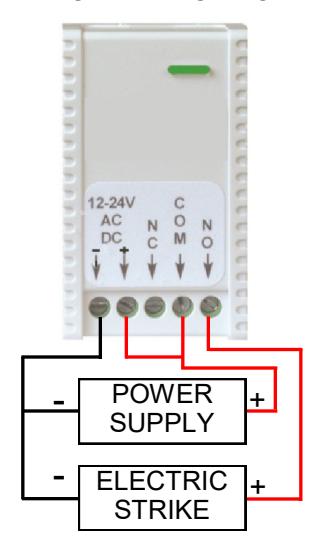
TYPICAL WIRING FOR RELEASING AN ELECTRIC STRIKE
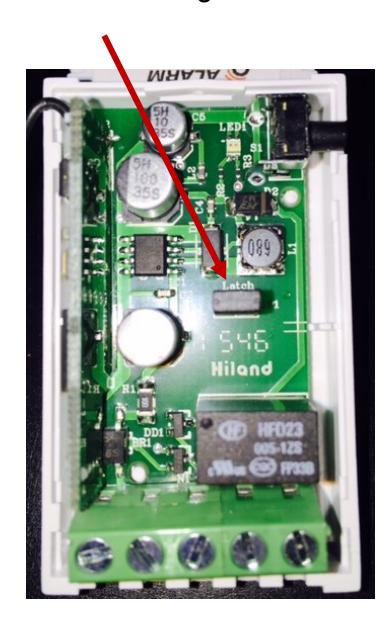
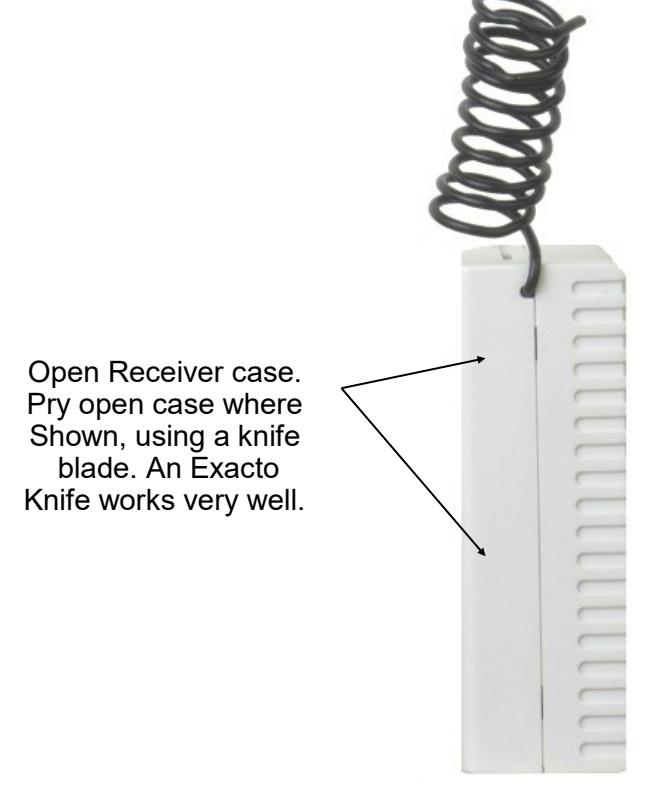
INSTRUCTIONS FOR CONVERTING ANY RECEIVER FROM MOMENTARY TO LATCHING OPERATION
Locate the jumper which will allow Momentary or Latching function.
Jumper perpendicular to JP1. -Momentary Action
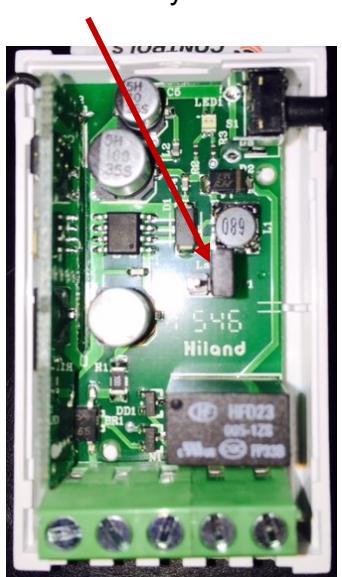
Jumper parallel to JP1. -Alternating Action