Aiphone MCW-SA Desk Mount Stand Installation Instructions
Open the original PDF document
View PDF

Desk Mount Stand
Use with:
AX, GT, JF, JK, JO, JP, and KB Systems
- INSTRUCTIONS -
The MCW-S/A is a stand that will allow you to locate an Aiphone monitor station on a desk or tabletop. This stand has two angle settings, enabling the user to select the optimal mounting angle for the monitor station (45° or 60°).
MOUNTING:
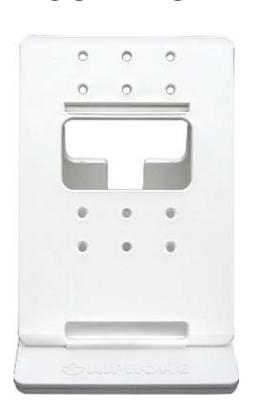
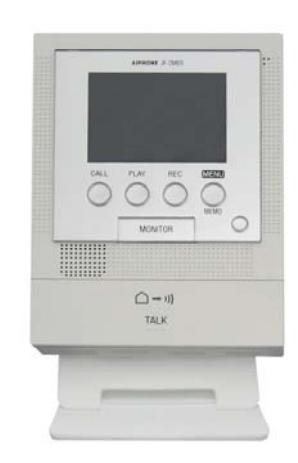
MCW-S/A JF-2MED on MCW-S/A (shown at 60°)
45° Angle 60° Angle
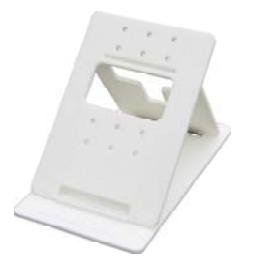
Dimensions: Faceplate: 4½" W x 6½" H Base: 4½" W x 7⅞ D Height at 45°: 5⅛" Height at 60°: 6"
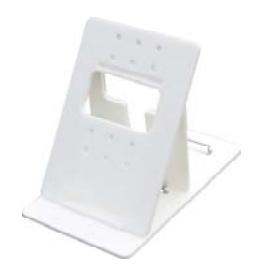
Recommended mounting hole position by system:
| Top : | Bottom: |
|---|---|
| AX | GT |
| KB | JF |
JK
JO JP
MOUNTING:
- 1. Attach the intercom's mounting bracket to the MCW-S/A utilizing the appropriate set of mounting holes. (Nuts and washers are supplied with the MCW-S/A; screws are supplied with the intercom, except for JO.)
- 2. Set the angle of the MCW-S/A by adjusting the rear support arm for either a 45° or 60° angle.
- 3. Lock the rear support arm into position to prevent the MCW-S/A from collapsing.
- 4. Feed the wires through the back of the MCW-S/A and attach to the intercom unit.
- 5. Mount the station onto the mounting bracket.
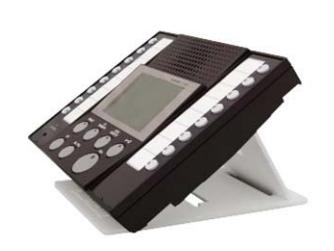
AX-8MV on MCW-S/A (shown at 45°)
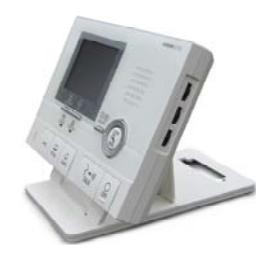
GT-1C on MCW-S/A (shown at 60°)
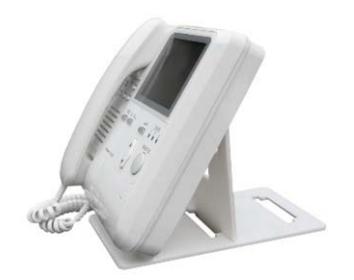
KB-3MRD on MCW-S/A (shown at 60°)
Aiphone Communication Website: www.aiphone.com Email: tech@aiphone.com Phone: 800-692-0200