Aiphone GT-1M3 Series Operation Guide
Open the original PDF document
View PDFThis operation guide describes the basic functions of your GT Series Tenant Station
QR Code Place Holder
For a complete operation manual (3.71MB), scan QR code or use link to download it from the manufacturer's website: www.aiphone.com/gt-1m3_op-man
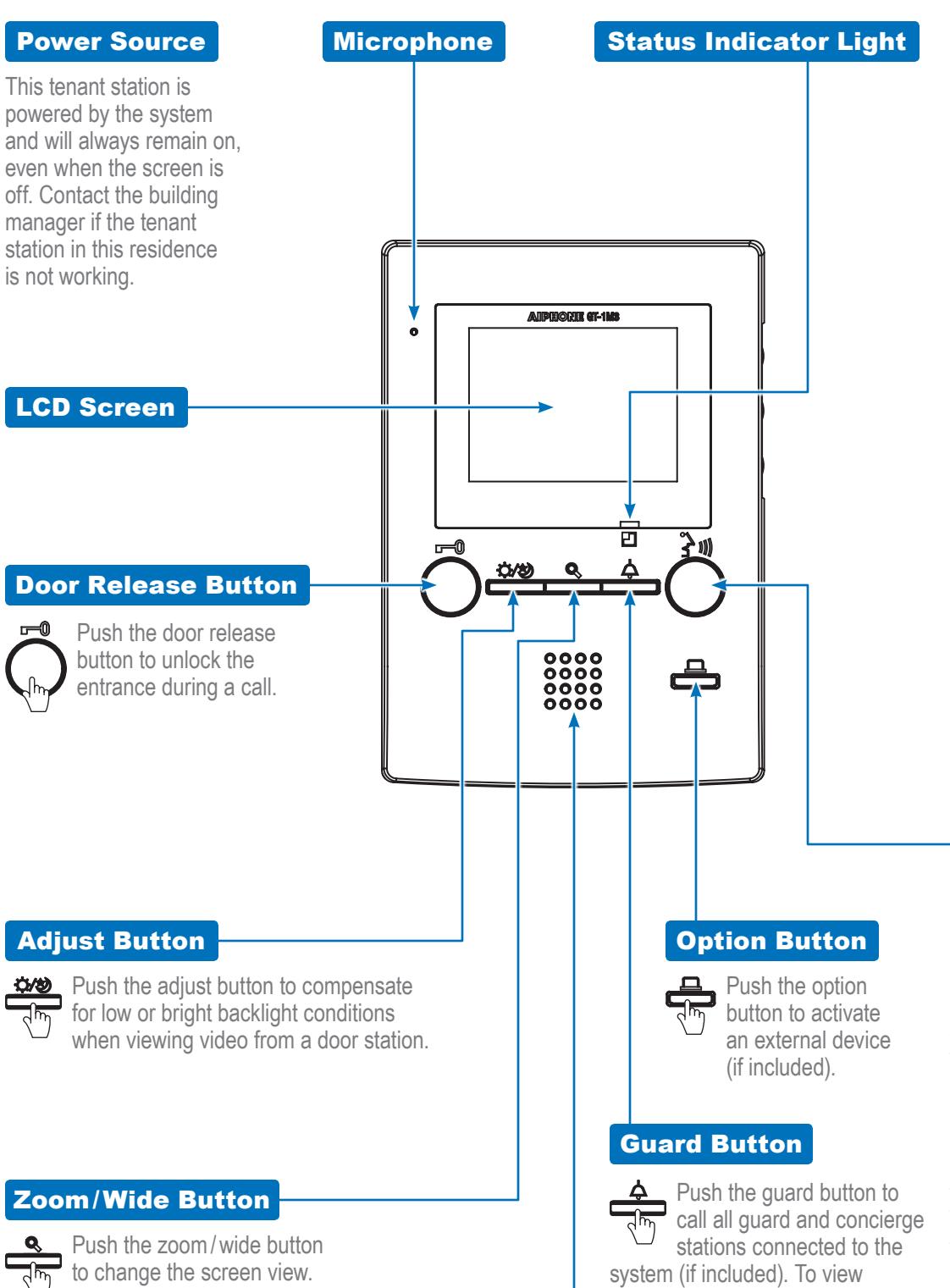
Speaker
LCD Screen Brightness Control
GT-1M3 Tenant Station
Use the dial to adjust the LCD screen brightness levels (0~10).
Volume Control
Use the dial to adjust the communication volume (0~10).
Chime Volume Control
Use the dial to adjust the chime volume (0~10). The status indicator light blinks slowly when the chime is muted.
Talk/Off Button
a visitor on a CCTV camera (if enabled), push the guard button while in communication with the entrance station.
Push the talk / off button to answer an incoming call. Once answered,
conversation becomes hands-free. Push the talk / off button again to end a call (this does not turn off the station). For push-to-talk (PTT) mode, push the TALK button until a beep is heard. The conversation then requires the TALK button to be pushed and held while talking and released while listening. To end the PTT conversation, push the TALK button one time without holding (this does not turn off the station). Whether the conversation is hands-free or PTT, the talk indicator light turns on while you speak and will turn off while your visitor speaks.