ASSA ABLOY ACCENTRA 540F & 580F Series Trim Installation Instructions_80-8470-0541-000
Open the original PDF document
View PDF540F & 580F
Exit Device Trim
Installation Instructions
For use with ASSA ABLOY Series Exit Devices (Wood and Metal Doors)
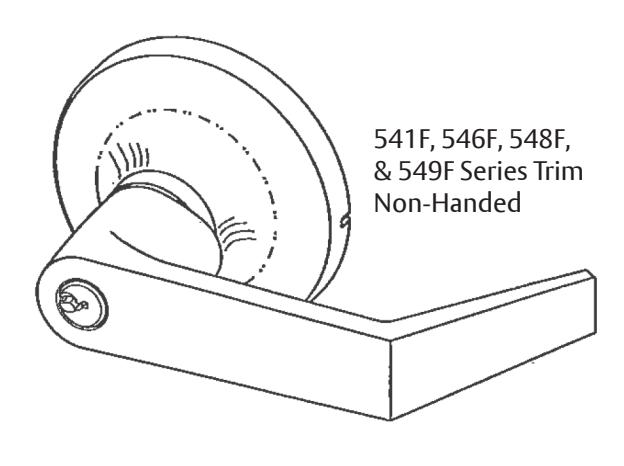
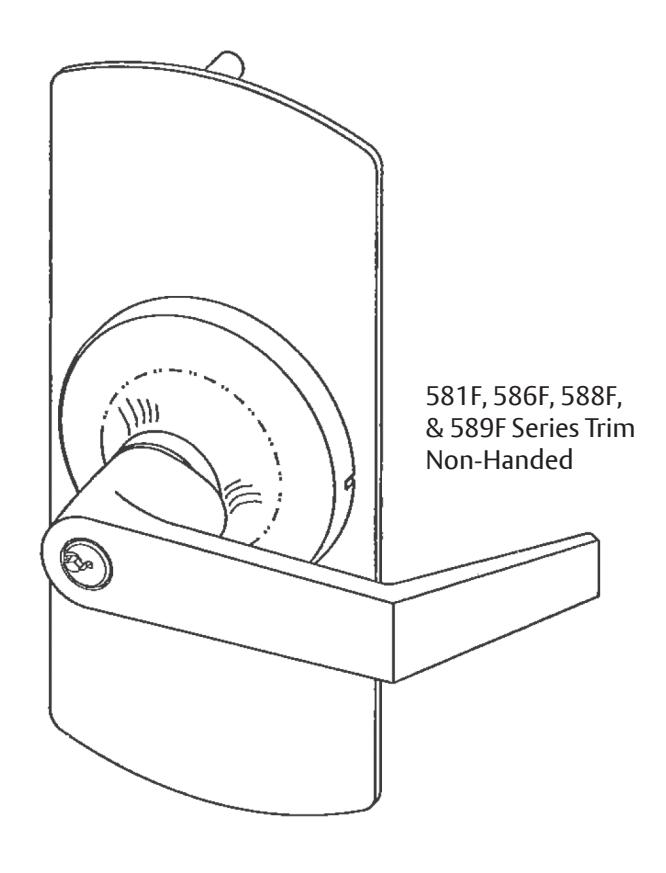
| Sectional Lever Trim | |||||
|---|---|---|---|---|---|
| LEVER TYPE | TRIM | FUNCTION | DESCRIPTION | REMARKS | |
| Key In Lever | 541F/581F | F03 (NL) | Key retract bolt(s) | Free wheeling lever | |
| 546F/586F | F08 | Key locks/unlocks lever | Free wheeling lever | ||
|
Plain
Lever |
548F/588F | Passage | Lever retracts bolt(s) | Lever always active | |
| F02 | Dummy trim* | Free wheeling lever | |||
| 549F/589F | F02 | Dummy trim | Rigid lever | ||
* Field Prep: Cut tailpiece off, not to engage the device.
| ABBREVIATION | FASTENER DESCRIPTION | ||
|---|---|---|---|
| PPHMS | PHILLIPS PAN HEAD MACHINE SCREW | ||
| PTHMS | PHILLIPS TRUSS HEAD MACHINE SCREW | ||
540F & 580F Exit Device Trim Installation Instructions
- 1. Check box contents.
- 2. After marking door inside face for device location (Device Instructions), transfer "Vertical Reference Centerline"from inside to outside door face. Follow steps 2a and 2b , below.
- 3. Transfer "Horizontal Reference Centerline" from inside to outside door face.
- 4. Orient and align trim template, attach with tape to outside door face.
- 5. Spot holes and prepare door for trim.
- 6. Adjust trim for door thickness (as reqd).
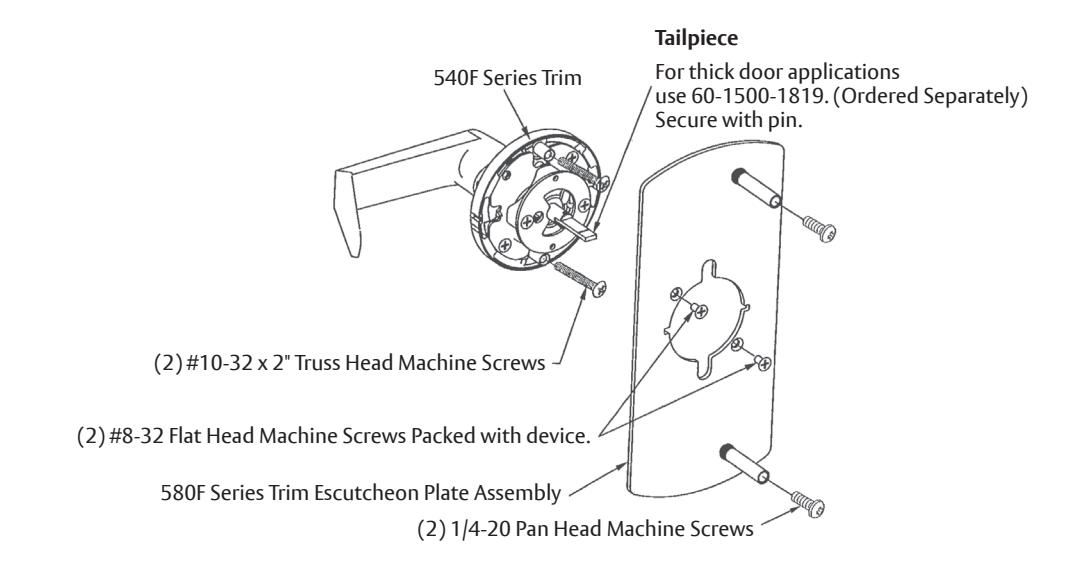
- 7. Mount trim to door thru holes "B" with (2) #10-32 x 2" PTHMS supplied as shown in Fig. 1 . Note: If installing dummy trim, continue as shown in device instructions.
- 8. If required, cut trim tailpiece as shown in Fig. 2 . Seat device so that the trim tailpiece penetrates cam slot as shown in Fig. 1 . Thru mount device to trim thru holes "A" as shown in Fig. 1 using 1/4-20 PPHMS supplied with device.
- 9. Continue as shown in device instructions.
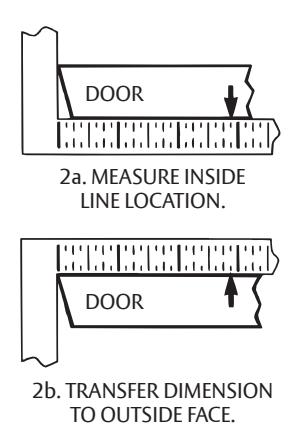
Figure 1 Device is bolted to trim using holes "A" (closest to door lock edge)
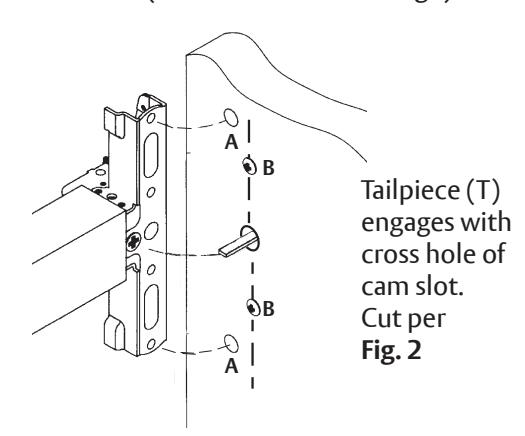
(2) Screws and washers bolt trim to door using holes "B"
Figure 2 Tailpiece Sizing
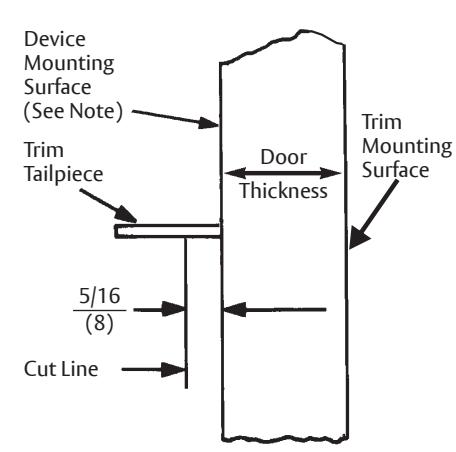
NOTE: Measure from device mounting surface (door face or shim surface)
INSTALLATION INSTRUCTIONS RHR Shown*
* - Trim Assembly shipped non-handed, rotate assembly
180° for use with LHR application.
540 & 580F
Exit Device Trim
Installation Instructions
Standard Cylinder
Each 541F and 581F, 548F, and 586F Standard Trim is supplied with one ASSA ABLOY 1802 6-pin random keyed cylinder, and (2) keys. This lever can fit any ASSA ABLOY 6-pin (1802, 5802), or 7-pin (1802A, 5802A) standard cylinder, or a Schlage lock cylinder using ASSA ABLOY 107S Lever Adapter Kit.
To re-key or exchange any of these cylinders, follow steps 3a or 3b shown below.
Figure 3a. Lever Handle Removable
- 1. Insert key & rotate clockwise 45°
- 2. Depress retainer with tool supplied.
- 3. Slide lever off trim. (Reverse steps to re-assemble.)
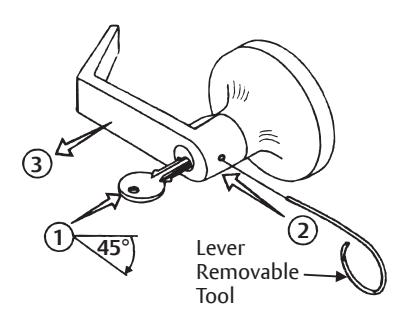
Figure 3b. Interchangeable Core Cylinders
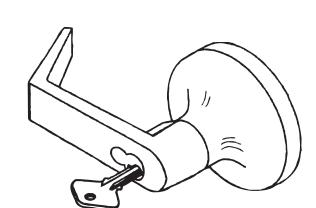
Trim levers are specific for the cylinder core used. Levers are not removable. To remove and install the cylinder use the control key supplied with the cylinder.
Adjust lock for door thickness
(If necessary) (Lock is packaged preadjusted for 1-3/4" (44mm) thick doors.)
To adjust for a thicker door.
- A. Remove (2) screws from outside rose plate.
- B. Slide outside rose away from lock body.
- C. Adjust rose plate to desired door thickness per illustration below.
- D. Fasten outside rose to lock body with (2) screws.
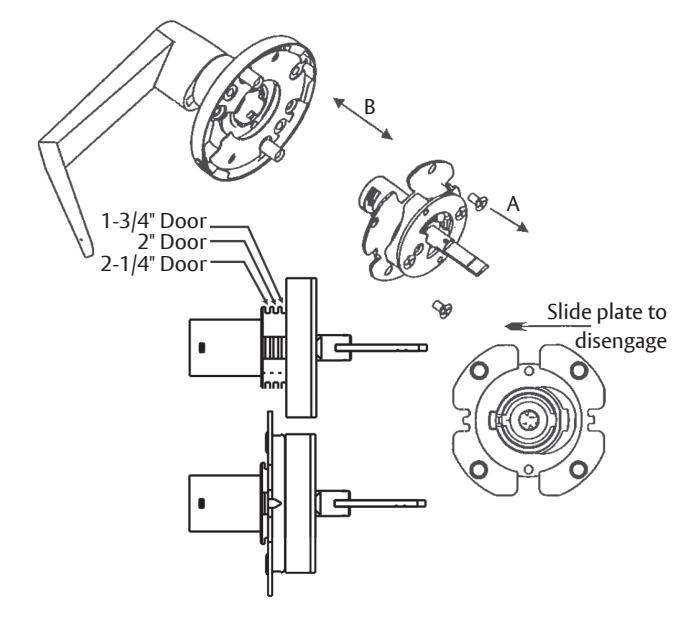
Figure 4. Cylinder Removal/Exchange
- 1. Remove retainer pad.
- 2. Slide cylinder out. (Reverse steps to reassemble)
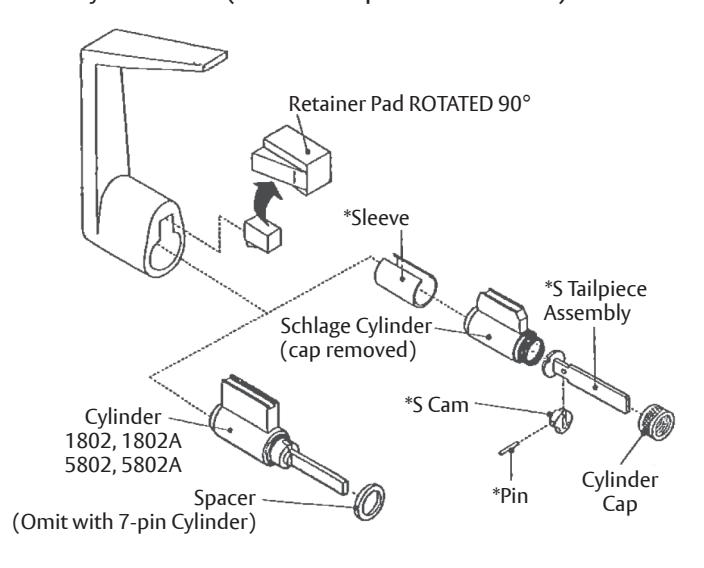
107S Lever Adapter Kit
Items marked * are supplied. Schlage cylinder is not supplied by ASSA ABLOY. To assemble cylinder:
- 1. Remove cap and Schlage tailpiece.
- 2. Install S Tailpiece Assembly. Thread cylinder cap, allowing for proper plug end play.
- 3. Position cam on tailpiece, with cam notch as shown. Pin in place.
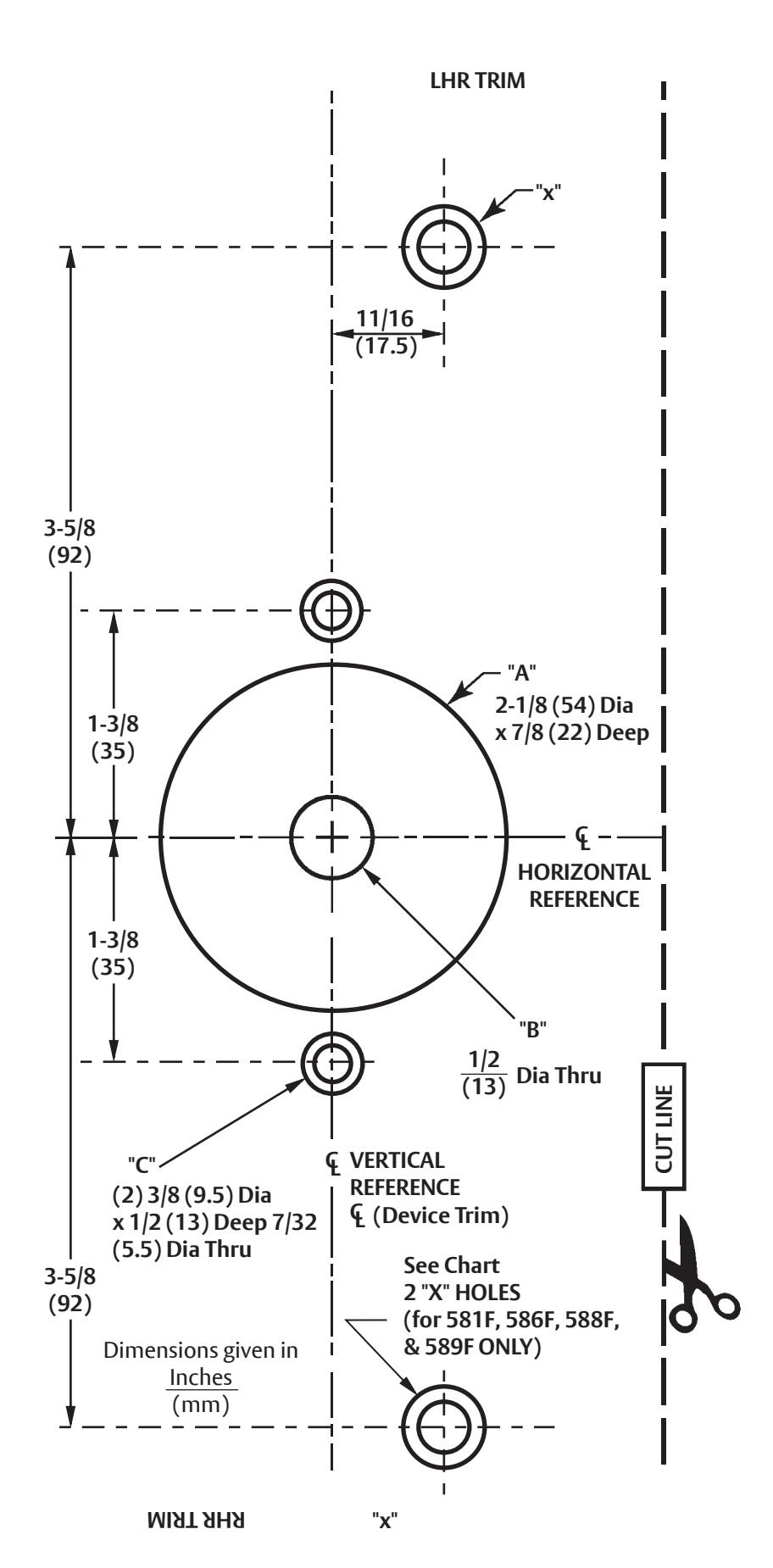
Outside Door Face Trim Template

| TRIM | HOLES | |||
|---|---|---|---|---|
| 541F, 546F, 548F, 549F | A, B, C | |||
| 581F, 586F, 588F, 589F | A, B, C, X | |||
| For Holes Marked "X" See Below | ||||
|
METAL DOORS:
Inside Face 5/16" (8) Dia. Outside Face |
1/16" (13) Dia. | |||
| WOOD DOORS: 1/2" (13) DIA. THRU | ||||
CAUTION: Office printers, copiers and facsimile machines may change the size of a drawing and make the template inaccurate to use as a door marker. If this is not the original template packed with the trim, use only the holes on the door (do not use template as a door marker).