ASSA ABLOY ACCENTRA 500F & 514F Trims Installation Instructions_80-8470-0500-000
Open the original PDF document
View PDF500F & 514F
Trim
Installation Instructions

WARNING
This product can expose you to lead which is known to the state of California to cause cancer and birth defects or other reproductive harm. For more information go to www.P65warnings.ca.gov.
WARNING
Attention Installer: Any retrofi t or other fi eld modifi cation to a fi re rated opening can potentially impact the fi re rating of the opening, and ASSA ABLOY makes no representations or warranties concerning what such impact may be in any specifi c situation. When retrofi tting any portion of an existing fi re-rated opening, or specifying and installing a new fi re-rated opening, please consult with a code specialist or local code offi cial (Authority Having Jurisdiction) to ensure compliance with all applicable codes and ratings. 80-8470-0500-000 01/24
1-855-557-5078 Ext. 2 • www.accentra-assaabloy.com
Installation Instructions
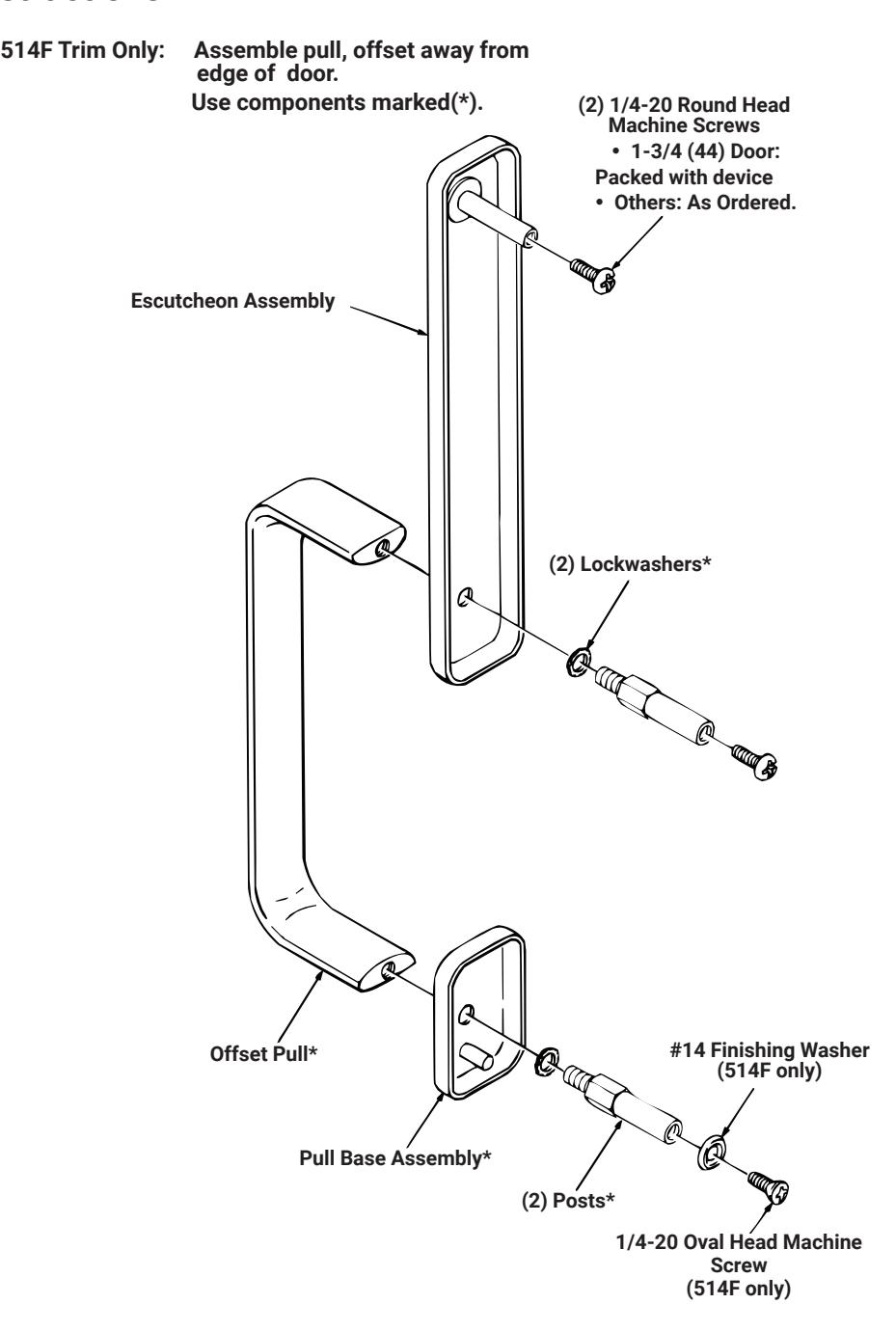
- 1. Pull trim becomes handed after assembly (parts are universal.) See front for components and instructions.
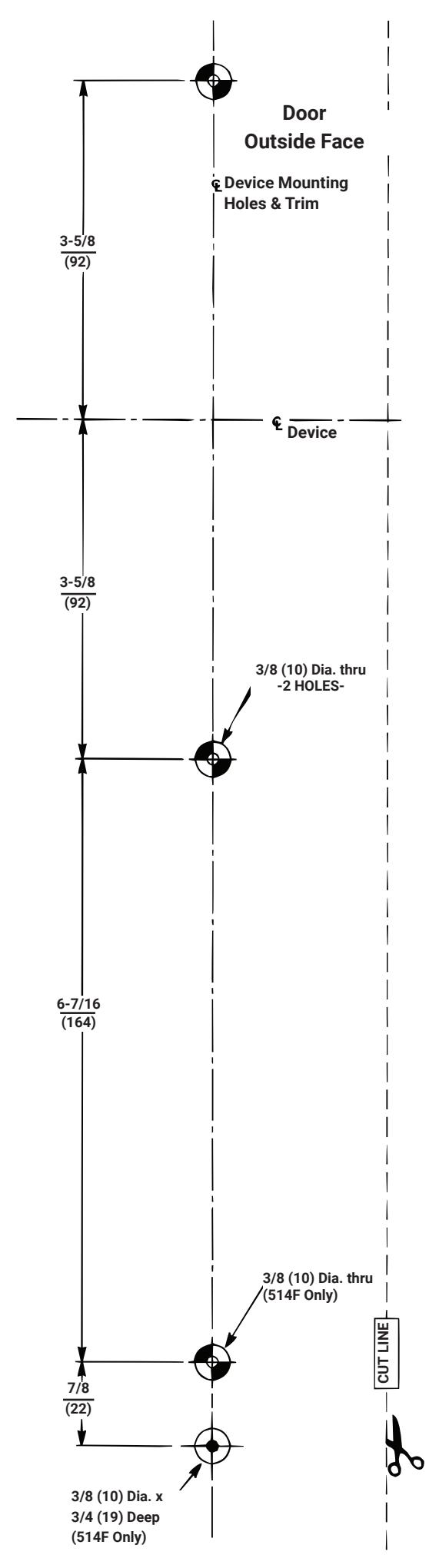
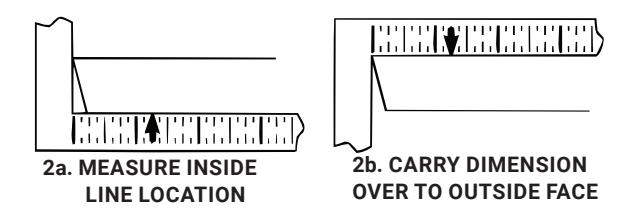
- 2. After marking door inside face for device location (device Instructions), carry "Centerline of Device Mounting Holes" from outsidde door face. Follow steps 2a and 2b below.
- 3. Carry horizontal "Centerline of Device" from inside to outside door face.
- 4. Align trim template and tape to door, outside face
- 5. Spot holes and prepare door for trim.
- 6. Mount trim to door, bolting escutcheon to device. Continue as shown on device instructions.
Caution: Office copiers and facimile machines may change the size of a drawing and make the template innaccurate to use as a door marker.. If this is not the original template packed with the trim, use only the dimensions written on the template to locate the holes on the door(do not use the template as a door marker).
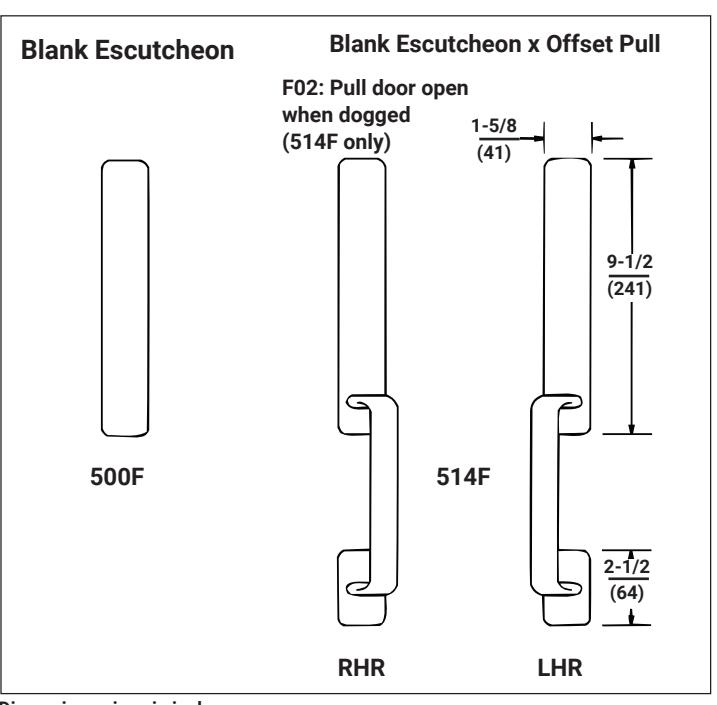
Dimensions given in inches (mm).