88329_R2-6EWS_Instruction
Open the original PDF document
View PDF6EWS pdqSMART INSTALLATION INSTRUCTION
EXIT DEVICE TRIM
ALL 6EWS – EXCLUDING STS Phone: 866-874-3662 | www.pdqlocks.com

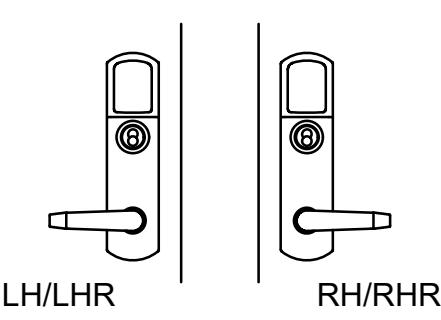
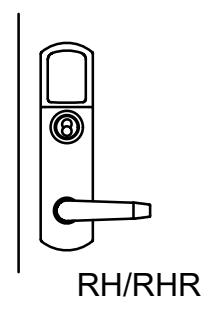

1. PREPARE TRIM FOR INSTALLATION
Rotate lever to proper orientation for door, install square drive spindle into back of trim.
2. INSTALL TRIM AND EXIT DEVICE
- Prepare door according to included template.
- Install escutcheon trim onto door while feeding wires through door.
- Install exit device and secure with (4) included ¼-20 x ¾" pan head screws.
- Rim Device: Install chassis/head cover.
- SVR Device: Skip to step 4
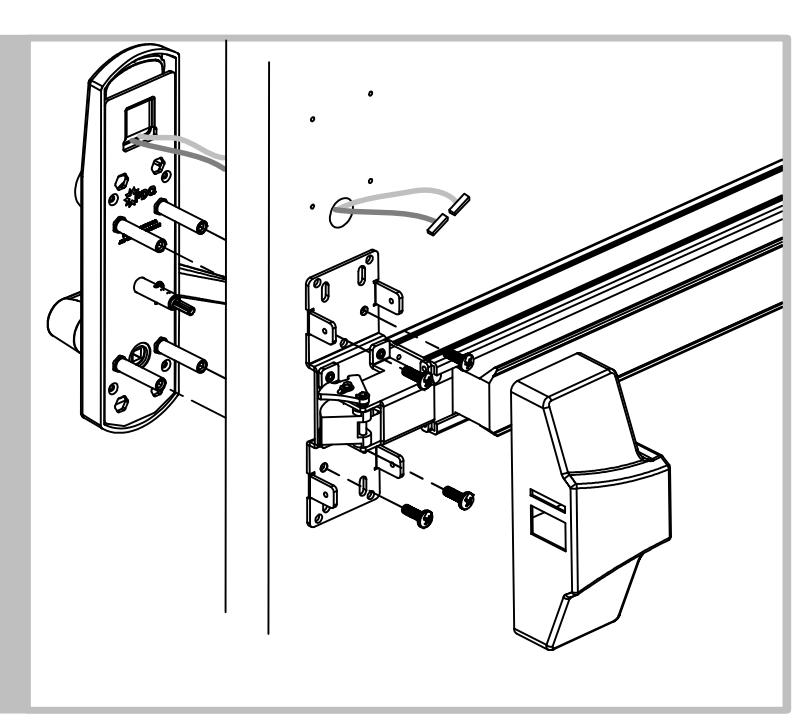
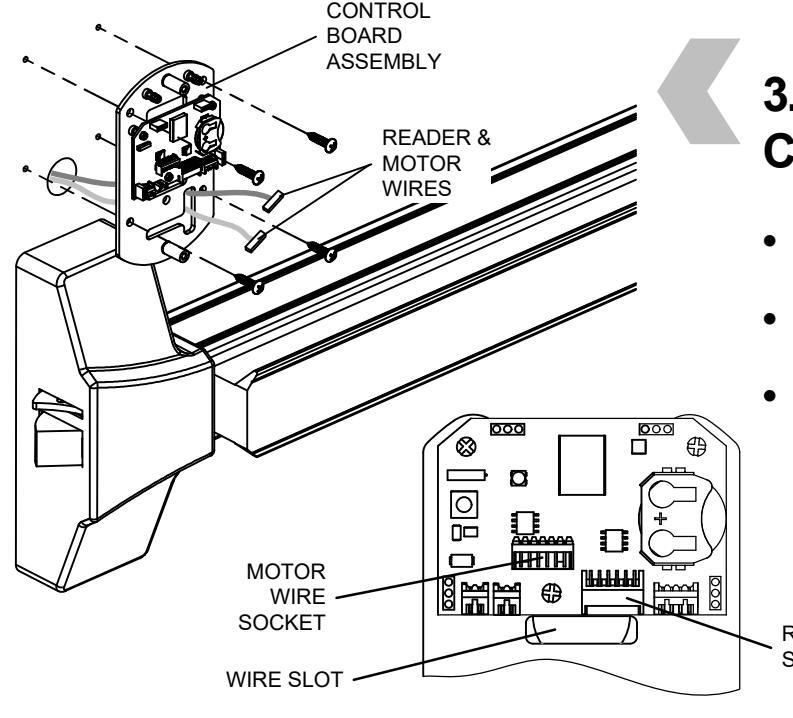
3. RIM DEVICE - INSTALL CONTROL BOARD
- Install control board assembly feed wires through slot under circuit board.
- Secure assembly with (4) included wood/ metal screws.
- Make wire connection after control board is installed. Push extra wire into door cavity.
READER SOCKET
6EWS pdqSMART INSTALLATION INSTRUCTION
EXIT DEVICE TRIM
ALL 6EWS – EXCLUDING STS

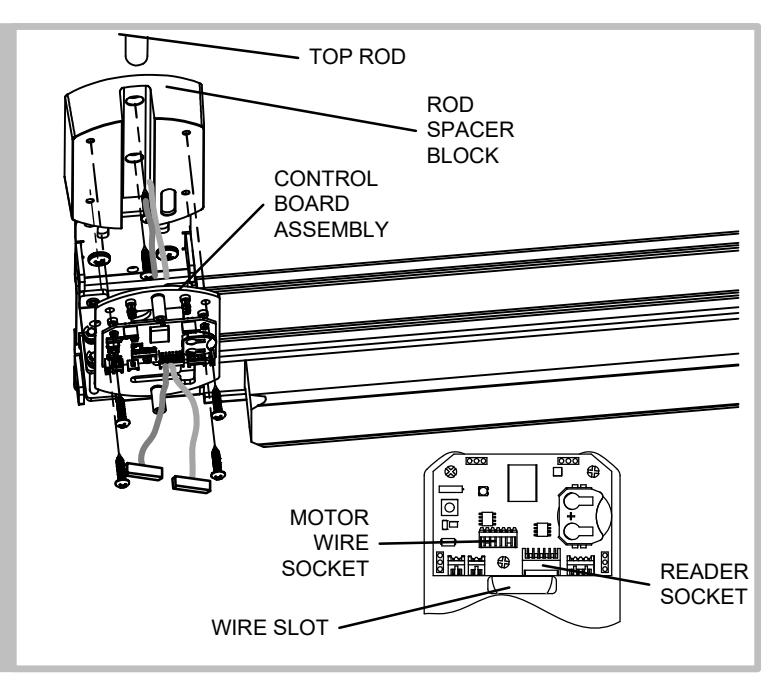
4. SVR DEVICE - INSTALL SPACER & CONTROL BOARD
- Install rod spacer block with (2) included wood/metal screws – feed wires through slot in block.
- Install top rod before control board.
- Install control board assembly feed wires through slot under circuit board and secure assembly with (4) wood/metal screws.
- Make wire connections after control board installed. Push extra wire into door cavity.
- Install Chassis/Head cover
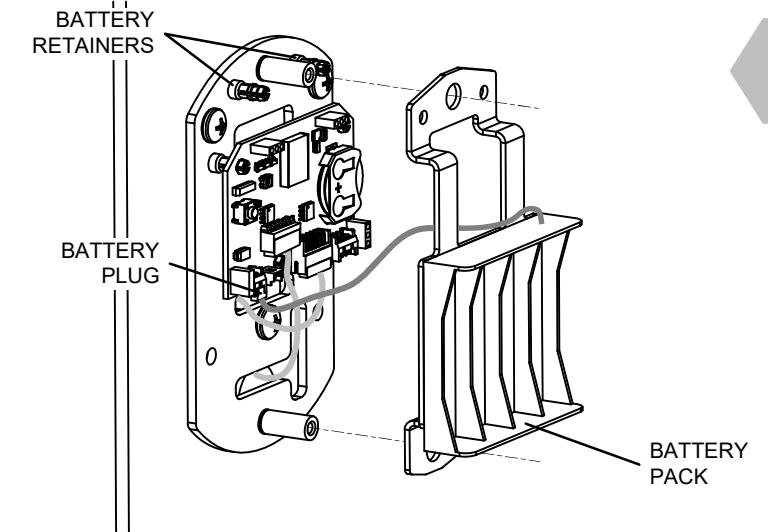
5. INSTALL BATTERY PACK
- Plug battery wire into control board.
- Install battery pack over two studs on mounting plate and snap battery pack onto retainers on control board assembly.
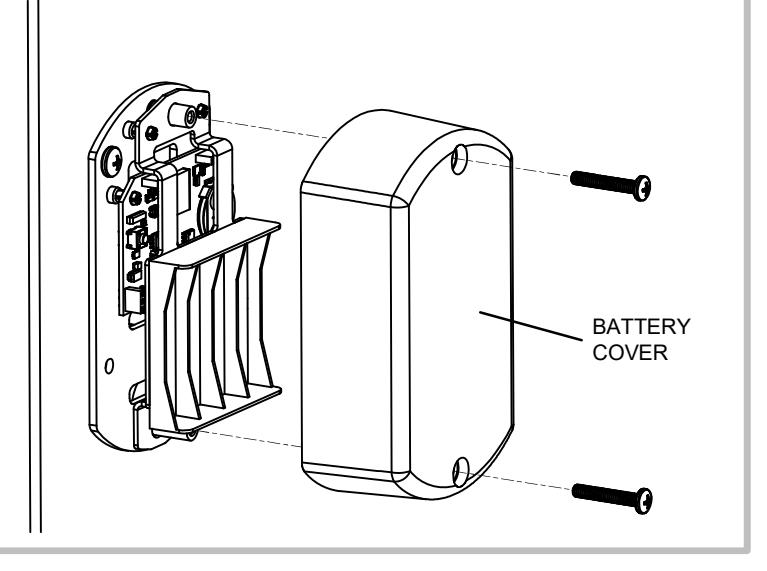
6. INSTALL BATTERIES AND BATTERY COVER
Install batteries and battery cover with (2) #8-32 x 1" pan head screws.