3300 Series Latchbolt Faceplate Change Instruction I-LS02282
Open the original PDF document
View PDF

PURPOSE: To illustrate how to change the face plate on the 3300 latch bolt.
TOOLS : Flat Blade Screwdriver
NOTE : The latch bolt comes with the round corner face plate attached and square corner loose in the box.
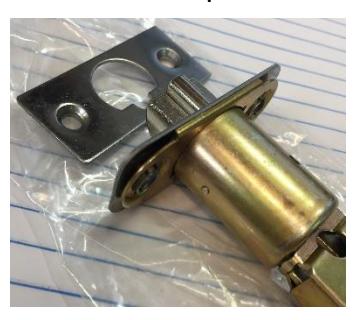
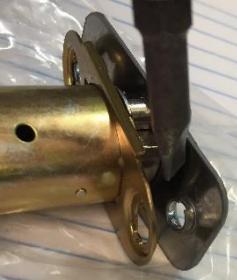
STEP 1 Carefully pry off the round corner face plate by inserting the flat blade of the screwdriver between the mounting bracket and face plate in the location shown below.
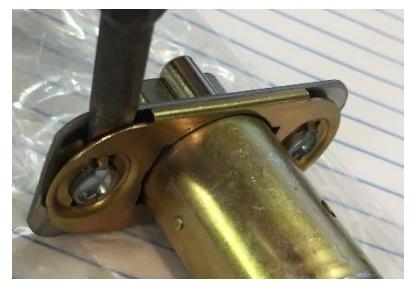
While holding the latch, twist the screwdriver to pry the face plate off the mounting bracket.
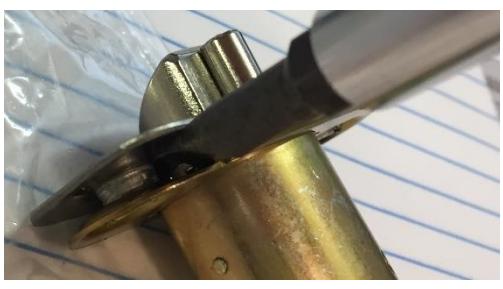
Repeat Step on opposite side to free the face plate.
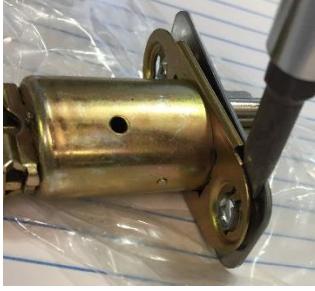

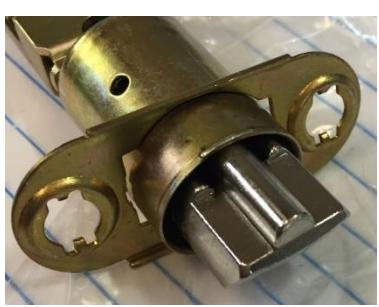
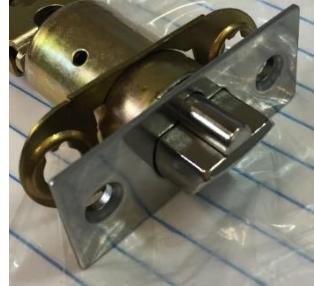
STEP 2 Install new face plate making sure the posts on the back of the face plate fit through the holes of the mounting bracket as shown below.
NOTES :
After prying off the face plate, the new face plate will not snap tight to the mounting bracket. The new face plate will attach to the mounting bracket in Step 3.
STEP 3 Mount the latch, placing the mounting bracket, face plate, and screws as shown below. When the fasteners are screwed into the frame, everything will be held tightly in place.
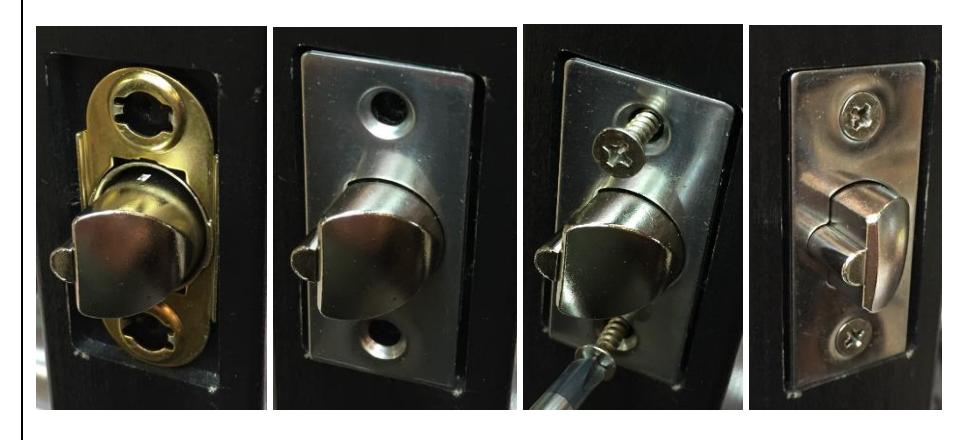
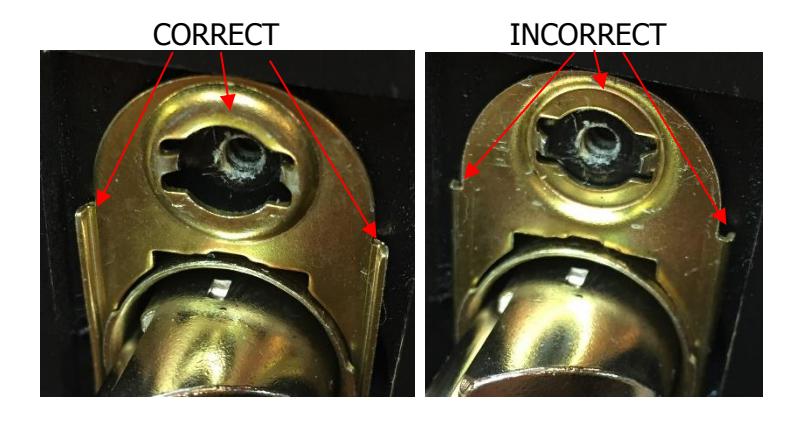
NOTE: Make sure the mounting bracket is oriented as shown below before installing the face plate and screws.
Rev -, Rev Date: 3/28/18 Page 2 of 2